Keywords Search
Entries List Search
Drug 2D Structure Similarity Search
Molecular Sequence Similarity Search
Drug Information in DrugMAP
Drug Off-Target (DOT) Information in DrugMAP
Disease / Drug Indication Information in DrugMAP
Drug Therapeutic Target (DTT) Information in DrugMAP
Drug Transporter (DTP) Information in DrugMAP
Drug-Metabolizing Enzyme (DME) Information in DrugMAP
Drug ADMET Endpoint Profile (DAE) Information in DrugMAP New
Drug Pharmacogenomic Perturbation Map (DPP) Information in DrugMAP New
Drug-Molecule Activity Atlas (DMA) Information in DrugMAP New
Search Methods Available in DrugMAP
Data Content Available in DrugMAP
General Information of Drug
Molecular Interaction Atlas of Drug
Molecular Expression Atlas of Drug
Drug-Drug Interaction (DDI) Information of Drug
Pharmaceutical Excipient & Formulation Information of Drug
Drug Combination (DrugComb) Profiles of Drug
Drug Combination Information in DrugMAP
Drug Reposition (DrugRepo) Profiles of Drug
General Information of DOT
Related Disease Information of DOT
Molecular Interaction Atlas of DOT
General Information of Disease
Drug-Interaction Atlas (DIA) of Disease
Molecular Interaction Atlas (MIA) of Disease
General Information of DTT
Molecular Interaction Atlas of DTT
Molecular Expression Atlas of DTT
Information on Pharmacokinetic Roles of DTT
General Information of DTP
Molecular Interaction Atlas of DTP
Molecular Expression Atlas of DTP
Drug Affinity Data of DTP
Information on Pharmacodynamic Roles of DTP
General Information of DME
Molecular Interaction Atlas of DME
Molecular Expression Atlas of DME
Experimental DME Kinetic Data of Drug
Information on Pharmacodynamic Roles of DME
General Information of Drug New
ADMET Endpoint Atlas of This Drug New
ADMET Regression Property New
ADMET Classification Property New
General Information of Drug New
Consensus Signature of Drug Pharmacogenomic Perturbation (DPP) New
Pharmacogenomic Perturbation Across Diseases and Tissues New
General Information of Drug New
Molecule-level Activity Landscape of This Drug New
Experimental Drug Sensitivity Data Across Cancer Cell Lines New
Cytotoxic Activity Landscape of This Drug New
The most frequently used keyword searches are set up at the top of the "Home" page of DrugMAP and each search page. In the keyword search, users can search for the entries they wanted using any keyword related to the entries they were searching for.
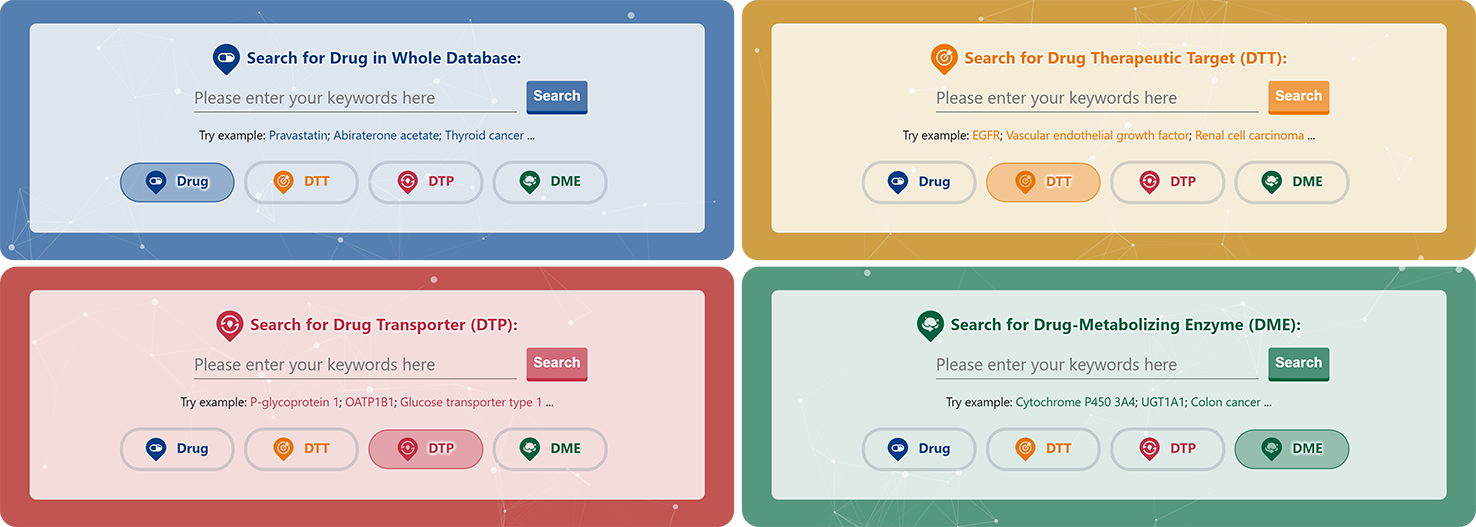
Taking a drug as an example, the users can search and find their wanted drugs by entering the keywords about drug name, drug synonyms, drug PubChem ID, drug target, drug-metabolizing enzyme, drug transporter and any other keywords related to the drug.
Query can be submitted by entering keywords into the main searching frame. Users can specify part or full name in the text field. To facilitate a more customized input query, the wildcard characters of "*", "-" and "?" are also supported in DrugMAP. For example:
If search "Estradiol Acetate" and click the "Drug" button, find three entries with name "Estradiol", "Estradiol Acetate" and "Segesterone acetate; ethinyl estradiol". If you only want the result of "Estradiol Acetate", double quotation marks are required when you search the drug name;
If search: "Alpha-1? adrenergic receptor", finds entries with target names like "Alpha-1A adrenergic receptor", "Alpha-1B adrenergic receptor" or "Alpha-1C adrenergic receptor" etc. Here, "?" represents any one character;
If search: "Alpha-* adrenergic receptor", finds the same entries as above. Here "*" represents a string of any length. In this case, it represents "1A", "1B" or "1C" respectively.
In addition to the usual keyword searches, DrugMAP also offers Entries List-based searches for Entries such as Drug, Target, Drug Transporter (DT), drug-metabolizing enzyme (DME), etc. The main difference between this List-based search and the keyword search is that the List-based search matches the content text in an exact rather than a fuzzy way, in other words, only content that is identical to the entry selected by the user will be retrieved.

In each of the different drop-down search boxes, DrugMAP provides information about different Entries, for example, in the case of Drug, the 5 drop-down menus related to drug provide information about the drug's "Drug Name", "ICD-11 Defined Disease Class", "Target Name", "DT Name", and "DME Name" , the user can select the item they are interested in to search for drugs related to this item.
In addition to the two text-based search methods mentioned above, a 2D structural similarity-based search specifically for drugs was also provided in DrugMAP. Users can click the "Tanimoto-based Chemical Structure Similarity Search" block to use this search method

On this search page, users can retrieve drugs with similar 2D structures to those entered by (1) manually drawing the 2D structure of the drug on the JSME molecular editor; (2) uploading a local 2D structure file of the drug in SDF/MOL format; and (3) entering the SMILES string of the chemical structure.
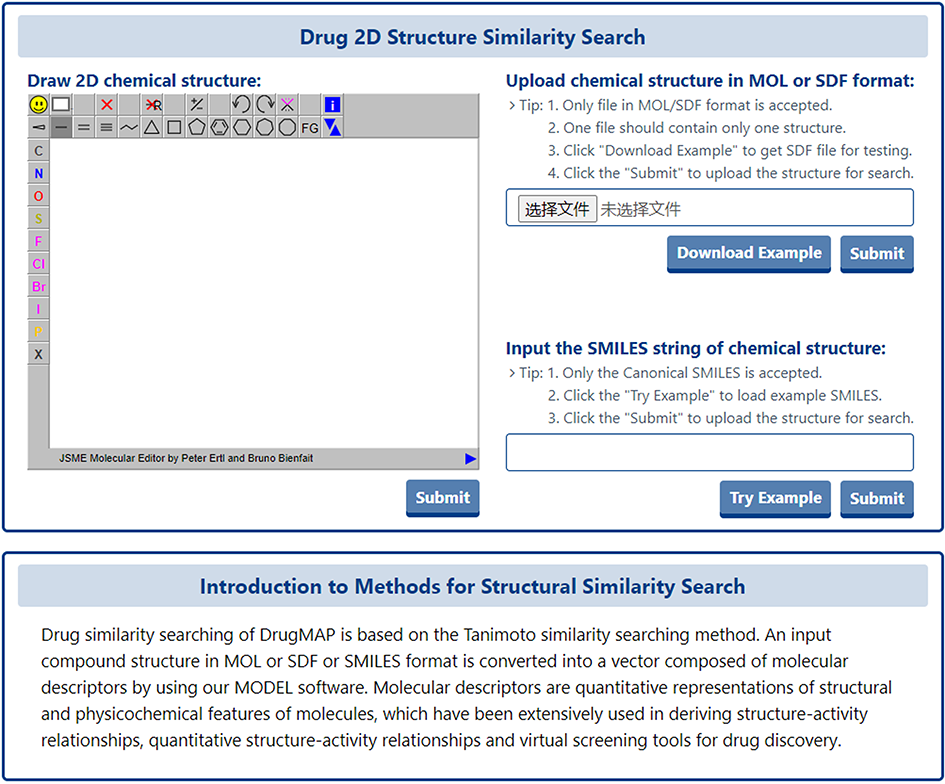
Drug similarity searching of DrugMAP is based on the Tanimoto similarity searching method. An input compound structure in MOL or SDF or SMILES format is converted into a vector composed of molecular descriptors by using our MODEL software. Molecular descriptors are quantitative representations of structural and physicochemical features of molecules, which have been extensively used in deriving structure-activity relationships, quantitative structure-activity relationships and virtual screening tools for drug discovery.
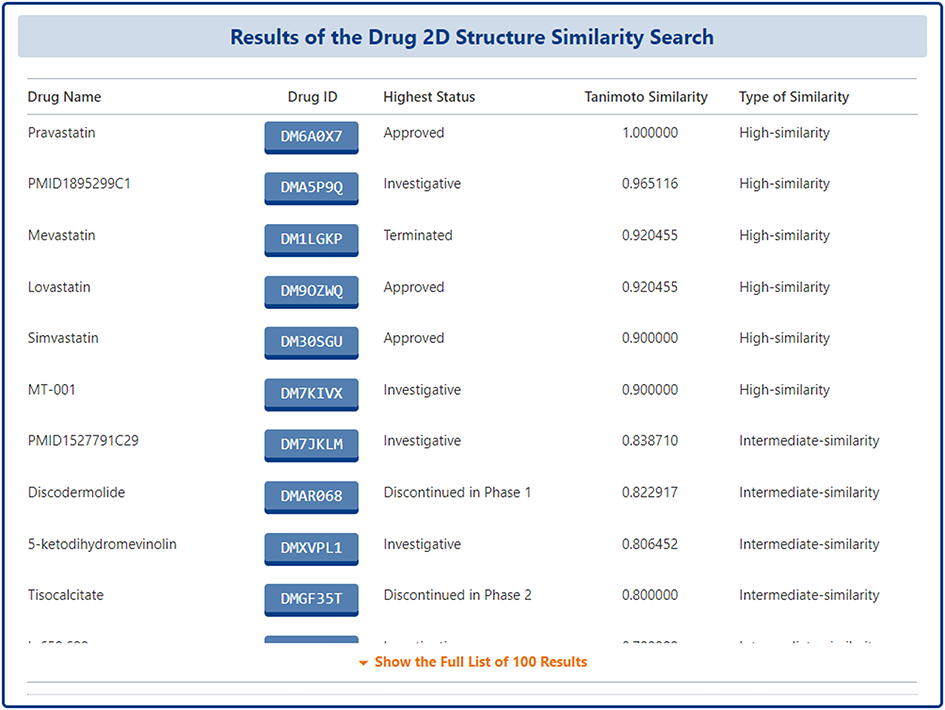
On the search results page, DrugMAP lists the top-100 drugs that are most similar to the 2D structure entered by the user in a table, and the drugs are ranked according to their Tanimoto Similarity scores, with the drug's "Drug Name", "Drug ID", "Highest Status", "Tanimoto Similarity" and the "Type of Similarity" information is listed directly on the search results page, and users can click on the Drug ID to go to the details page.
For the molecule of pharmaceutical importance (DTT, DTP, DME), a BLASTp-based molecular sequence similarity search method is also provided in DrugMAP. Users can click the "BLAST-based Molecular Sequence Similarity Search" block on the home page to use this search method.
On this page, the user can enter 2D sequence in FASTA format of any protein and submit it, and DrugMAP will perform a sequence-based protein similarity search across all types of molecules (DTT, DTP, DME).
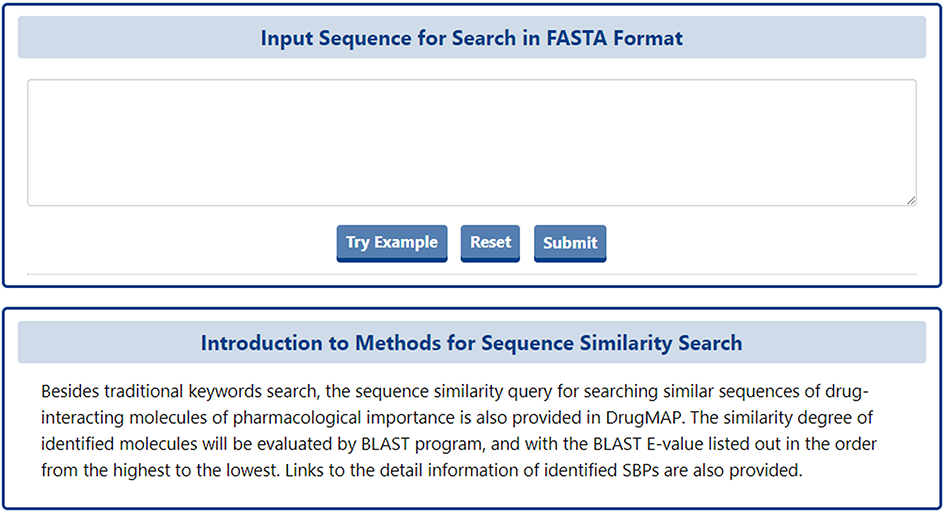
The similarity degree of identified molecules will be evaluated by BLAST program, and with the BLAST E-value listed out in the order from the highest to the lowest. Links to the detail information of identified SBPs are also provided.
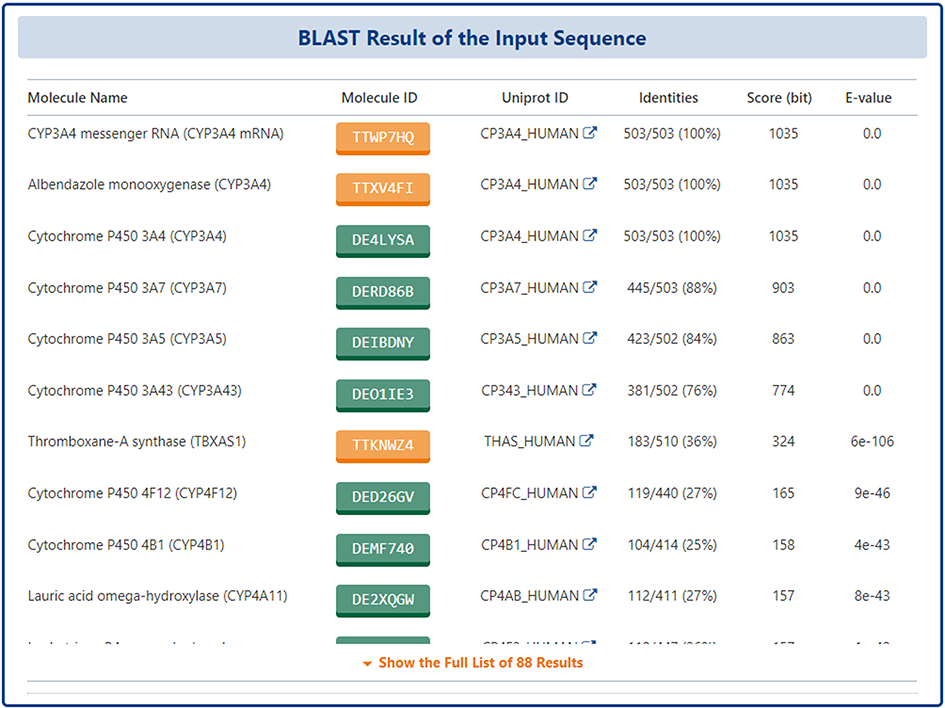
On the search results page, DrugMAP lists molecules with significant similarity to the sequence entered by the user, all molecules are sorted by E-value size, and the results table provides "Molecule Name", " Molecule ID", "UniPort ID", "Identities", "Score (bit)", "E-value", etc. The user can click on the Molecule ID to access the molecule details page.
On the search page for drugs, DrugMAP offers a keyword search field for drugs and 5 drop down menu search fields, the 5 drop-down menus related to drug provide information about the drug's "Drug Name", "ICD-11 Defined Disease Class", "Target Name", "DT Name", and "DME Name", the user can select the item they are interested in to search for drugs related to this item.
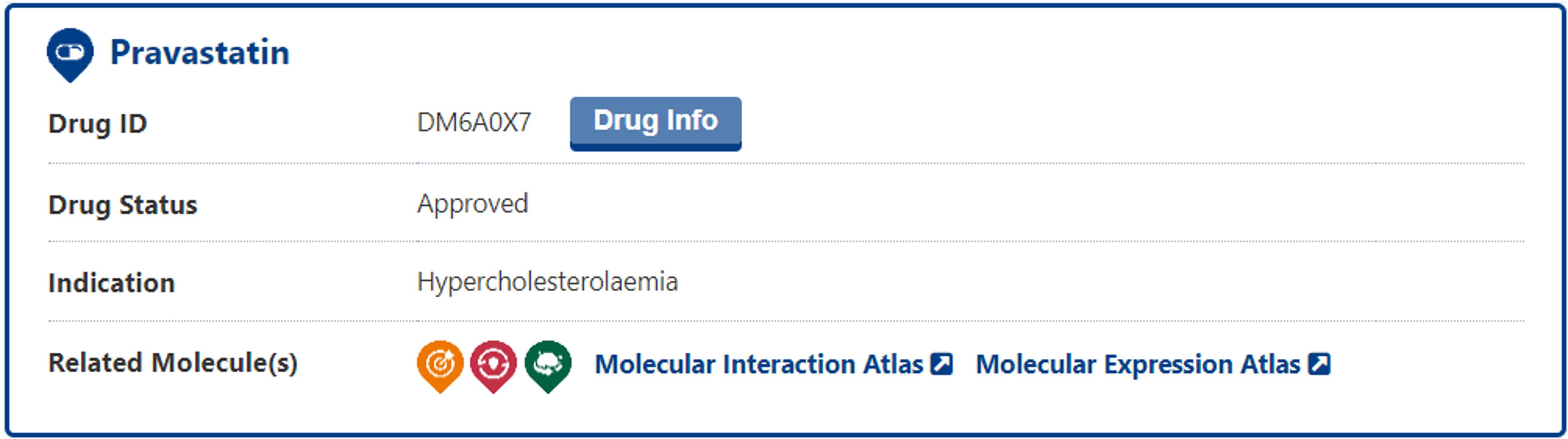
The search results page for a drug briefly displays information about Drug Name, Drug Status, Indication, and Related Molecule(s), specifically, in the "elated Molecule(s)" section, three different logo colours show the presence of Target, DT and DME information is present or not. And the "Molecular Interaction Atlas" and the "Molecular Expression Atlas" buttons directly linked to the molecular interaction/expression atlas page of this drug.
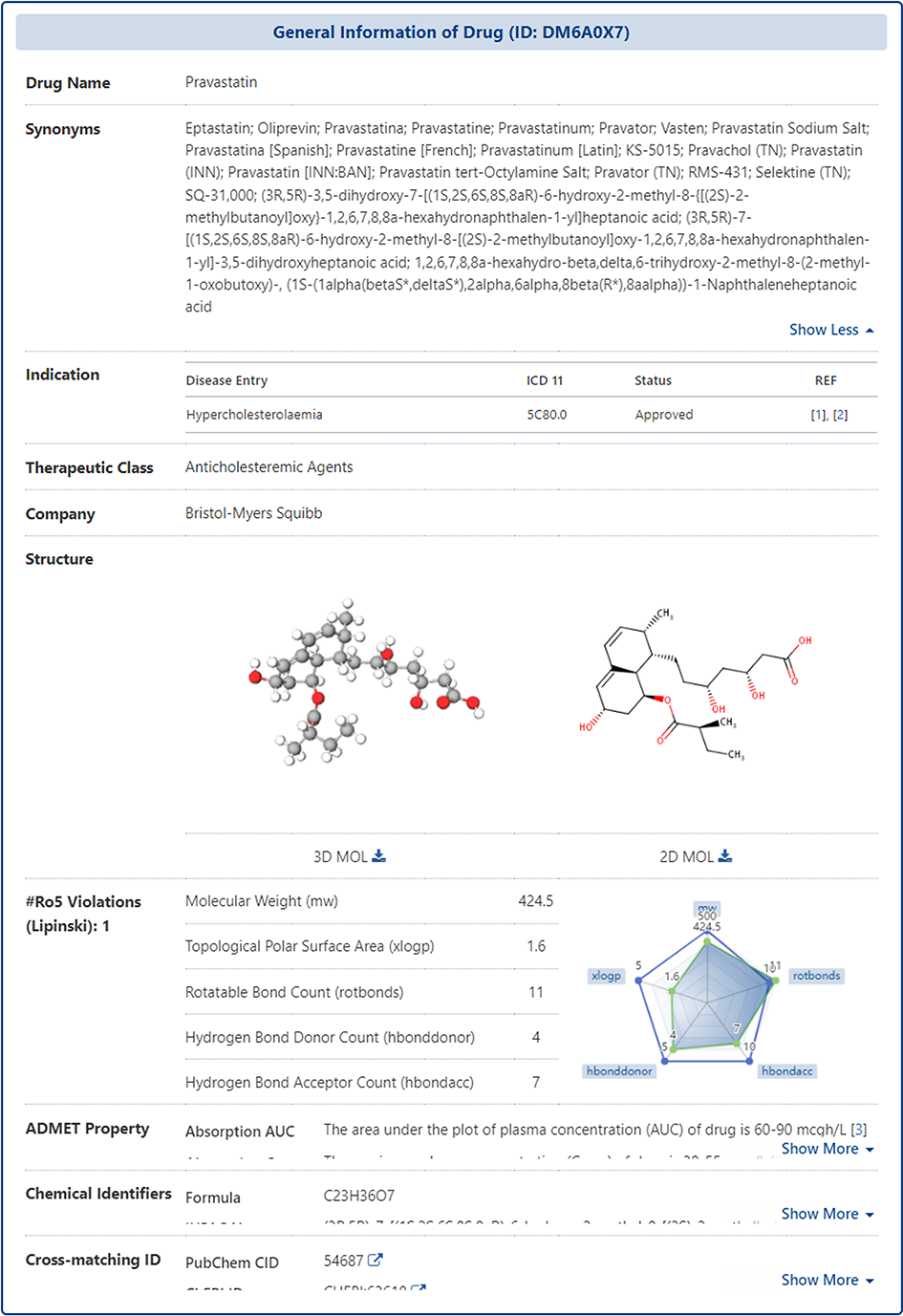
In the "General Information of Drug" section of the Drug Information page, DrugMAP provides information on the Name, Synonyms, Indication, Therapeutic Class, Structure, Lipinski Ro5 Violations, ADMET Property (Absorption, Distribution, Metabolism, Elimination, etc.), Chemical Identifiers (Formula, IUPAC Name, Canonical SMILES, etc.), Cross-matching ID (PubChem CID, ChEBI ID, CAS Number, etc.).
Molecular Interaction Atlas of Drug
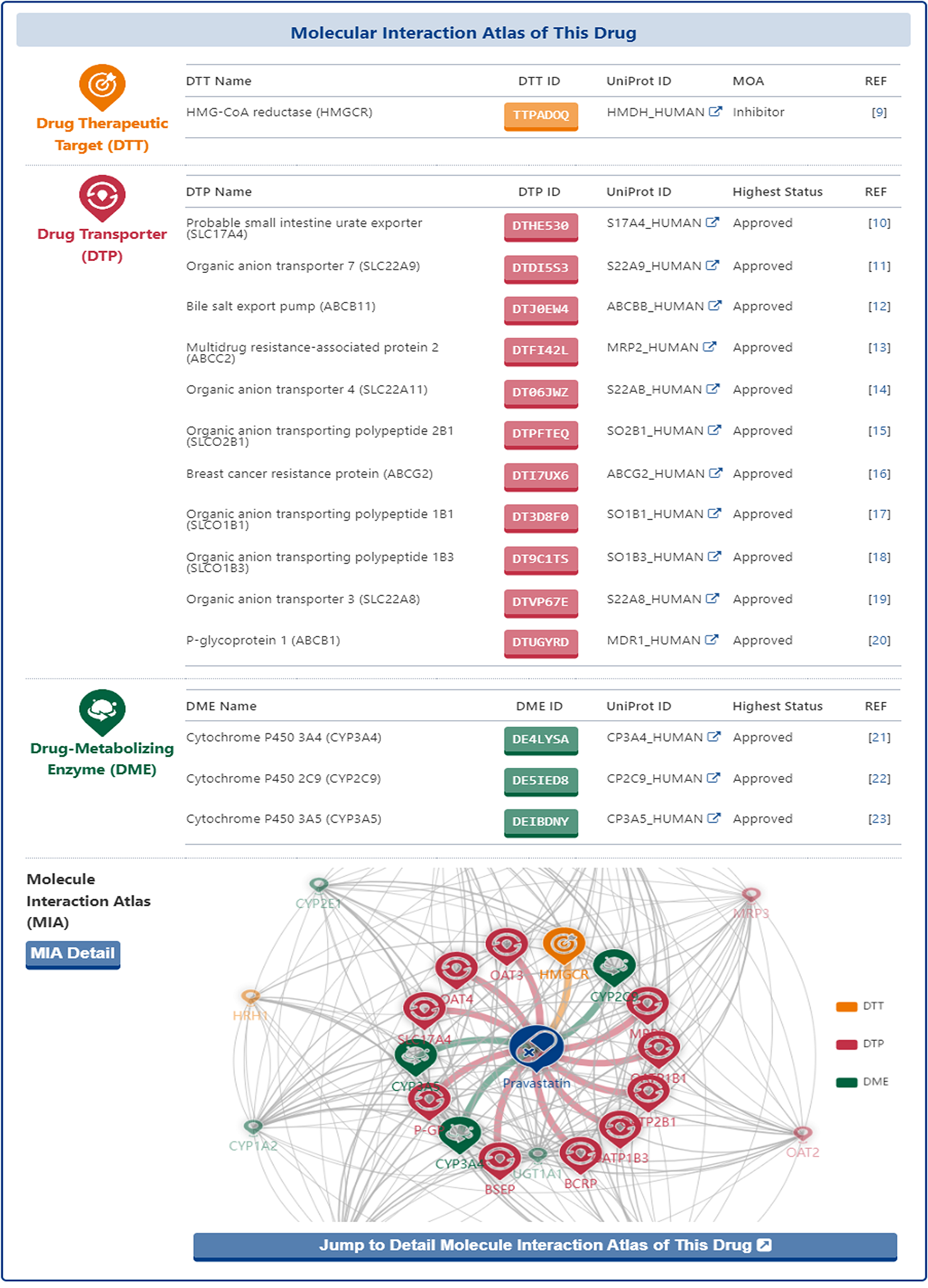
In the "Molecular Interaction Atlas of This Drug" section of the drug information page, DrugMAP provides basic information about all the molecule(s) of pharmaceutical importance that interacting with the drug (including DTT, DTP and DME) in form of interaction tables and map.
In the interaction table, the name, ID and UniProt ID of all molecules and the Highest Status of their interacting drugs are listed, and users can click on the name of DTT, DTP and DME to access the information page of DTT, DTP and DME.
In the interaction map, the drug is placed right in the centre and all molecules that interact directly with the drug (directly-interacted molecules) are distributed around and directly connected to the drug. In addition, the other molecules that have shared drugs with the directly-interacted molecules are represented by small translucent landmarks and are scattered around the map, with a grey line between two molecules representing that there were shared interacting drug between them.
Moreover, the users could click the "Jump to the Detail Molecular Interaction Atlas of This Drug" and "MIA Detail" buttons to jump to the "Detail Molecular Interaction Atlas of Drug" page.
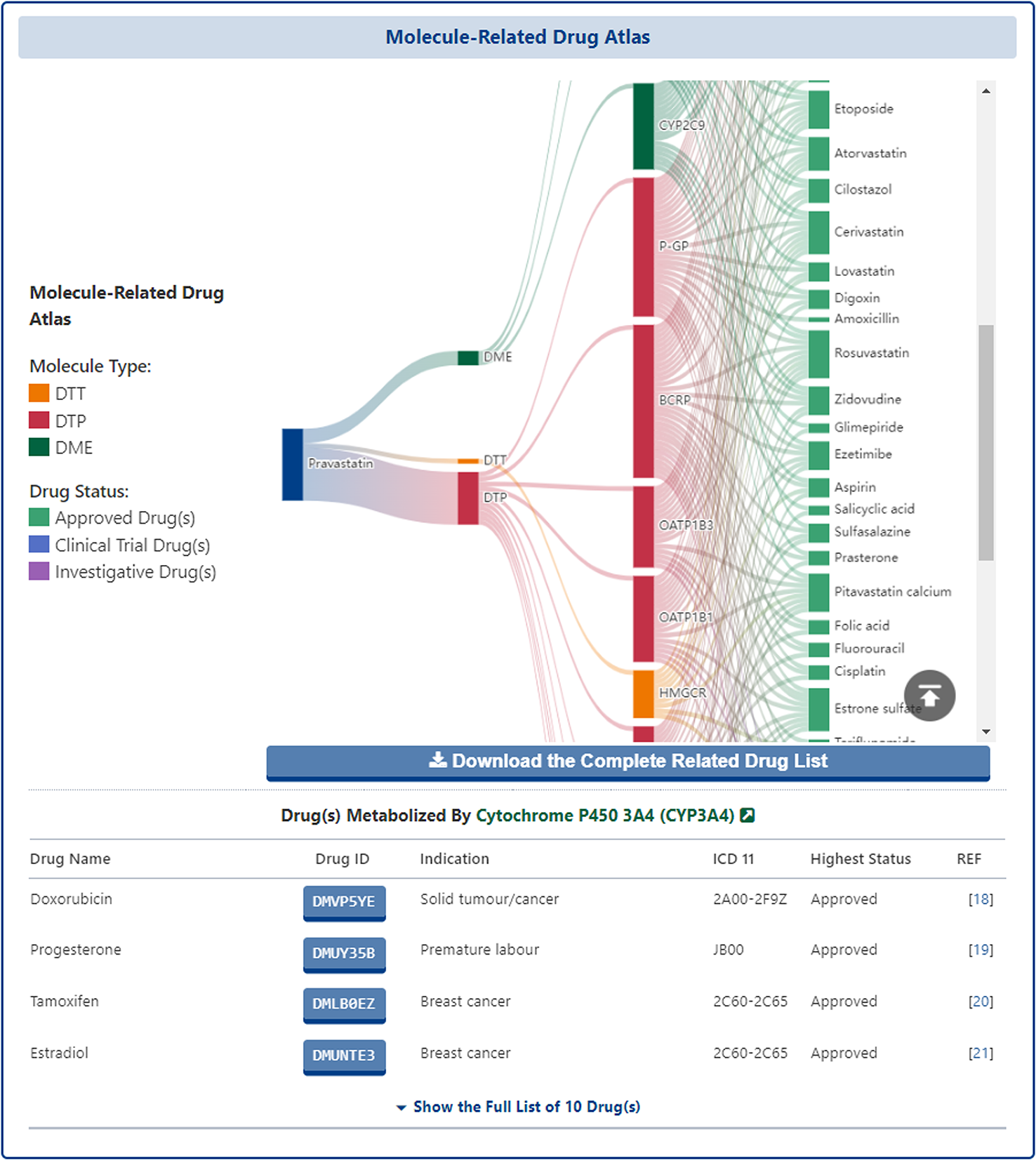
In the "Detail Molecular Interaction Atlas of Drug" page, all molecules that interact directly with the subject drug and the other drugs they interact with are presented in the form of a sankey diagram, in which the first layer is the subject drug, the second layer is the classification of molecules (i.e. DTT, DTP, DME), the third layer is the molecules that interact directly with the subject drug and finally, the fourth layer is all other drugs that interact with molecules. The interactions between the layers are shown by the gradient-coloured curved lines. The Sankey diagram is interactive and the user can mouse over the node at each level to see the details of that node.
In addition to this, all the drugs interacting with each different molecule are listed in a table at the bottom of the Sankey diagram, where the user can see the "Drug Name", "Drug ID", "Indication", "ICD-11", "Highest Status", or click on the ID of each drug to access its details page.
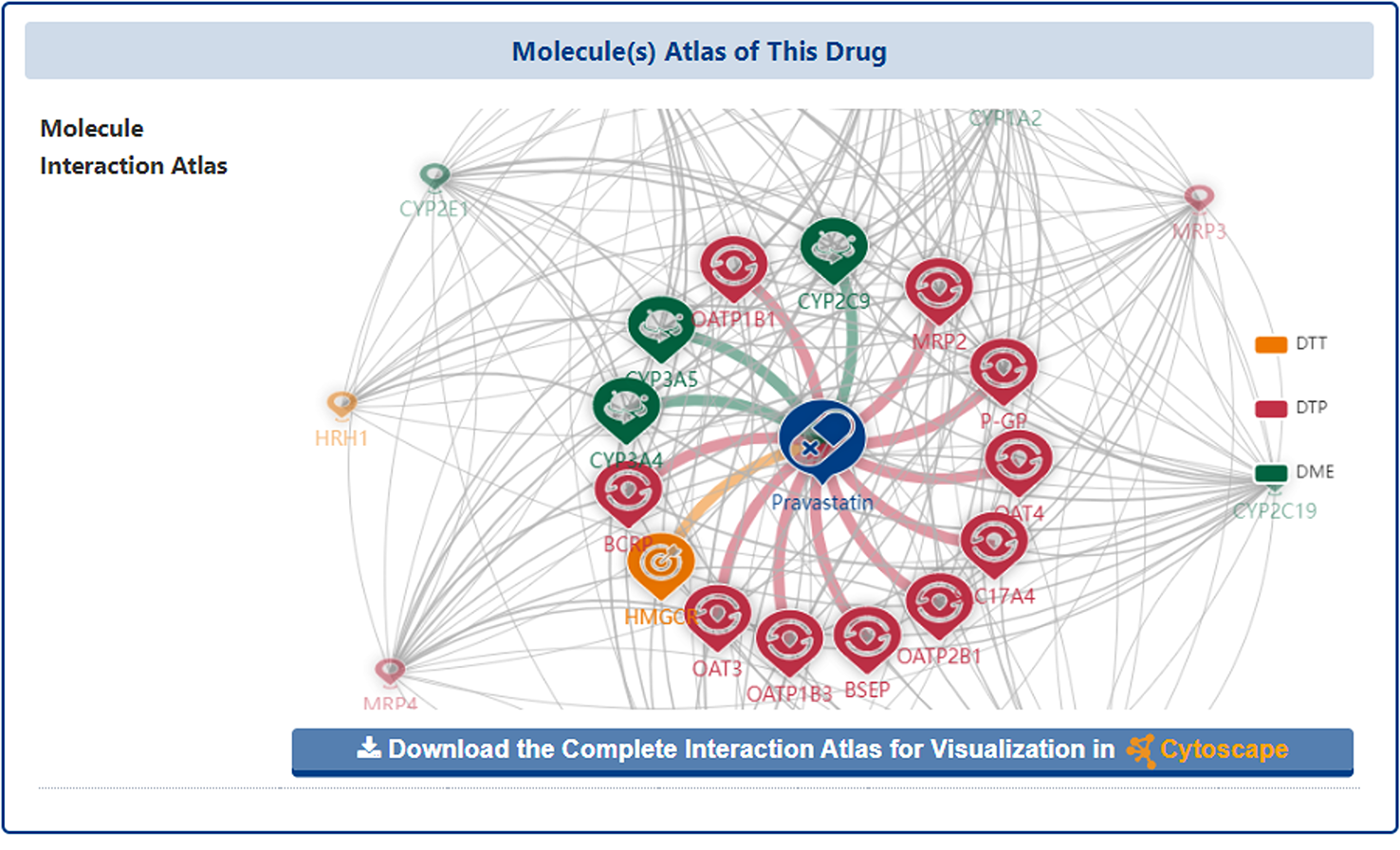
At the bottom of the page, DrugMAP re-presents the Molecule Interaction Atlas and provides a "Download the Complete Interaction Atlas for Visualization in Cytoscape" download button, which allows users to download all the interaction network data of the subject drug for further network analysis and visualization locally or on Cytoscape.
Molecular Expression Atlas of Drug
In addition to the above sections, DrugMAP also provides the expression atlas of the molecules associated with this drug.
In the section of "Molecular Expression Atlas of This Drug", DrugMAP collected expression microarray data from healthy individual and patients associated with the indication of the drug in focal tissue and calculated fold change, p-value and Z-score, and finally presented the data in box plots and tables.
In the expression table, DrugMAP provides p-value, Fold-Change and Z-score values for the differential expression of molecules that interact directly with the subject drug between focal and healthy tissues, while in the graph below the table, the differential expression of molecules between focal and healthy tissues is presented in a more visual and interactive way. The solid green dots represent healthy tissue samples, while the solid red dots represent diseased tissue samples, and the user can mouse over the solid dot to see the GSM ID and normalized expression values for each sample, or mouse over the box to see the p-value, Fold-Change and Z-score.
The data used in the Molecular Expression Atlas is derived from a collection of 5,534 series records of human gene expression raw data. These records are based on the Affymetrix HGU133 Plus 2.0 platform and were obtained from the GEO database. Disease and tissue distributions were identified from the sample annotations associated with these records. To illustrate the expression atlas of all drug-interacting molecules, a careful selection process was undertaken. The disease indications of drugs were compared to the collected records, resulting in the selection of 436 records. In cases where there were small sample sizes, multiple records from the same disease and tissue were integrated to address low statistical power. The collected records underwent rigorous pre-processing to ensure reliable and standardized data analysis. This involved normalization, log transformation, data integration, perfect match correction, quantization, powerful multi-array averaging, and median polishing.
Differential expression between distinct groups of samples (disease tissues of patients vs. normal tissues of healthy individuals) was assessed using various statistical methods. Fold change, P value, and Z score were calculated to determine the significance of differential expression. However, it should be noted that DrugMAP used the integrated GEO data for analysis. The p-value provides a direct measure of the significance of gene expression differences, while the adj p-value, which takes into account multiple test correction, may sometimes be too conservative, resulting in false negative results. Therefore, the adjusted p-value is not used in this analysis.The calculation methods for fold change, P value and Z score are as follows:
Fold change: calculated by comparing the ratio of gene expression levels in different sample groups (e.g. diseased tissue vs. healthy tissue).
p-value: calculated using Student's t-test to assess the statistical significance of the difference between the two sample groups.
Z score: is calculated from the standardized data and indicates the deviation of a value from the mean, expressed in standard deviations. In RNA-seq and microarray studies, tools such as limma are often used to perform these statistical calculations.
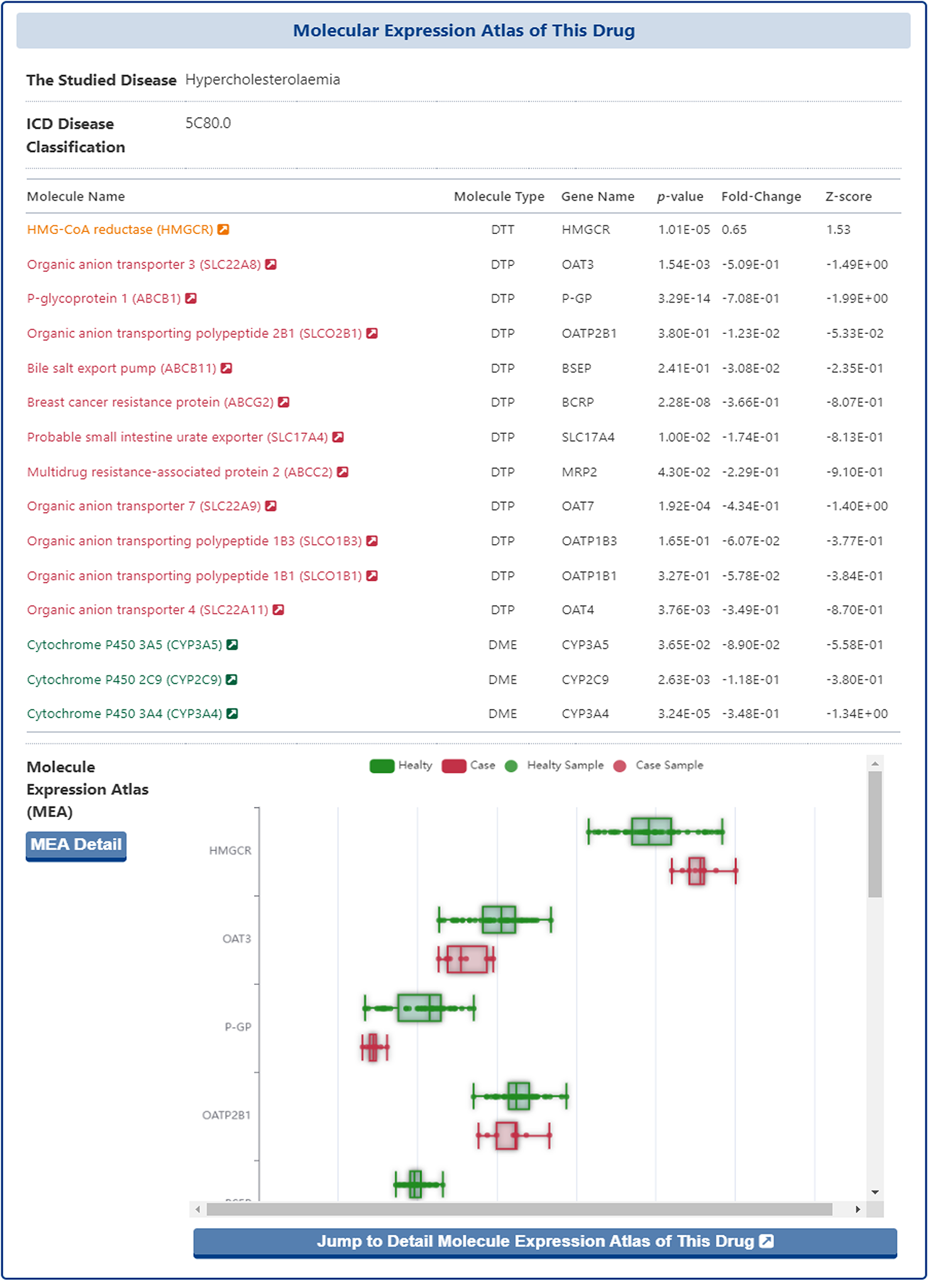
Moreover, the users could click the "Jump to the Detail Molecular Expression Atlas of This Drug" and "MIA Detail" buttons to jump to the "Detail Molecular Expression Atlas of Drug" page.
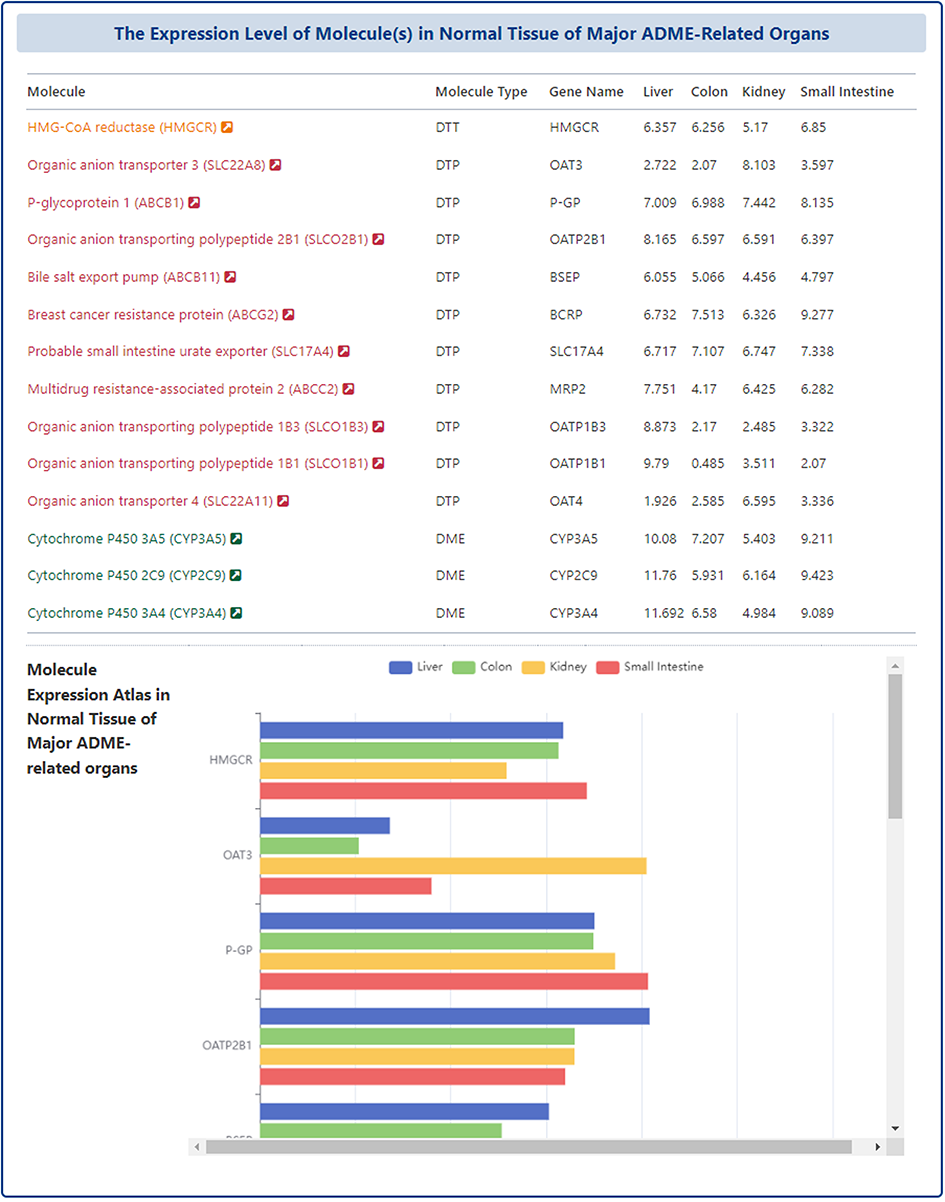
In the "Detail Molecular Expression Atlas of Drug" page, DrugMAP provides a comparison of the expression of molecules that directly interact with the subject drug in four ADME-related organs (Liver, Colon, Kidney, Small Intestine) in the form of a table and a bar chart.
Drug-Drug Interaction (DDI) Information of Drug
In addition to drug-molecule interactions, DrugMAP also collected information on drug-drug interactions (DDI) related to the subject drug.
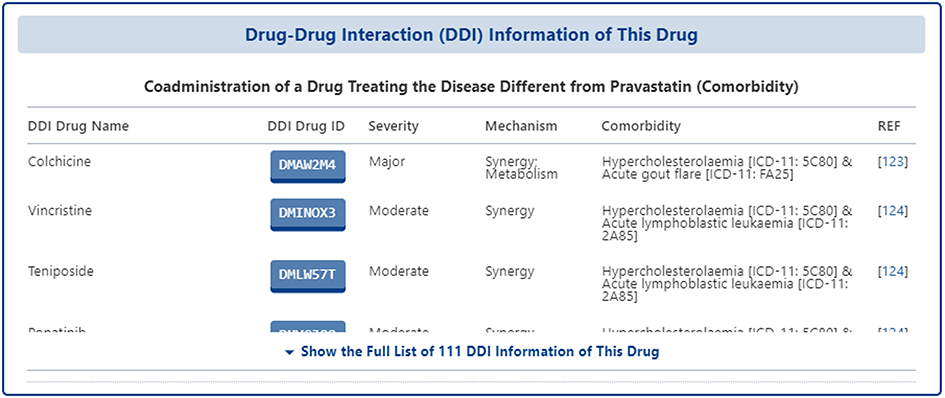
In the section of "Drug-Drug Interaction (DDI) Information of This Drug", all of the DDI information related to the subject drug are collected from FDA label, Drugs.com, literature research, and other reliable information sources. The data collected are presented in a table format and for each DDI, DrugMAP provides information such as "DDI Drug Name", "DDI Drug ID", "Severity", "Mechanism", "Comorbidity", "Reference", etc. "Reference" and other information.
Pharmaceutical Excipient & Formulation Information of Drug
The way in which a drug is formulated can play a pivotal role in the ADMET of a drug and can therefore also have a huge impact on the final efficacy of the drug. Information on drug formulations and drug excipients is essential for a complete understanding of the ADMET of a drug. For this reason, DrugMAP provides comprehensive information on drug formulations and drug excipients.
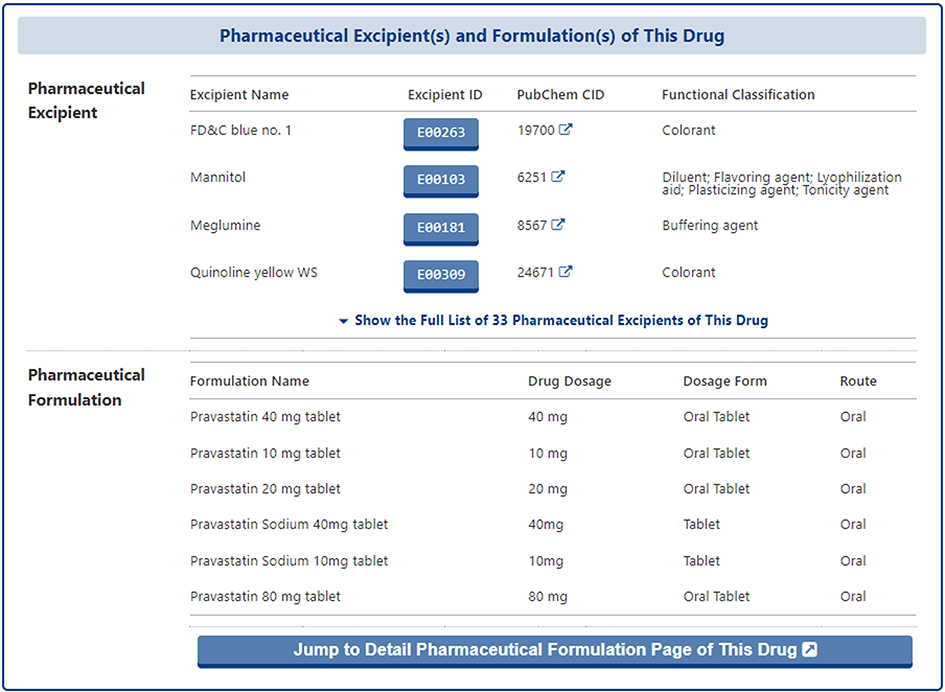
In the section of "Pharmaceutical Excipient(s) and Formulation(s) of This Drug", the pharmaceutical excipient that co-administered the subject drug and the pharmaceutical formulation that contained the subject drug are provided in two separate tables. In the table of pharmaceutical excipient, the "Excipient Name", "Excipient ID", "PubChem ID", "Functional Classification" of excipient are provided. And in the table of pharmaceutical formulation, the formulation information including "Formulation Name", "Drug Dosage", "Dosage Form", and "Route" of the subject drug are provided.
In addition, users can click the "Jump to the Detail Pharmaceutical Formulation Page of This Drug" to access the detail page of pharmaceutical formulation.
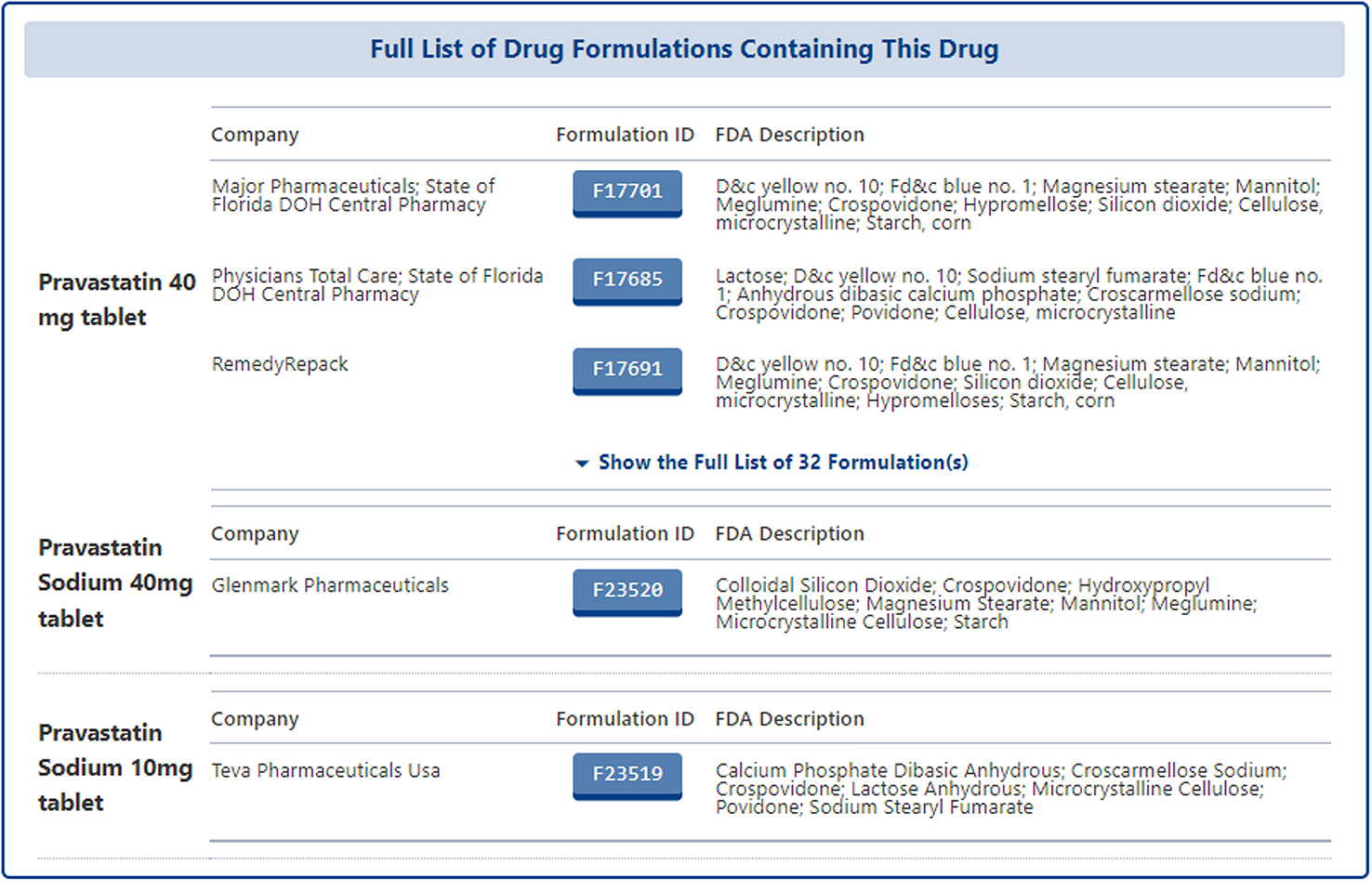
In the detail page of pharmaceutical formulation of subject drug, all formulations related to the subject drug from different companies are listed with the following information: "Company", "Formulation ID", "FDA Description". Users can click the "Formulation ID" to access the detail page of each specific formulation.
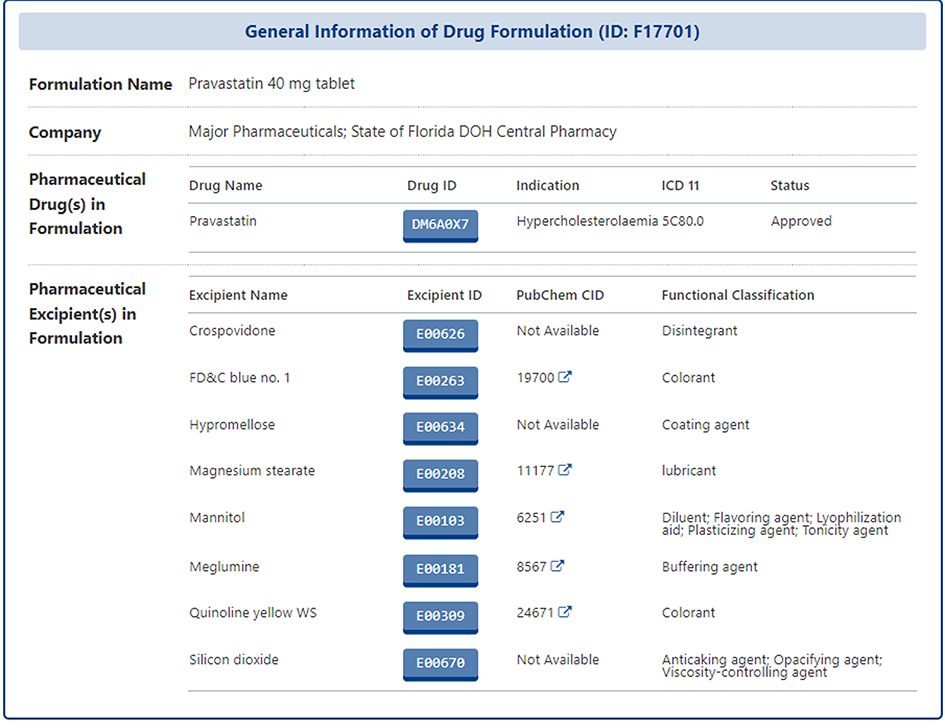
In the detail page of each specific formulation, users can find information on the active pharmaceutical ingredient" and the full list of all pharmaceutical excipients. If the users are interested in one of the excipient, they can also click on the Excipient ID to access its details page
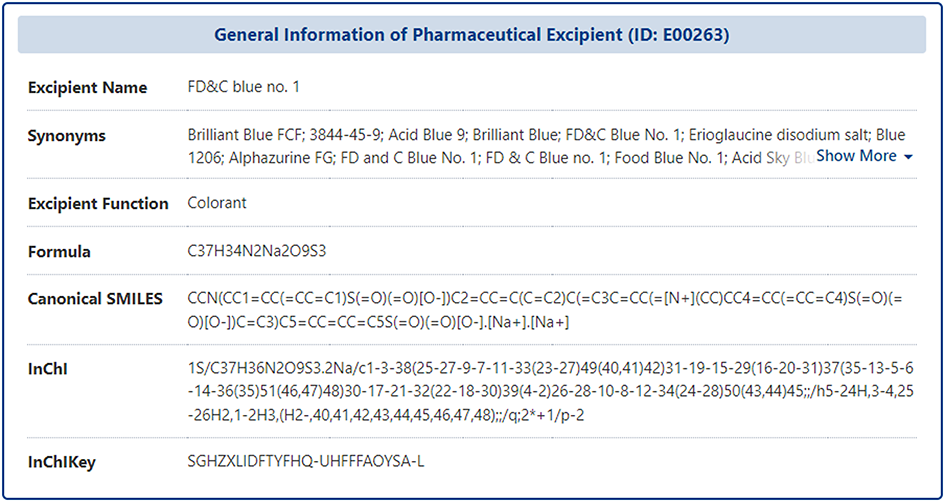
In the detail page of each specific excipient, DrugMAP firstly provides the general information of the pharmaceutical excipient, which includes the "Name", "Synonyms", "Function", "Formula", "SMILES", "InChI", and etc.
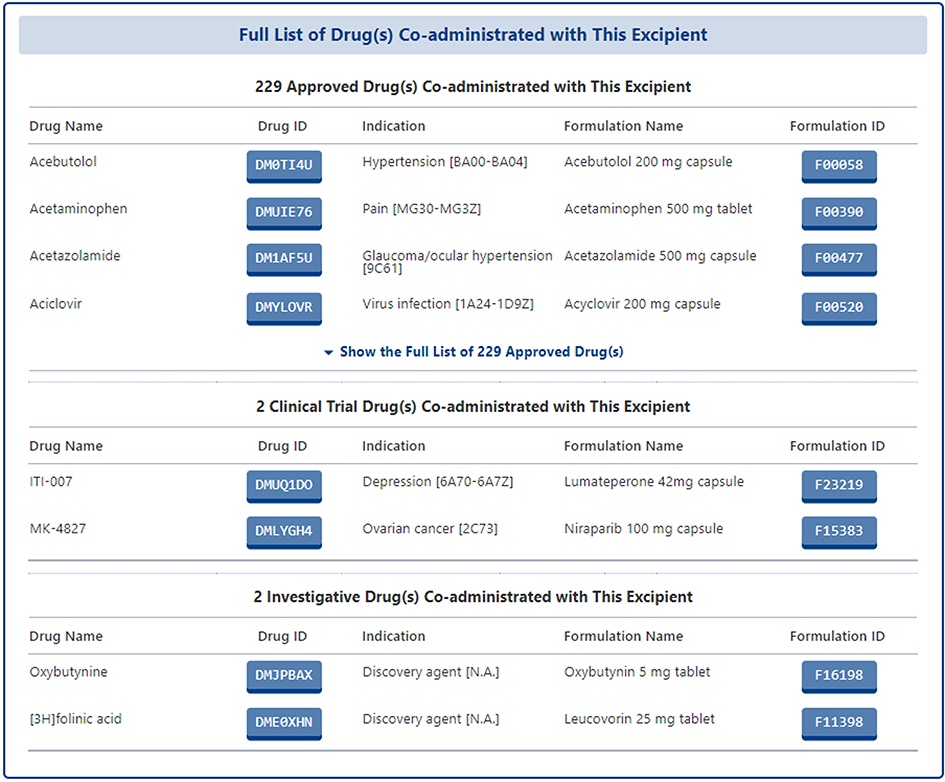
Moreover, all of the drugs that co-administrated with this excipient were provided in form of list.
Drug Combination (DrugComb) Profiles of Drug
DrugMAP provides comprehensive information on drug combinations, including not only approved drug combinations in the FDA Orange Book, but also drug combinations that are or have been in clinical studies as documented on the ClinicalTrial.gov website. Secondly, DrugMAP also integrates drug combination high-throughput screening data from multiple sources, normalizes the synergy scores of different drug combinations tested for the same drug, and provides corresponding heatmaps to provide users with a quick overview of the drug combination high-throughput screening results of the drug.
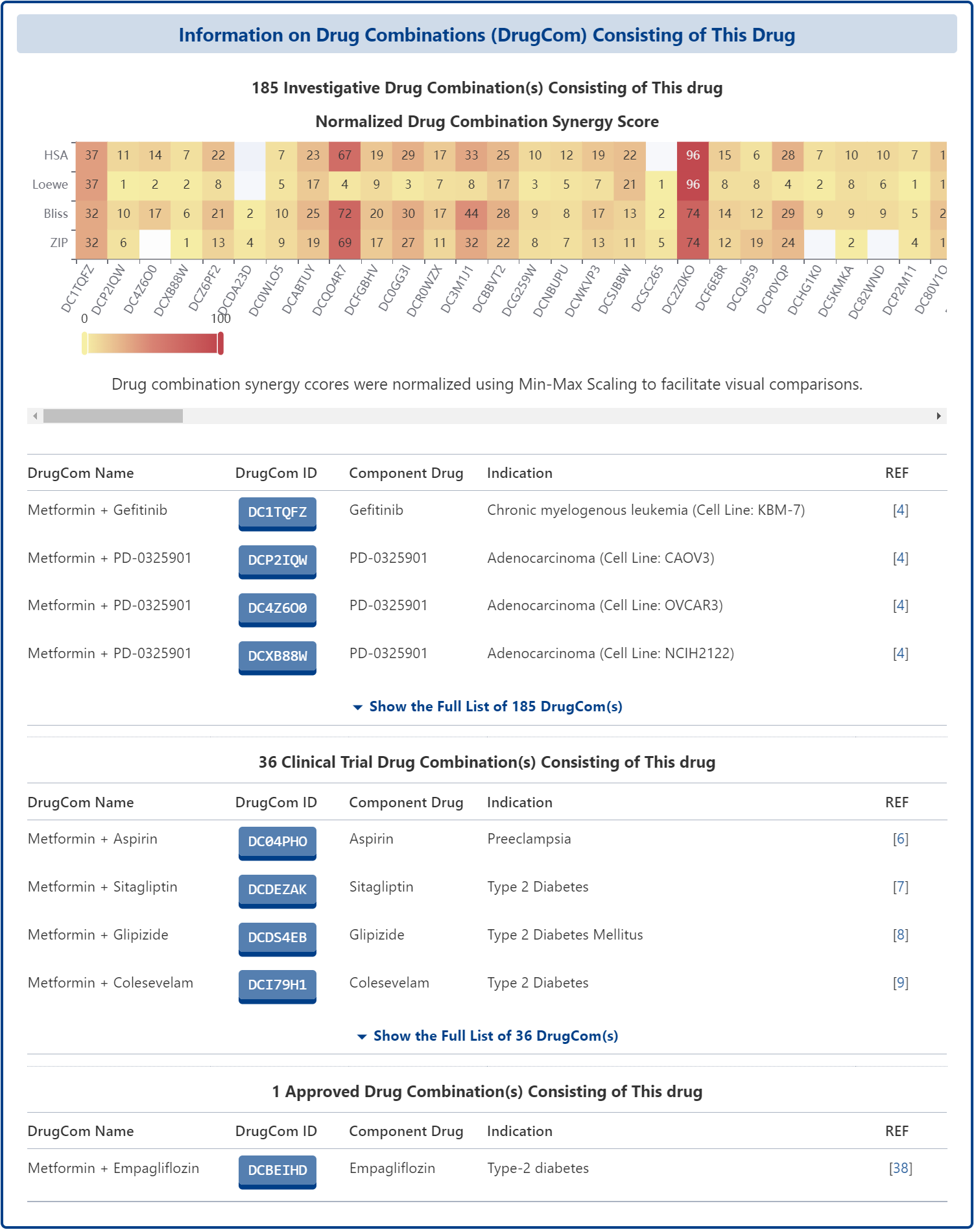
Drug Combination Information in DrugMAP
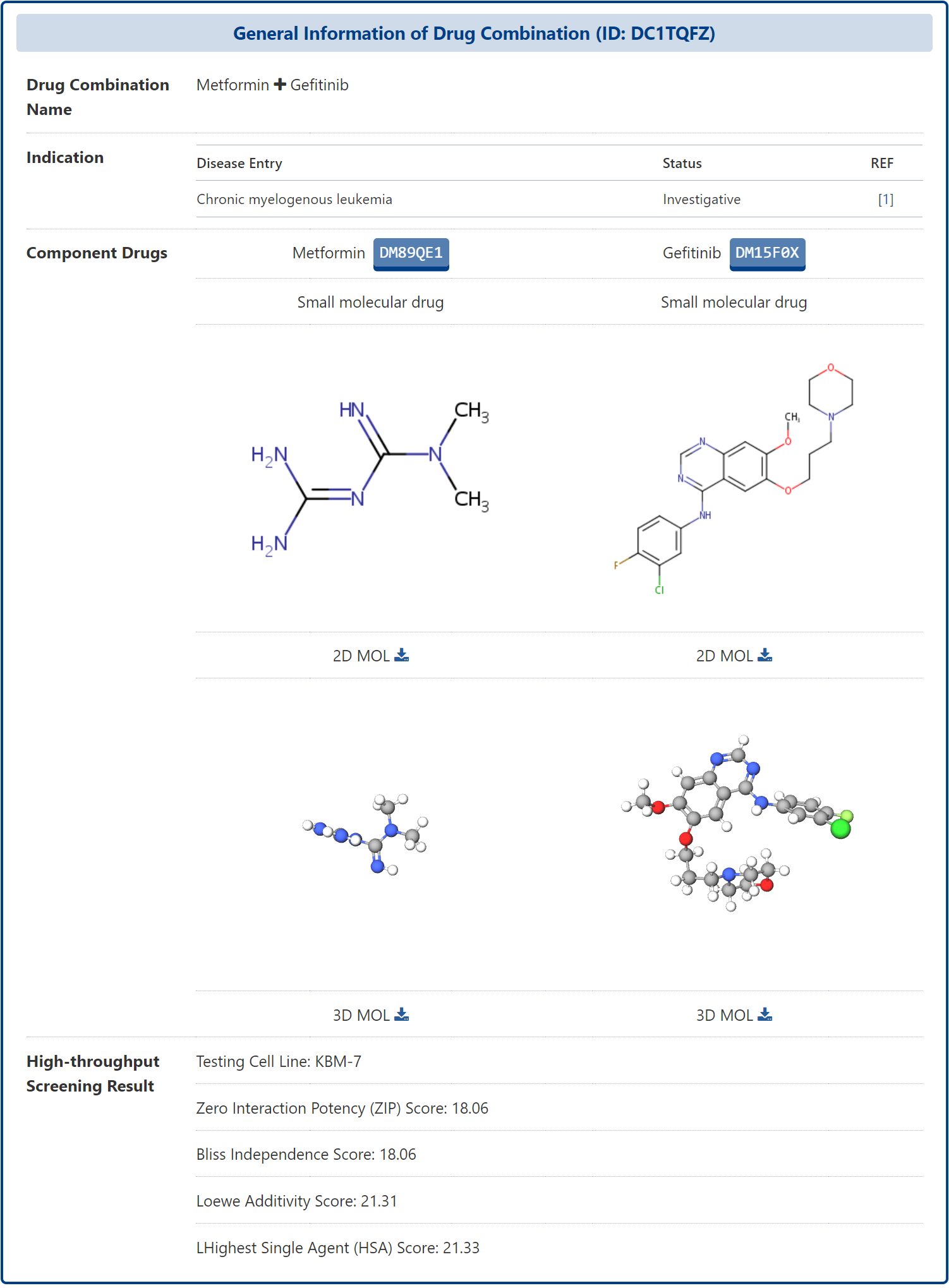
On the Drug Combination (DrugComb) Profiles of Drug page, you can click on the ID of a drug combination to view detailed information about that drug combination, known as Drug Combination Information. DrugMAP firstly provides the basic information of the drug combination and the comparison of the basic information of the different components of the drug combination, including the indication of the drug combination, the name, type and structure of the component drugs, etc.
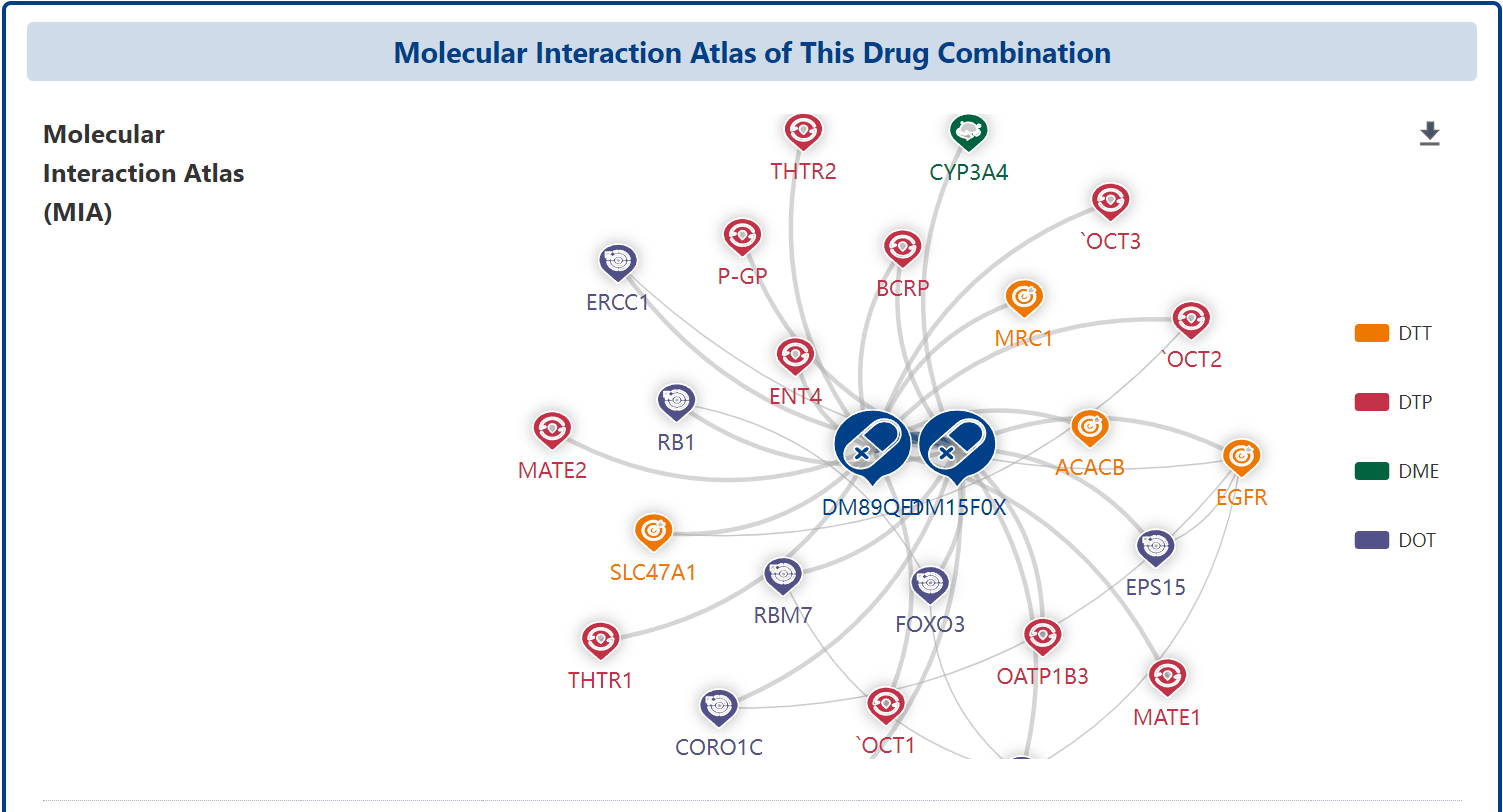
In addition, the page also provides the molecular interaction atlas of this drug combination, which visualizes the different interacting biomolecules of the component drugs of the drug combination in the form of interaction networks to help users understand the mechanism of action of the drug combination in a comprehensive manner.
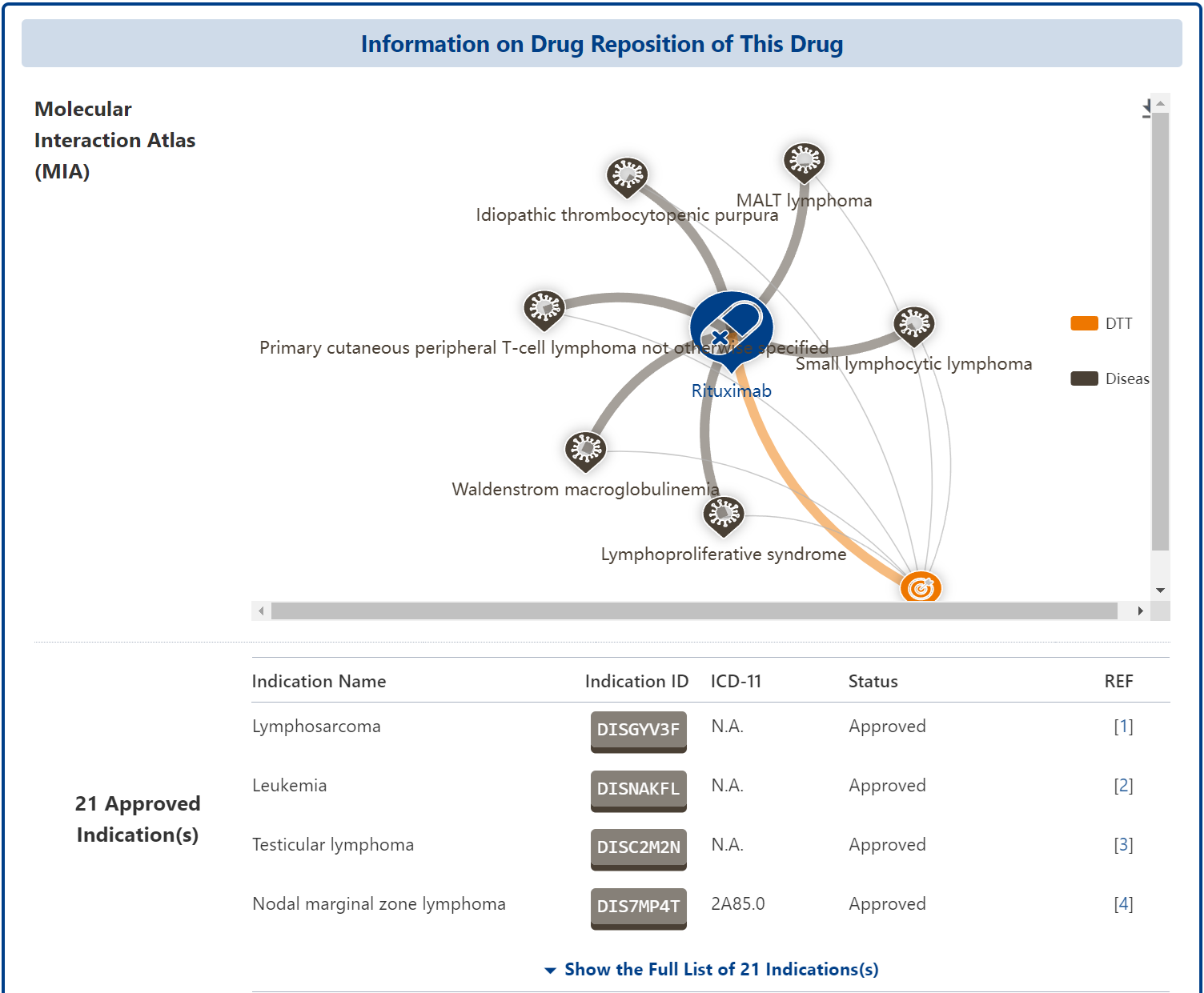
Drug Reposition (DrugRepo) Profiles of Drug
DrugMAP's “Drug Reposition (DrugRepo) Profiles of Drug” provides comprehensive information on the drug's indications, as well as mapping the drug's interactions with biomolecules in the body across different diseases in the form of interaction networks at the bottom. In addition to providing comprehensive indication information, the “DrugRepo Profiles of Drugs” also maps the drug's interactions with biomolecules in different diseases in the form of interaction networks below, to help users understand the molecular mechanisms of disease repositioning
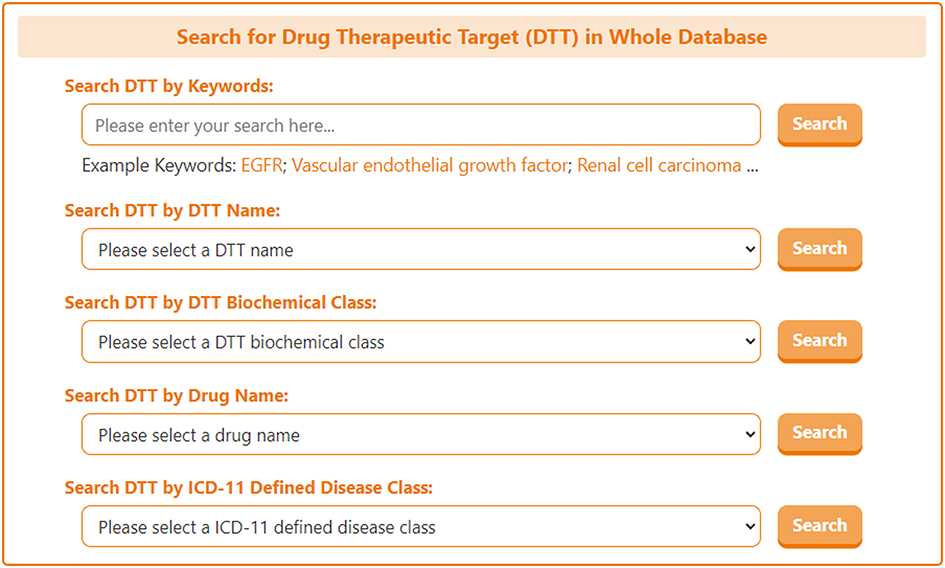
On the search page for DTT, DrugMAP offers a keyword search field for DTT and 4 drop down menu search fields, the 4 drop-down menus provide information about the DTT's "DTT Name", "DTT Biochemical Class", "Drug Name", and "ICD-11 Defined Disease Class", the user can select the item they are interested in to search for drug targets related to this item.
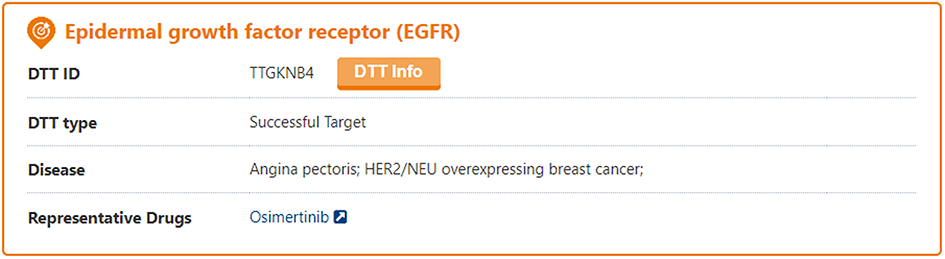
The search results page for a DTT briefly displays information about DTT Name, DTT Type, Disease, and Representative Drug. And users can click the "DTT Info" button to access the detail page of DTT.
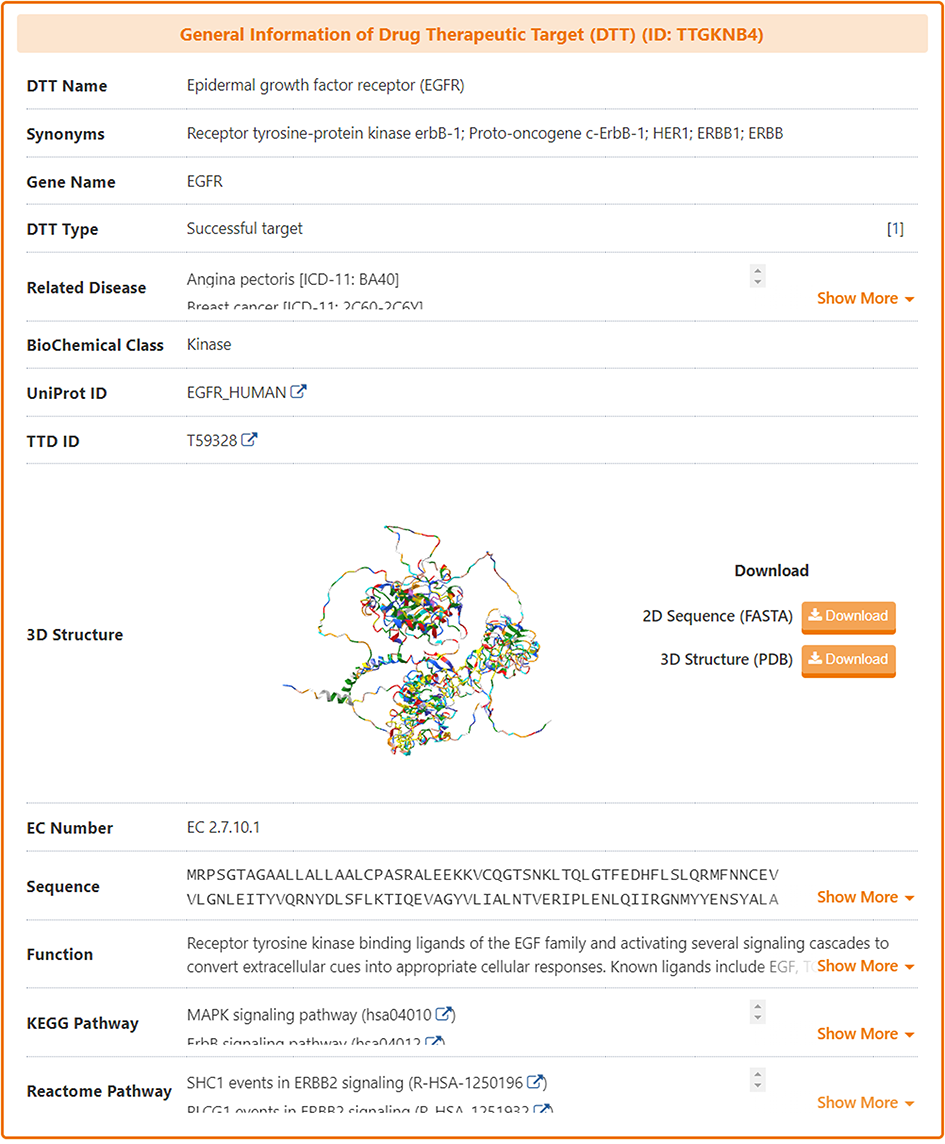
In the "General Information of Drug Therapeutic Target (DTT)" section of the DTT information page, DrugMAP provides information on DTT Name, Synonyms, Gene Name, DTT Type, Related Disease, BioChemical Class, UniProt ID, 3D Structure (visualized via AlphaFold2), EC Number, Sequence, Function, KEGG & Reactome Pathway.
Molecular Interaction Atlas of DTT
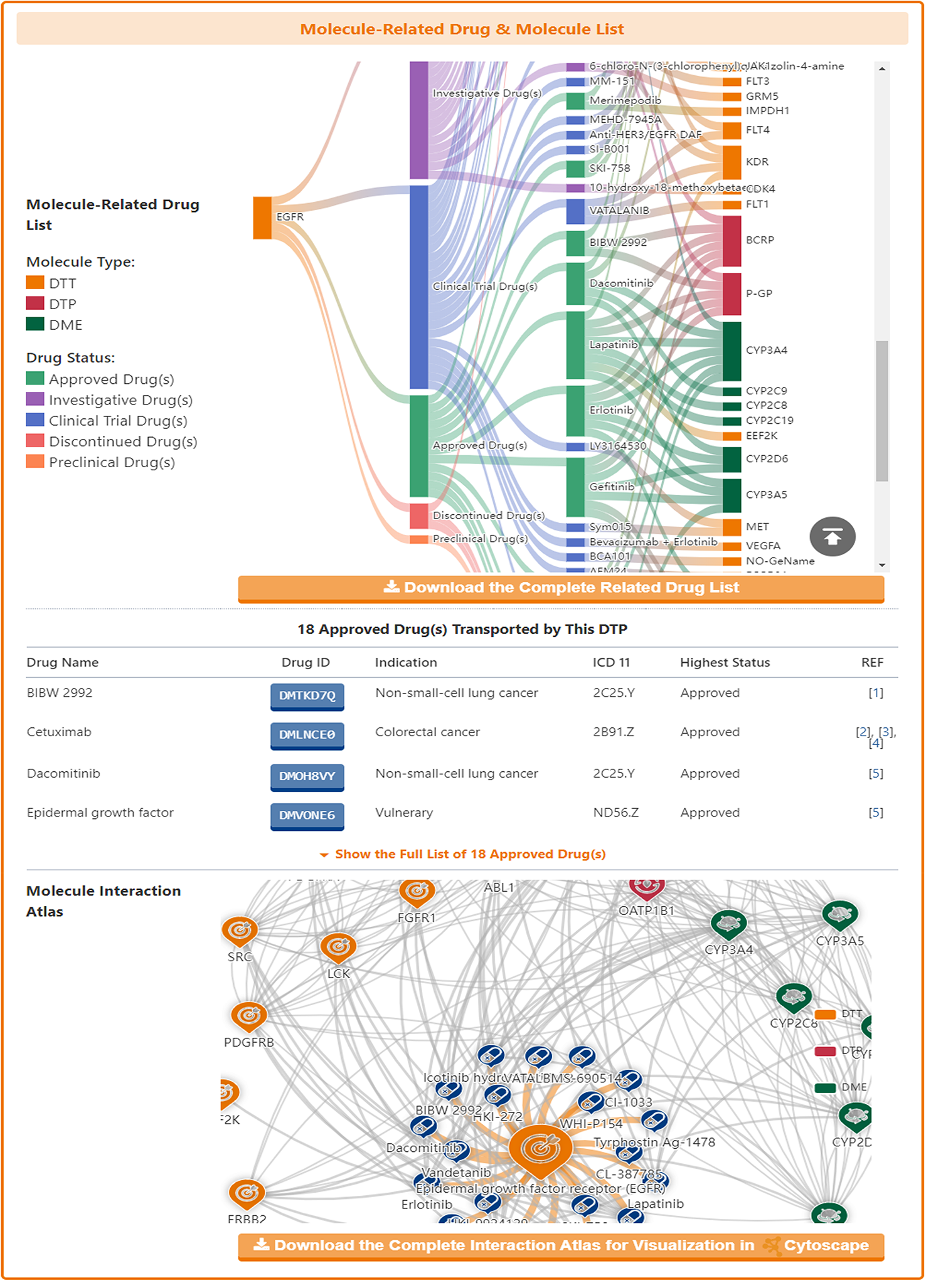
In the "Molecular Interaction Atlas of This DTT" section, DrugMAP provides brief information about Drug Name, Indication, Mode of Action (MOA), Highest Status, and reference about all approved, clinical, discontinued, patented, preclinical, and investigative drugs targeting this DTT. Users can jump to the detail information page of drug by clicking the hyperlink under drug name.
Moreover, DrugMAP also provided a molecular interaction map for the subject DTT. The subject DTT is placed in the centre of the map and the drugs that target this DTT are surrounded around it, while the other molecules interacting with these drugs at the periphery.
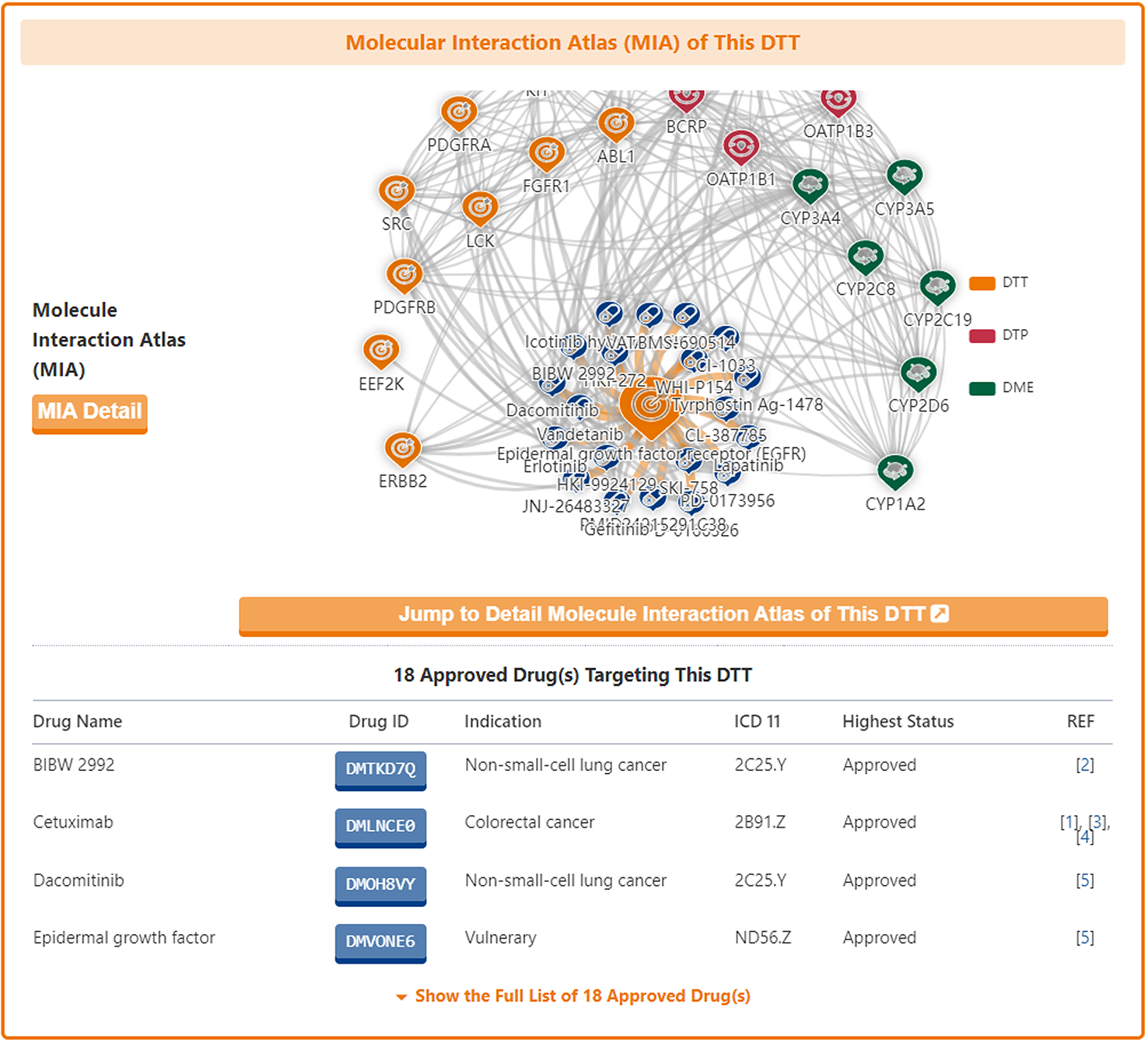
As with the drug information page, a "Jump to Detail Molecular Interaction Atlas of This DTT" button is provided at the bottom of the map to jump to the details page.
Molecular Expression Atlas of DTT
In the "Molecular Expression Atlas of This DTT" section, DrugMAP provides differential expression of subject DTT between healthy and diseased tissues at the site of the lesion under different disease conditions.
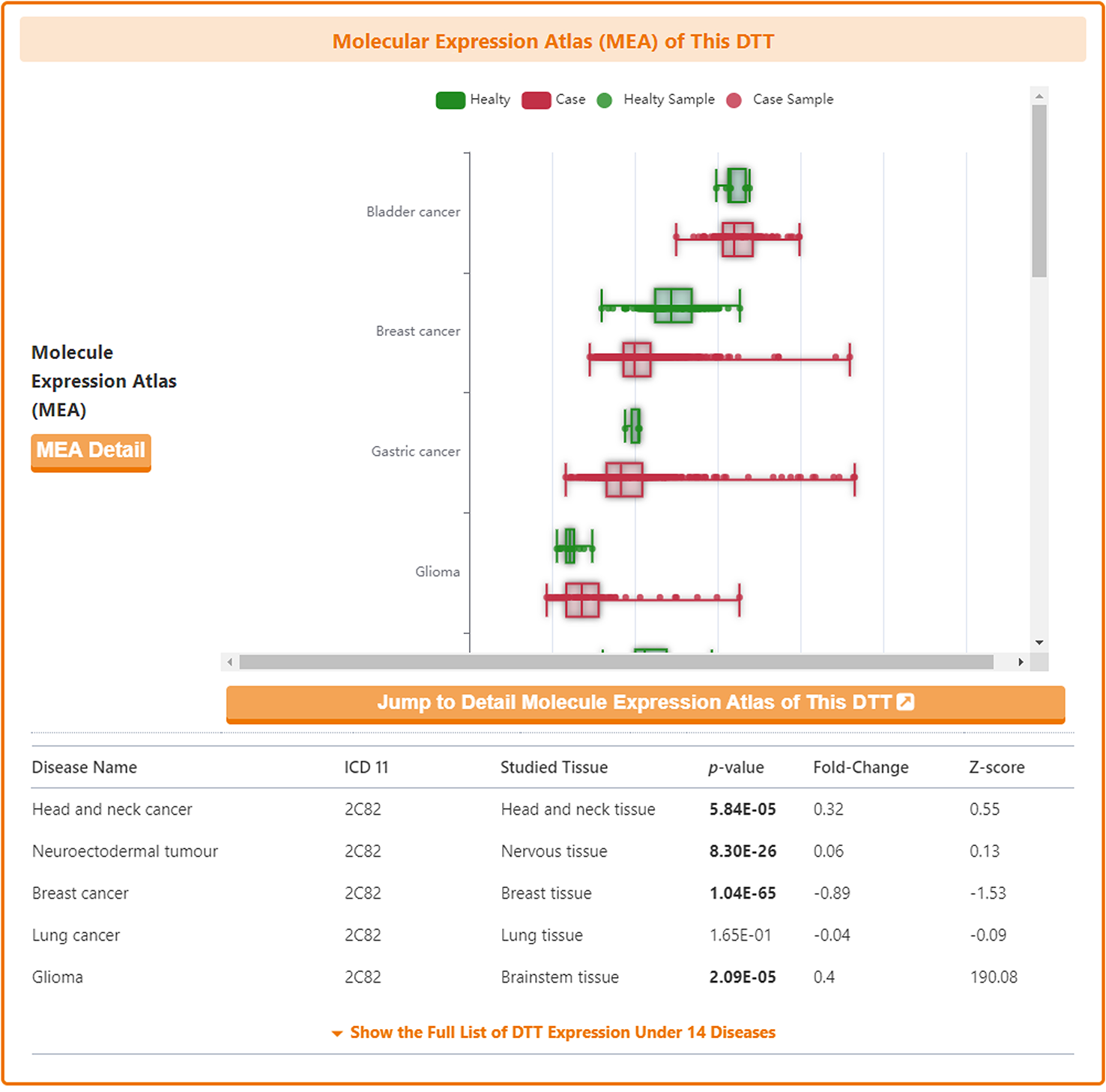
As with the drug information page, a "Jump to Detail Molecular Expression Atlas of This DTT" button is provided at the bottom of the map to jump to the details page.
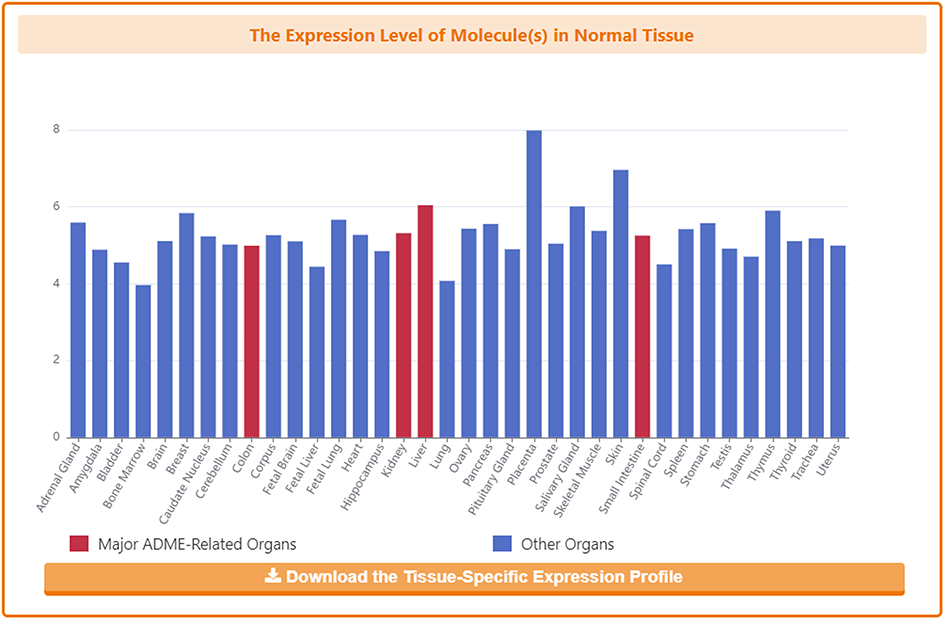
In the detail page, DrugMAP provides information on the expression of subject DTT in different organs of healthy individuals, where four major ADME-related organs are highlighted in red.
Information on Pharmacokinetic Roles of DTT
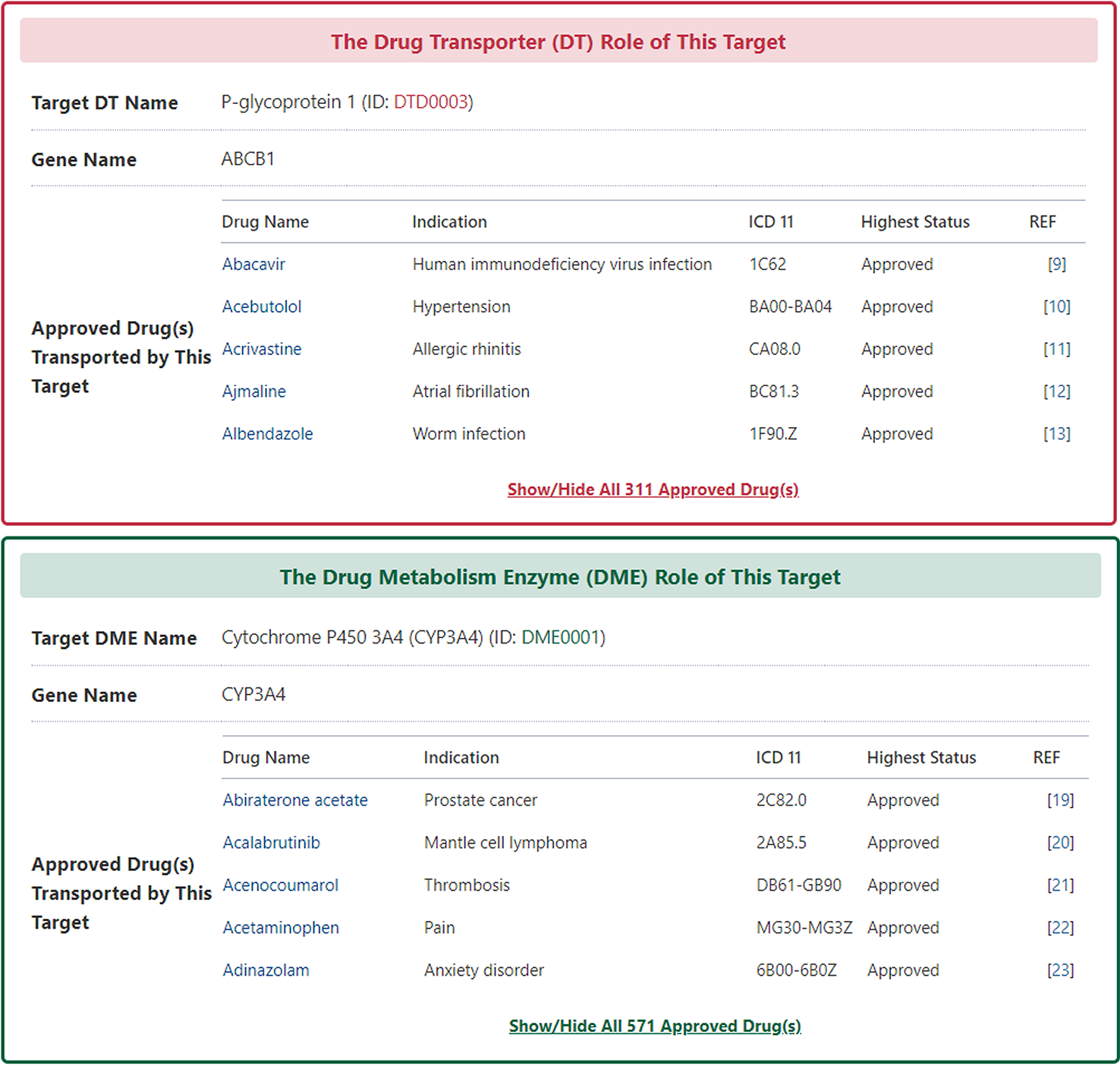
Among the molecules there are some that have multiple identities, acting as drug targets, drug transporters or drug-metabolizing enzymes. DrugMAP pays particular attention to these multiple-roles molecules and provides information on them in the "The Drug Transporter (DTP)/Drug-Metabolizing Enzyme (DME) Role of This Target" section.
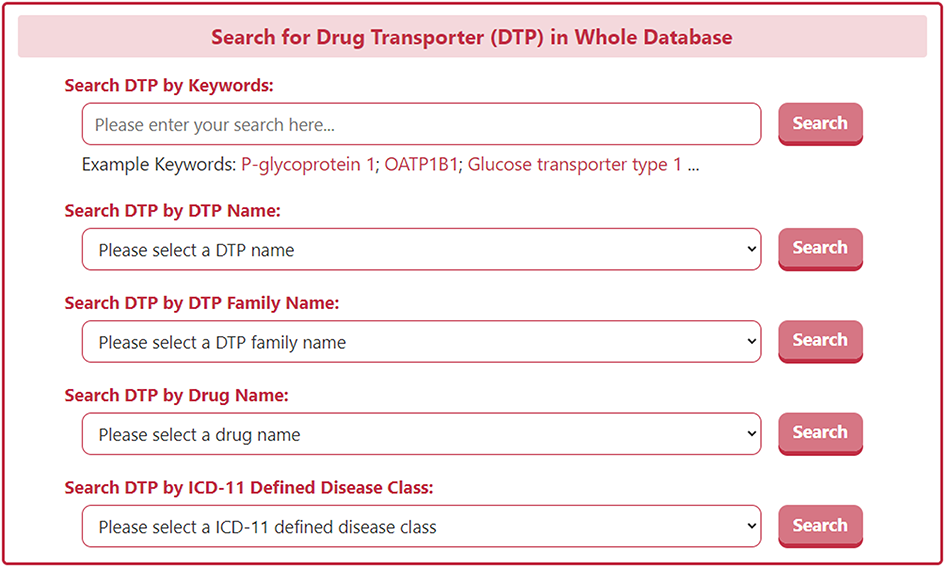
On the search page for DTP, DrugMAP offers a keyword search field for DTPs and 4 drop down menu search fields, the 4 drop-down menus related to DT provide information about the DTP's "DTP Name", "DTP Family", "Drug Name", and "ICD-11 Defined Disease Class", the user can select the item they are interested in to search for DTs related to this item.
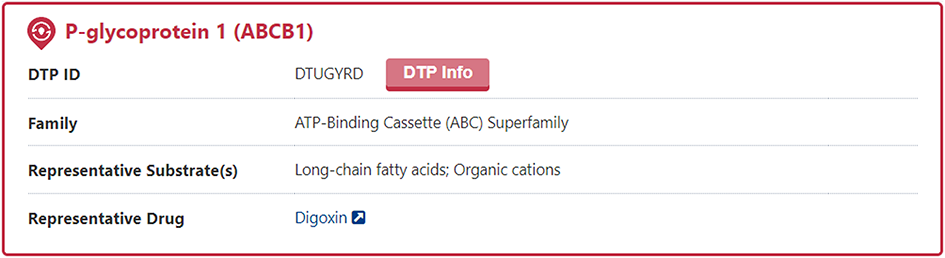
The search results page for a DTP briefly displays information about DTP Name, DTP Family, Representative Substrate(s), and Representative Drug. And users can click the "DTP Info" button to access the detail page of DTP.
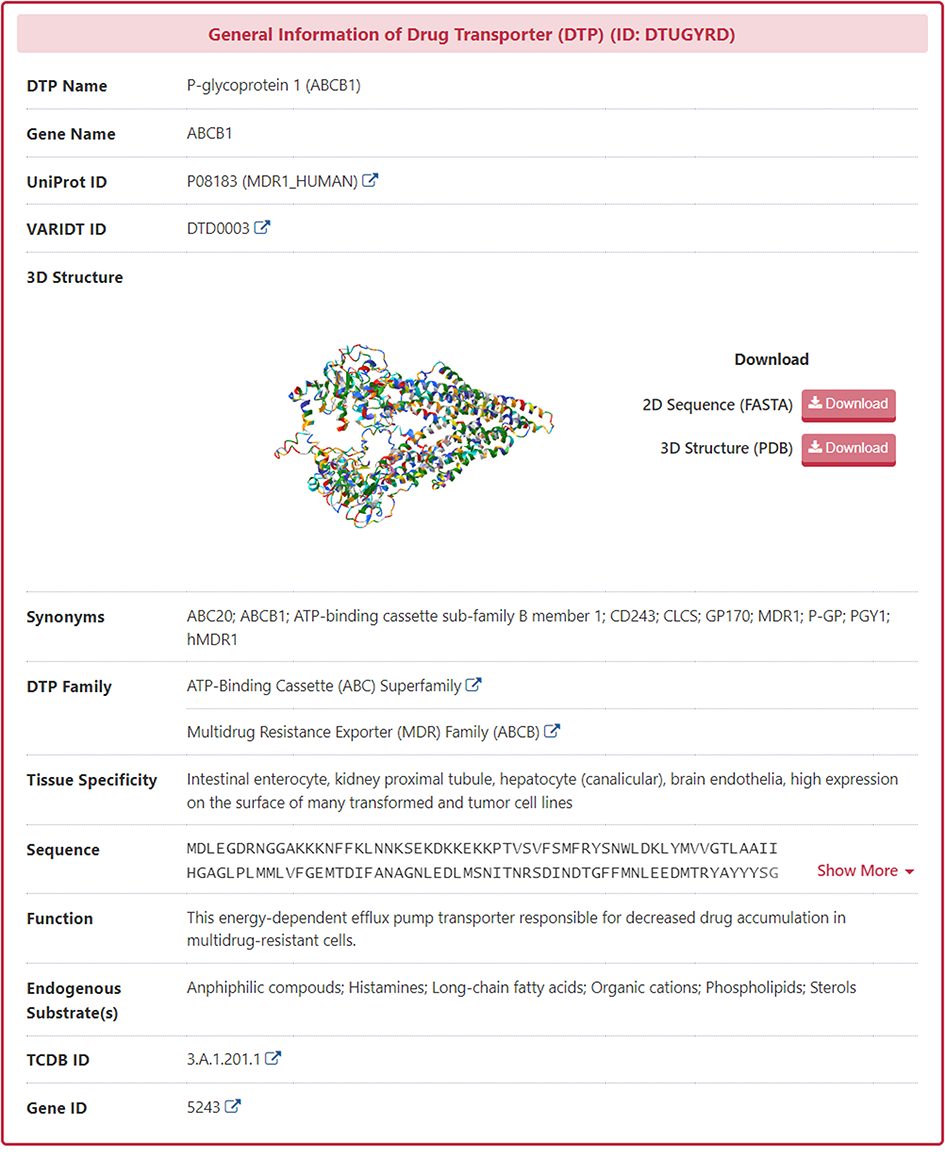
In the "General Information of Drug Transporter (DTP)" section of the DTP information page, DrugMAP provides information on DTP Name, DTP Synonyms, Gene Name, UniProt ID, DT Family, Tissue Specificity, Function, Endogenous Substrate(s), 3D Structure (visualized via AlphaFold2), TCDB ID, Gene ID.
Molecular Interaction Atlas of DTP
In the "Molecular Interaction Atlas of This DTP" section, DrugMAP provides brief information about Drug Name, Indication, Mode of Action (MOA), Highest Status, and reference about all approved, clinical, discontinued, patented, preclinical, and investigative drugs targeting this DTT. Users can jump to the detail information page of drug by clicking the hyperlink under drug name.
Moreover, DrugMAP also provided a molecular interaction map for the subject DTP. The subject DTP is placed in the centre of the map and the drugs that target this DTP are surrounded around it, while the other molecules interacting with these drugs at the periphery.
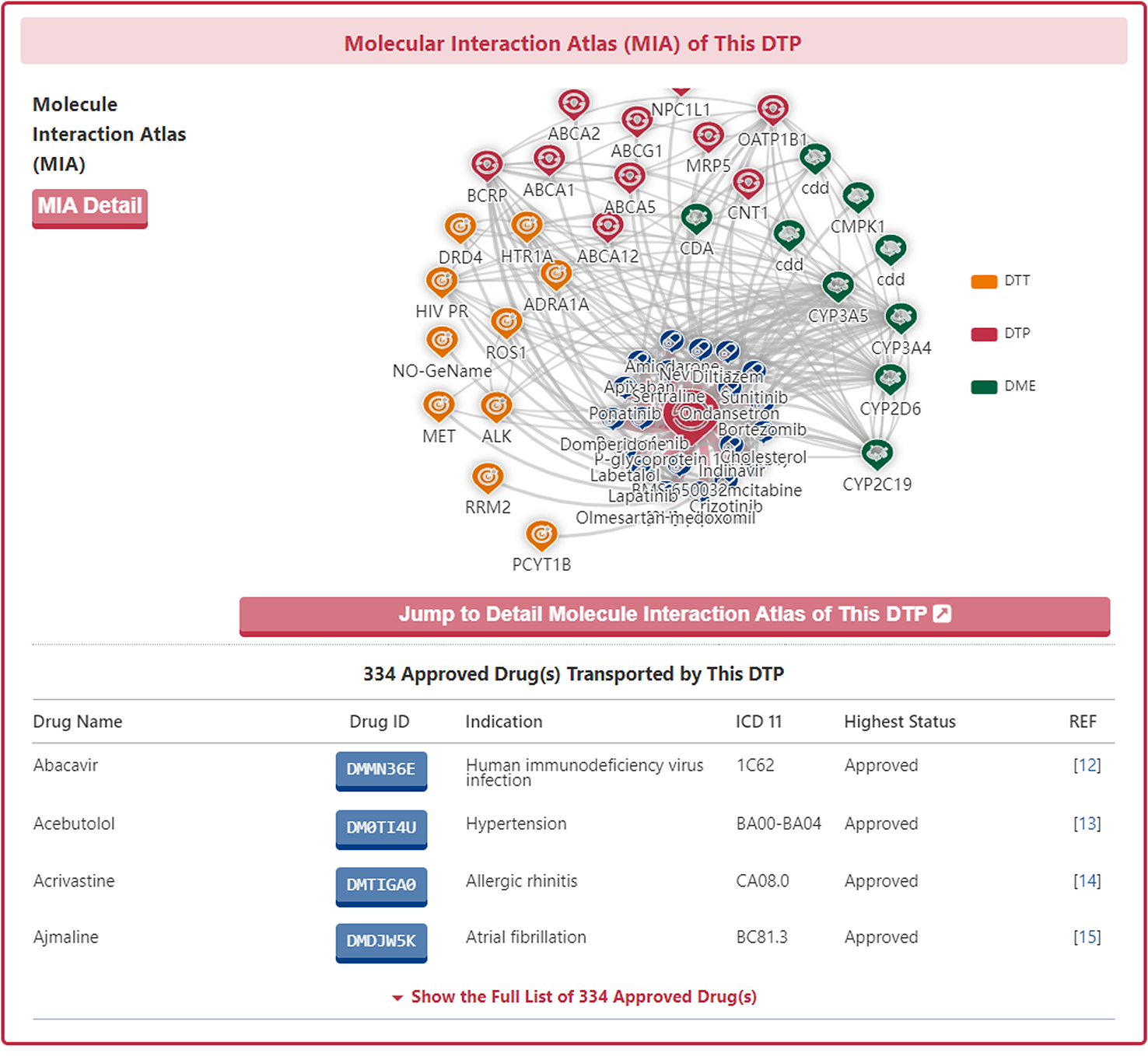
As with the drug information page, a "Jump to Detail Molecular Interaction Atlas of This DTP" button is provided at the bottom of the map to jump to the details page.
Molecular Expression Atlas of DTP
In the "Molecular Expression Atlas of This DTP" section, DrugMAP provides differential expression of subject DTP between healthy and diseased tissues at the site of the lesion under different disease conditions.
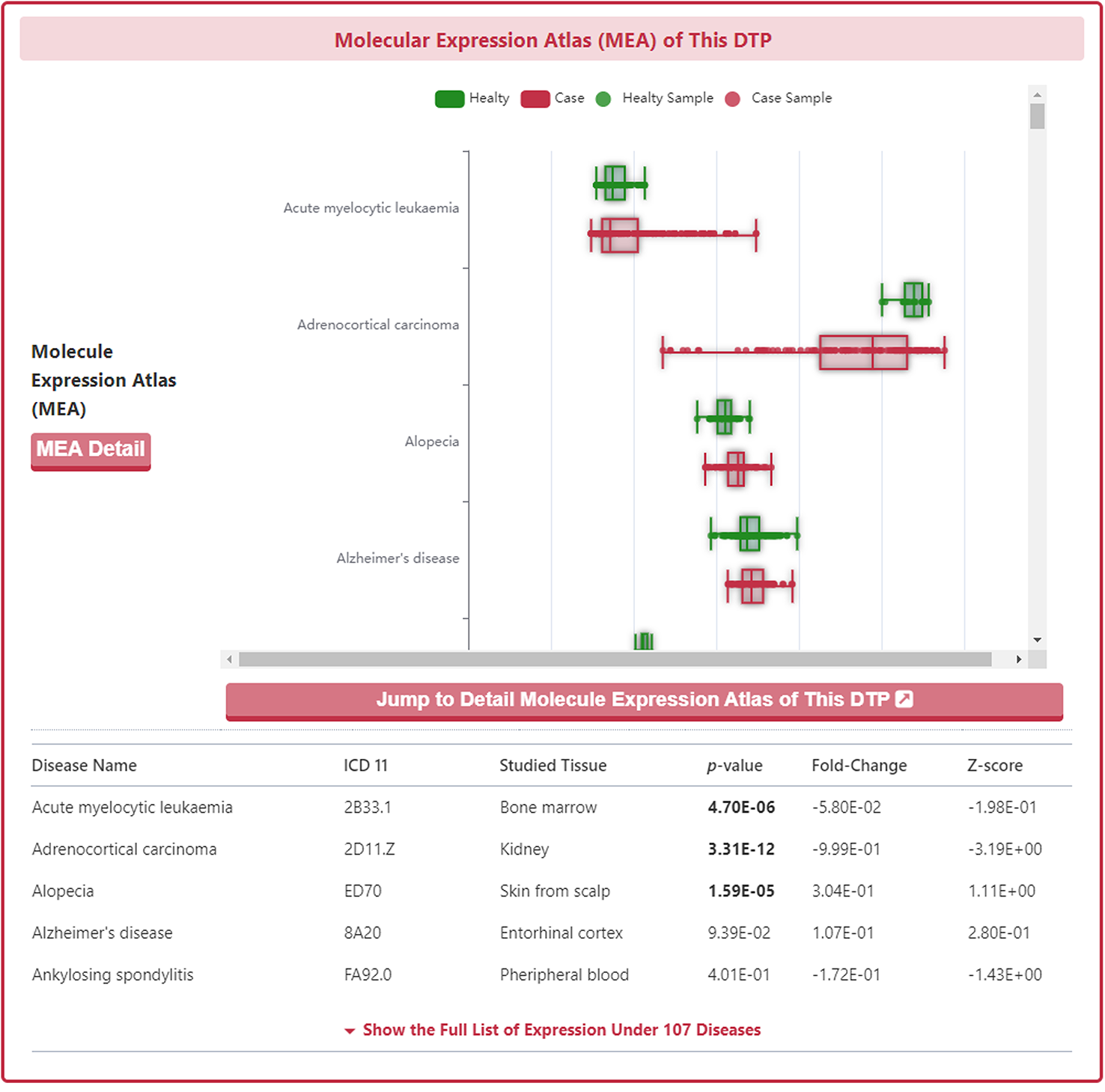
As with the drug information page, a "Jump to Detail Molecular Expression Atlas of This DTP" button is provided at the bottom of the map to jump to the details page.
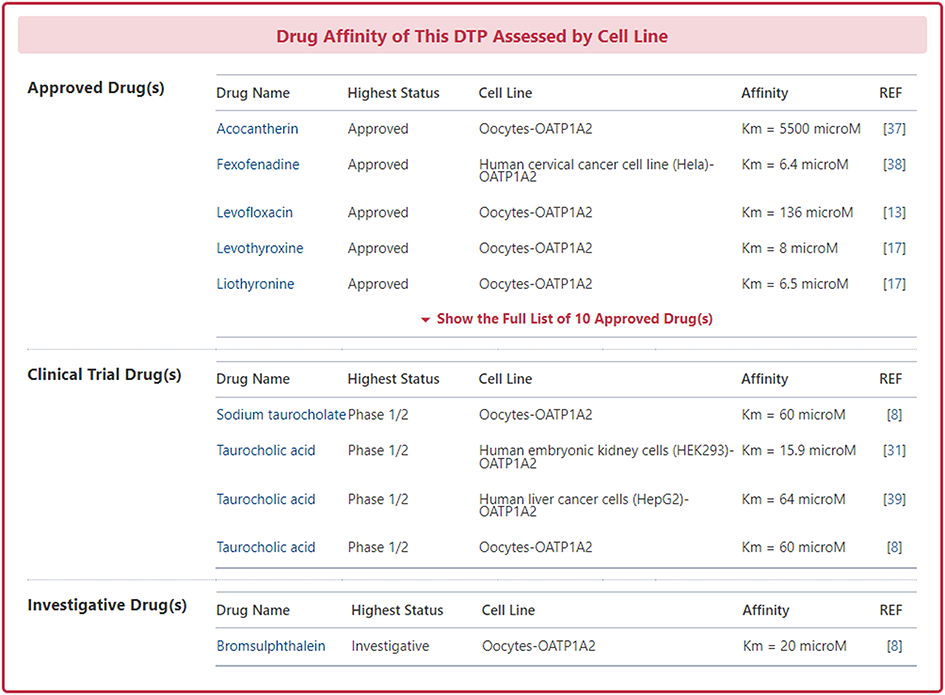
In the "Drug Affinity of This DT Assessed by Cell Line" section, DrugMAP provides Cell Line and Affinity data about all approved, clinical, discontinued, patented, preclinical, and investigative drugs transported by this DTP. Users can jump to the detail information page of drug by clicking the hyperlink under drug name.
Information on Pharmacodynamic Roles of DTP
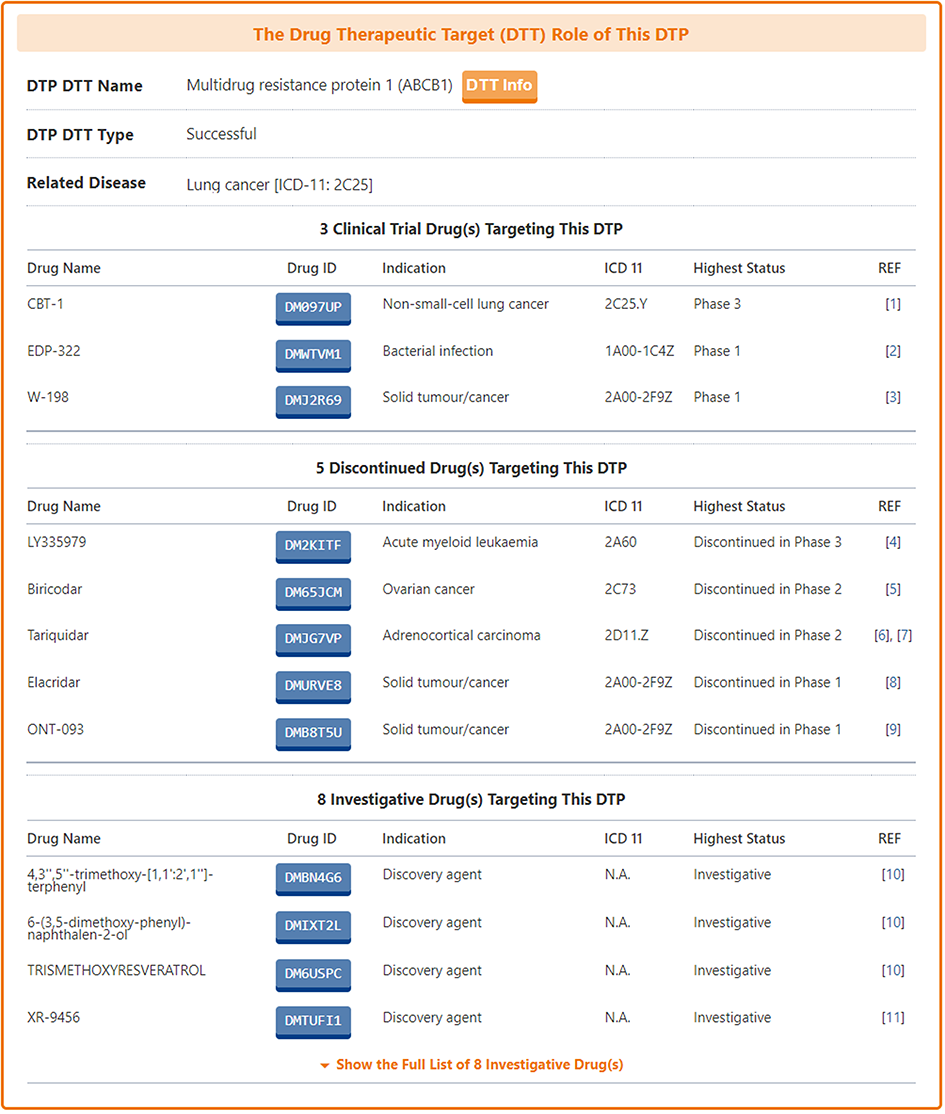
For those DTPs that can be used as drug targets, DrugMAP pays particular attention to provide information on them in the "The Drug Therapeutic Target (DTT) Role of This DTP" section.
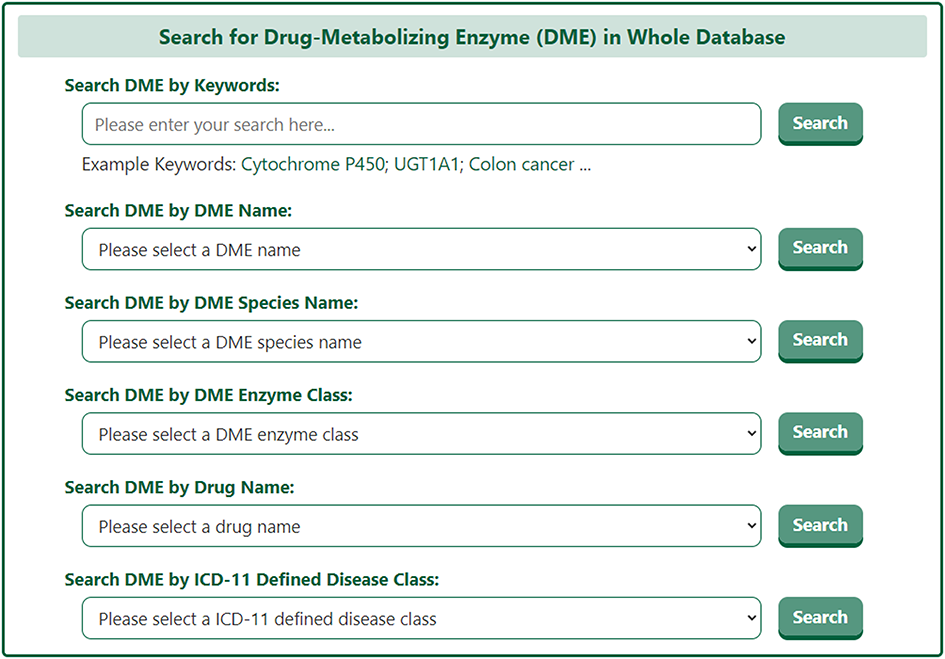
On the search page for drug-metabolizing enzyme (DME), DrugMAP offers a keyword search field for DMEs and 4 drop down menu search fields, the 4 drop-down menus related to DT provide information about the DT's "DME Name", "DME Species Name", "Drug Name", and "ICD-11 Defined Disease Class", the user can select the item they are interested in to search for DMEs related to this item.
The search results page for a DME briefly displays information about DME Name, EC Number, Tissue Distribution, and Representative Drug.
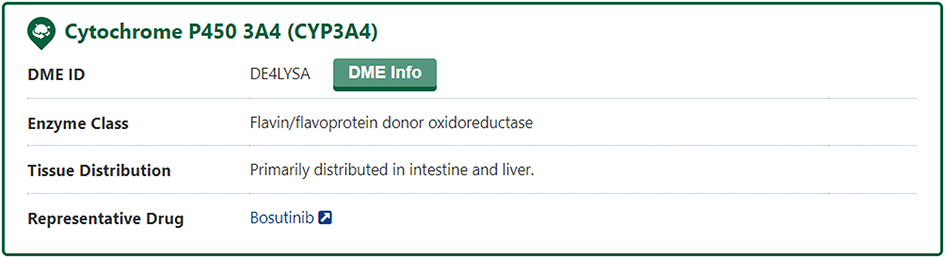
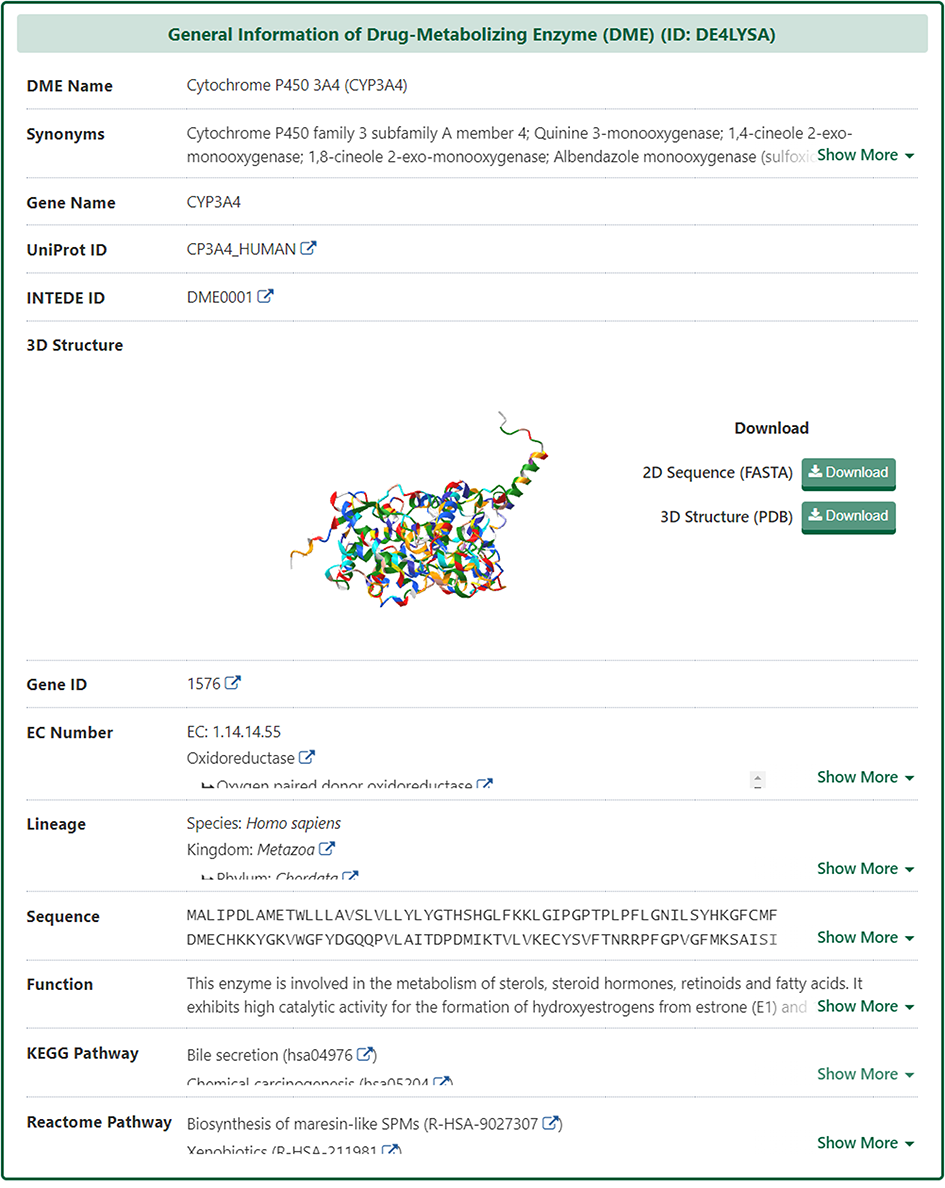
In the "General Information of Drug-Metabolizing Enzyme (DME)" section of the DME information page, DrugMAP provides information on DME Name, DME Synonyms, Gene Name, Gene ID, UniProt ID, EC Number, Lineage, Function, specifically, DrugMAP provided a INTEDE-hyperlink of this DME.
Molecular Interaction Atlas of DME
In the "Molecular Interaction Atlas of This DME" section, DrugMAP provides brief information about Drug Name, Indication, Mode of Action (MOA), Highest Status, and reference about all approved, clinical, discontinued, patented, preclinical, and investigative drugs targeting this DME. Users can jump to the detail information page of drug by clicking the hyperlink under drug name.
Moreover, DrugMAP also provided a molecular interaction map for the subject DME. The subject DME is placed in the centre of the map and the drugs that target this DME are surrounded around it, while the other molecules interacting with these drugs at the periphery.
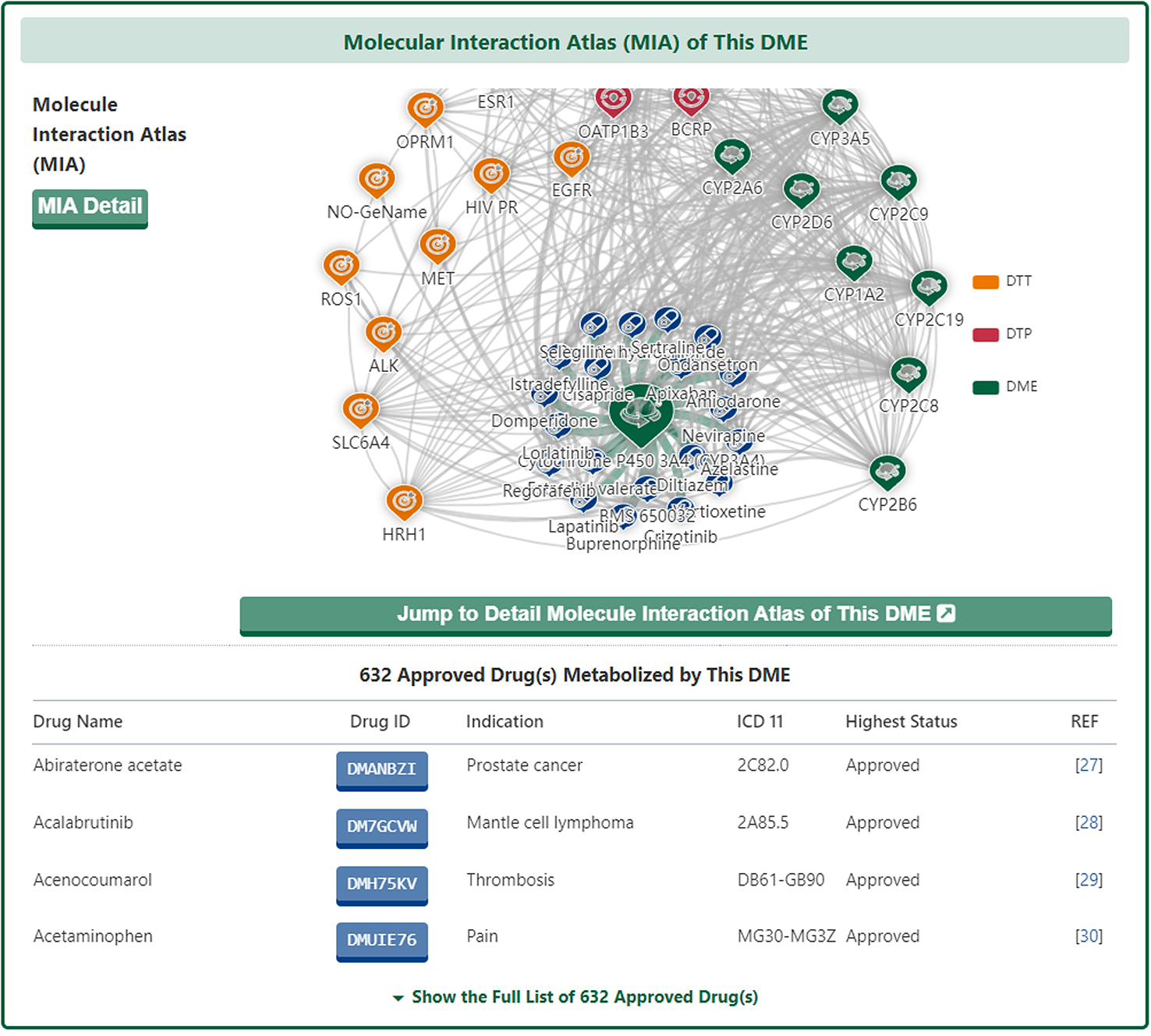
As with the drug information page, a "Jump to Detail Molecular Interaction Atlas of This DME" button is provided at the bottom of the map to jump to the details page.
Molecular Expression Atlas of DME
In the "Molecular Expression Atlas of This DME" section, DrugMAP provides differential expression of subject DME between healthy and diseased tissues at the site of the lesion under different disease conditions.
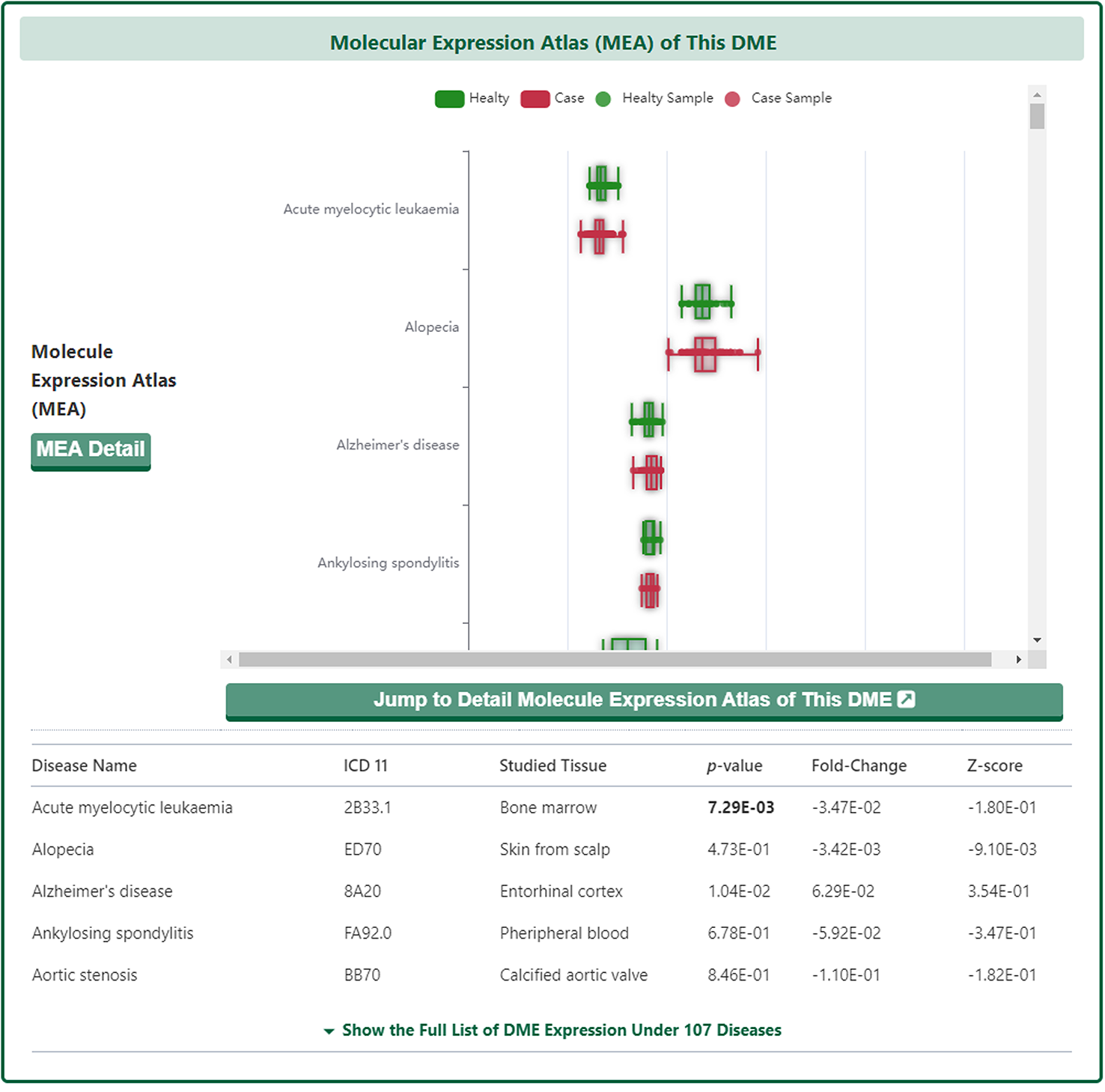
As with the drug information page, a "Jump to Detail Molecular Expression Atlas of This DME" button is provided at the bottom of the map to jump to the details page.
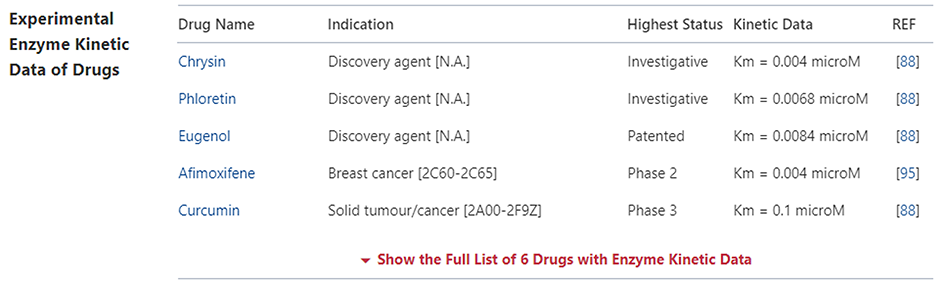
Experimental DME Kinetic Data of Drug
In the "Experimental DME Kinetic Data of Drug" section, DrugMAP provides Cell Line and Affinity data about all approved, clinical, discontinued, patented, preclinical, and investigative drugs transported by this DME. Users can jump to the detail information page of drug by clicking the hyperlink under drug name.
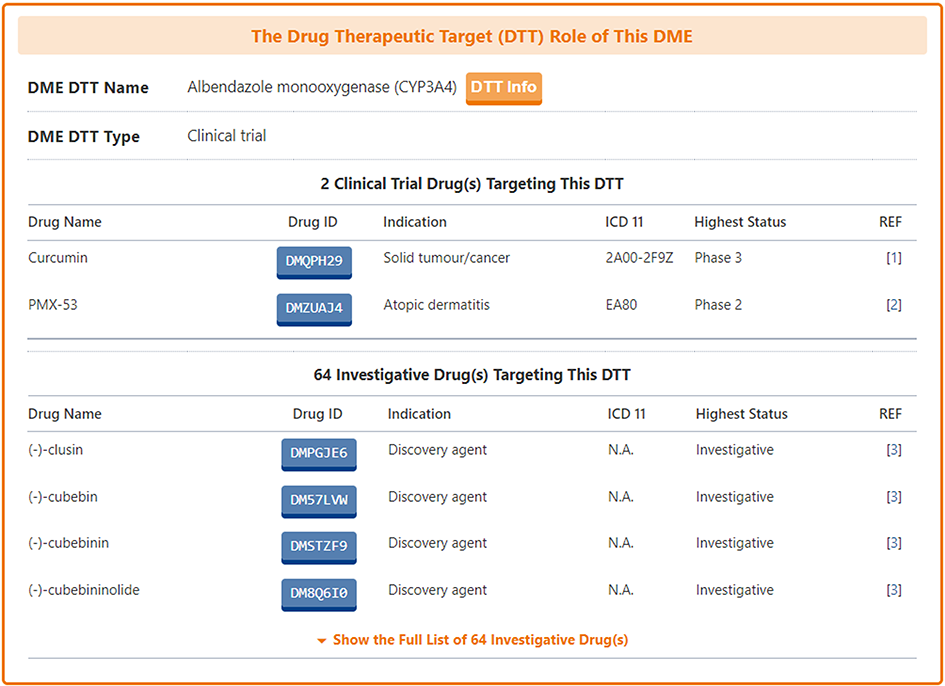
Information on Pharmacodynamic Roles of DME
For those DMEs that can be used as drug targets, DrugMAP pays particular attention to provide information on them in the "The Drug Therapeutic Target (DTT) Role of This DME" section.
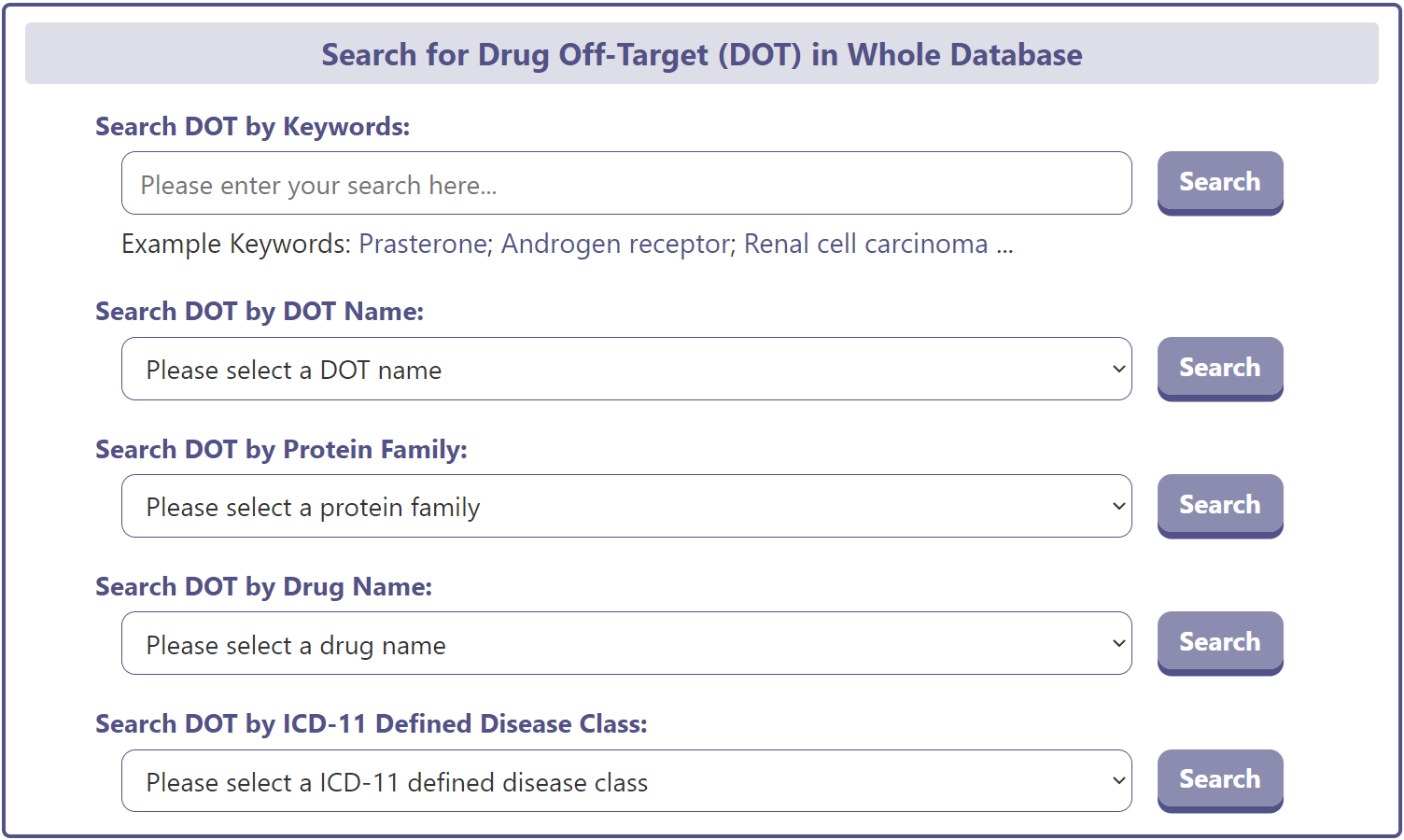
On the drug-off-target (DOT) search page, DrugMAP provides a DOT keyword search field and 4 drop-down menu search fields. The 4 drop-down menus related to DOT provide information such as “DOT Name”, “DOT Protein Family", ‘Drug Name’, and ‘ICD-11 Defined Disease Category’ information for the DOT, which allows the user to select the item of interest and search for DMEs related to that item.
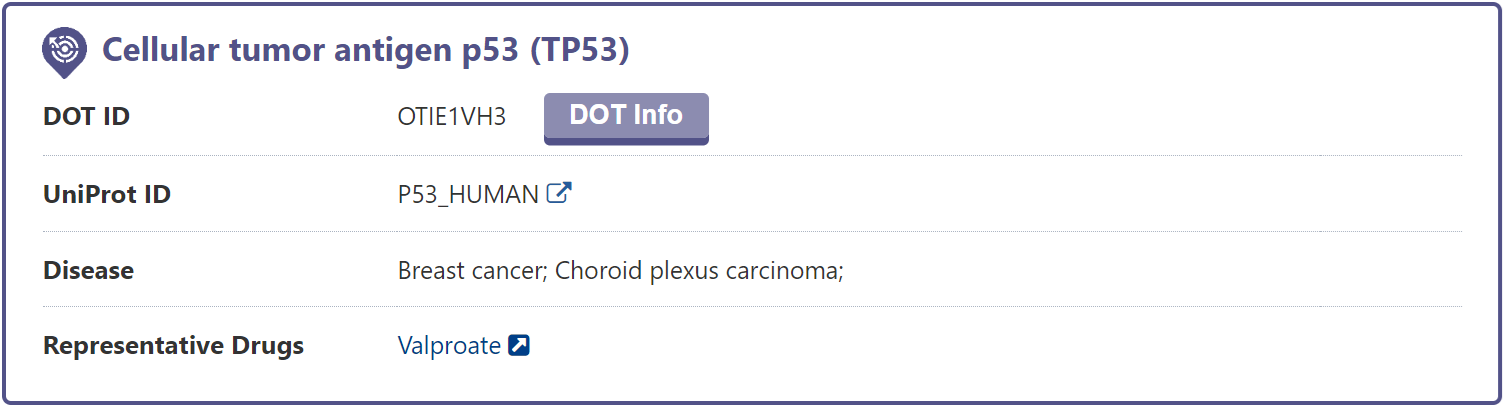
The DOT search results page displays brief information about the DOT name, UniProt ID, related diseases, and representative drugs.
In the "General Information of DOT" section of the DME information page, DrugMAP provides information on DOT Name, DOT Synonyms, Gene Name, Gene ID, UniProt ID, EC Number, Lineage, Function.
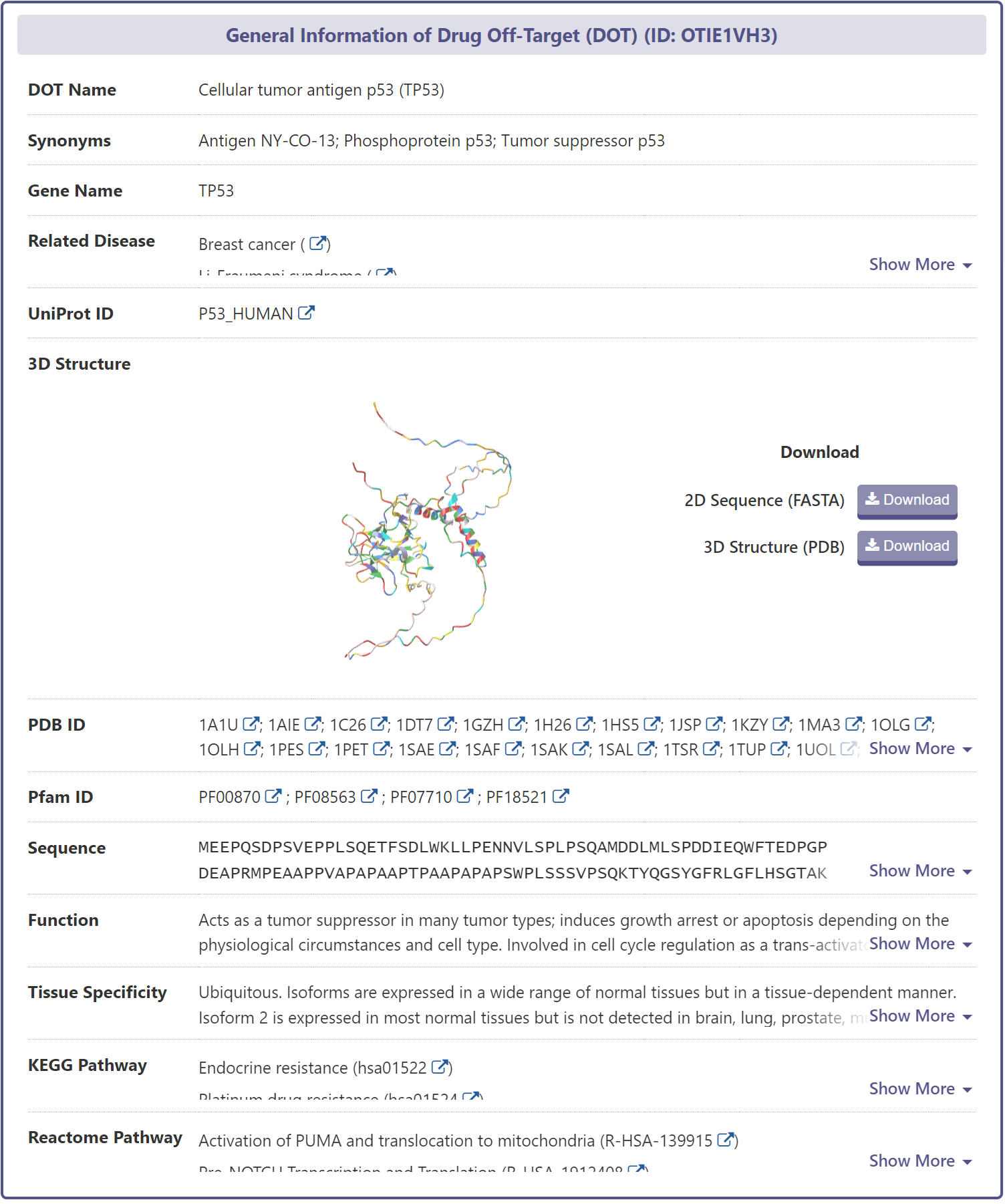
Related Disease Information of DOT
DrugMAP provides a wealth of information on DOT-disease associations from the scientific literature, each of which is accompanied by a corresponding reference.
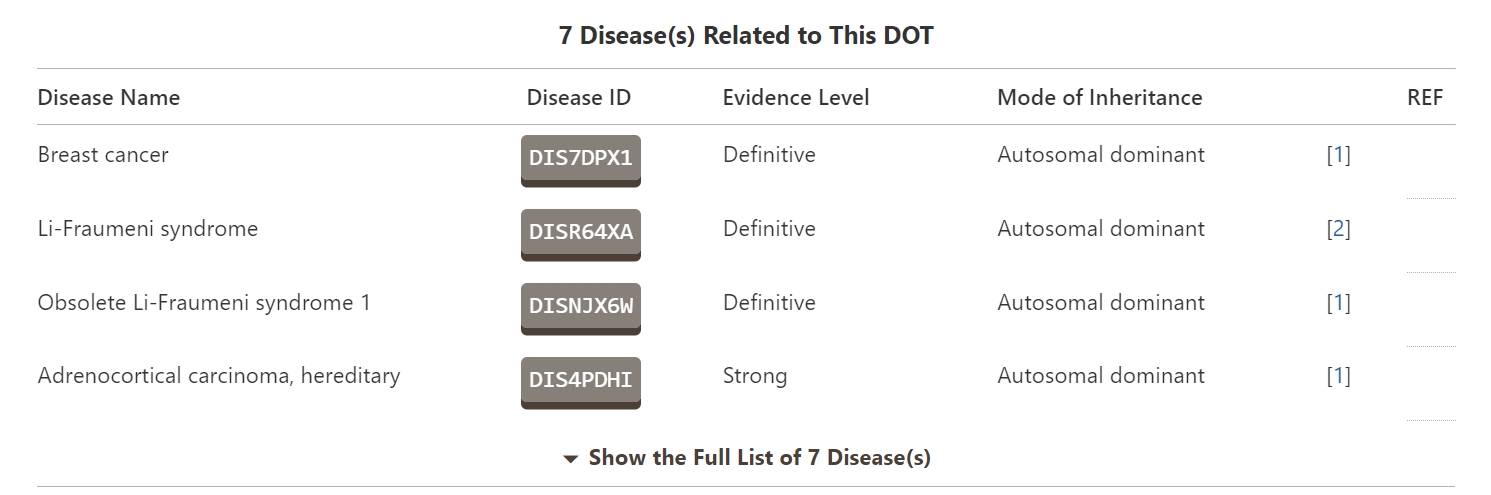
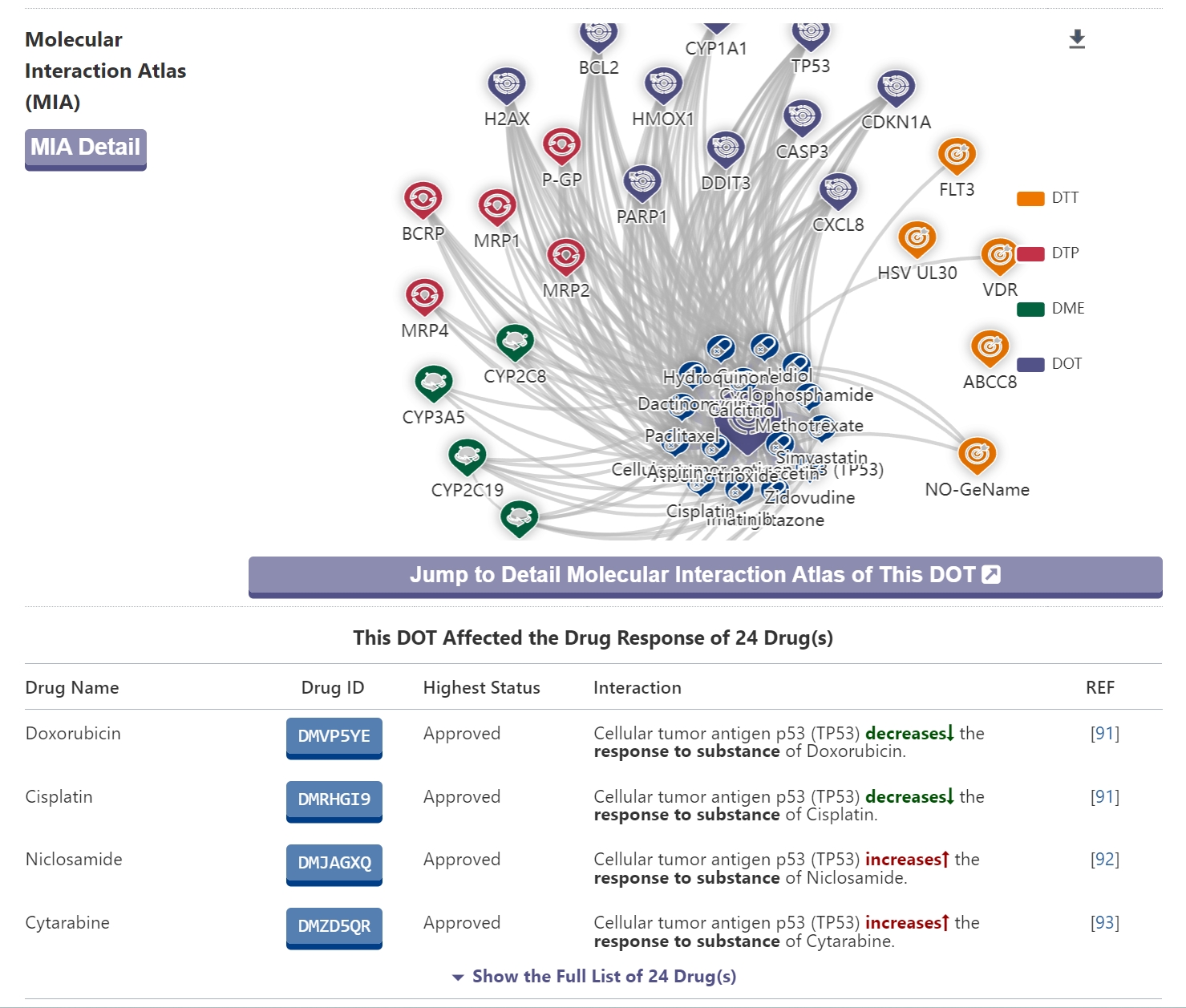
Molecular Interaction Atlas of DOT
In the “Molecular Interaction Atlas of DOT” section, DrugMAP provides brief information about the drug name, indication, mode of action (MOA), highest status, and references to all approved, clinical, discontinued, patented, preclinical, and investigational drugs against this DOT information. Users can jump to the drug details page by clicking on the hyperlink under the drug name.
On the Disease/Drug Indication search page, DrugMAP provides a keyword search field for Disease and 6 drop-down menu search fields that include Drug Name, ICD-11 Defined Disease Class, DTT Name, DTP Name, DME Name, DOT Name, users can select the item of interest and search for Disease associated with that item.
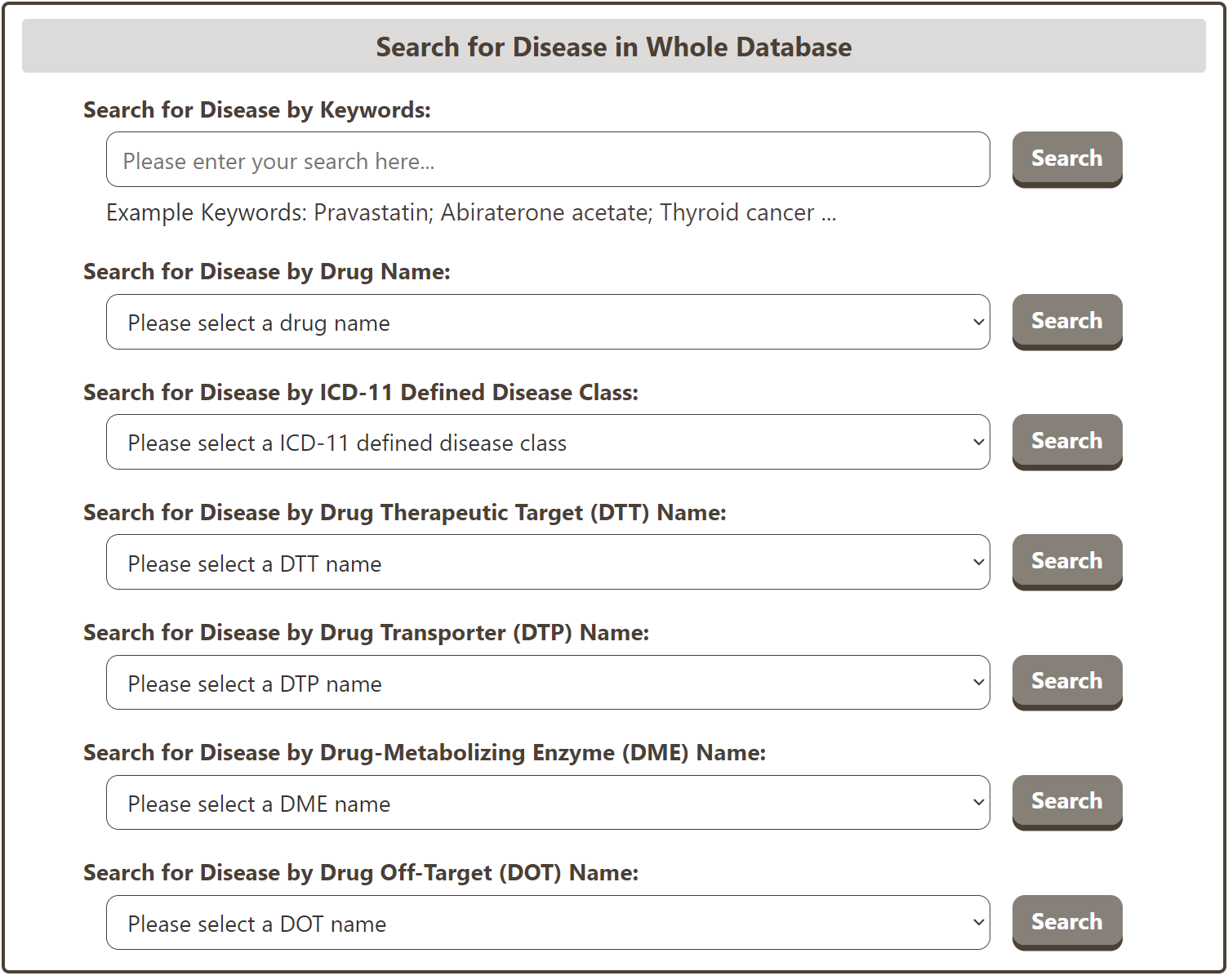
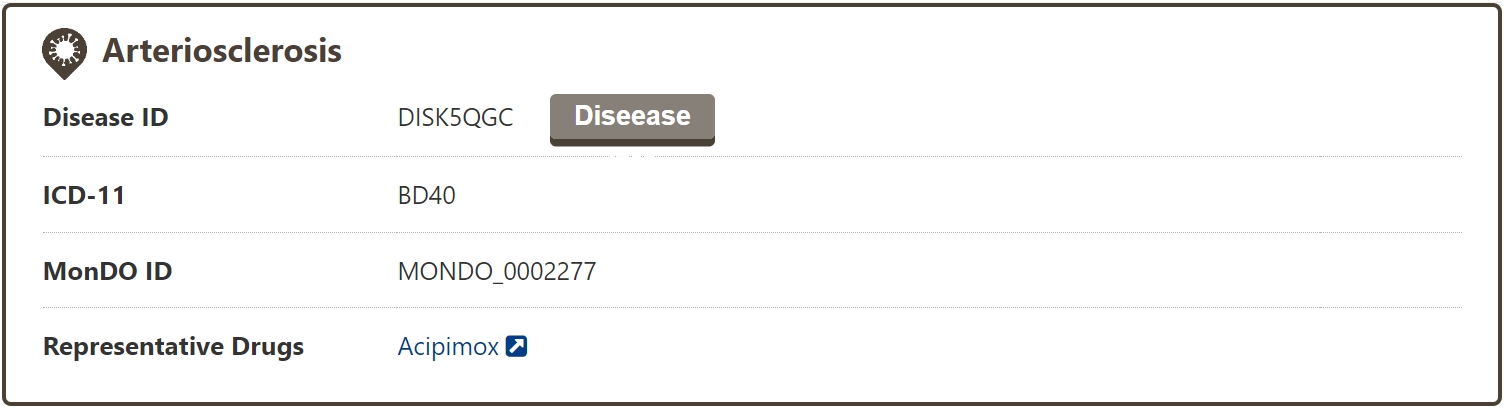
The search results page for a disease shows brief information about the disease name, ICD-11 code, MONDO ID, and representative drugs.
General Information of Disease
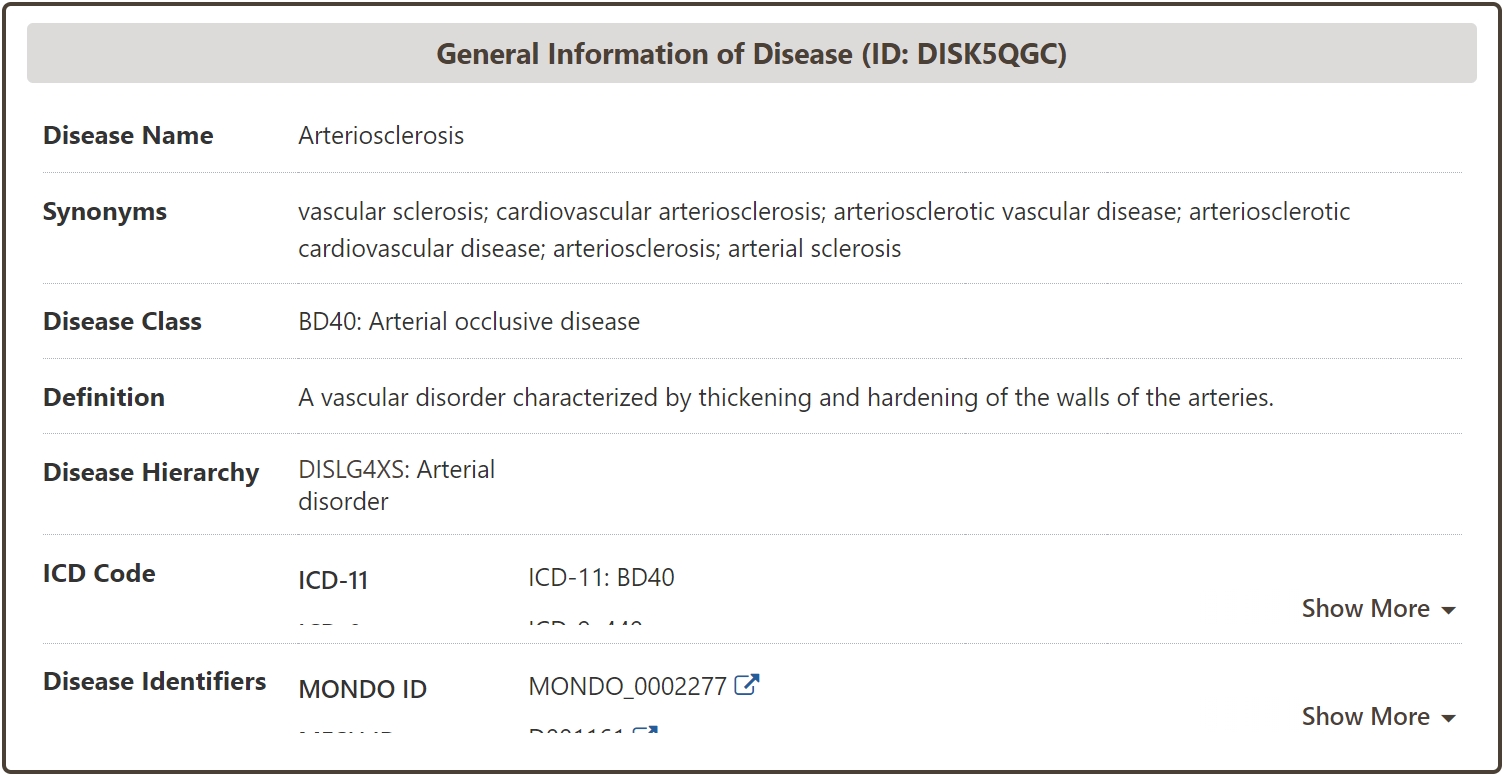
In the "General Information of Disease" section of the Disease information page, Information such as Name, Synonym, Class, Definition of the disease is systematically provided in DrugMAP, and Hierachy information of the disease is also provided based on the MONDO ID of the disease. In addition, in order to facilitate data management and data association, DrugMAP also systematically matches and associates diseases with famous disease terminology databases such as ICD and MONDO.
Drug-Interaction Atlas (DIA) of Disease
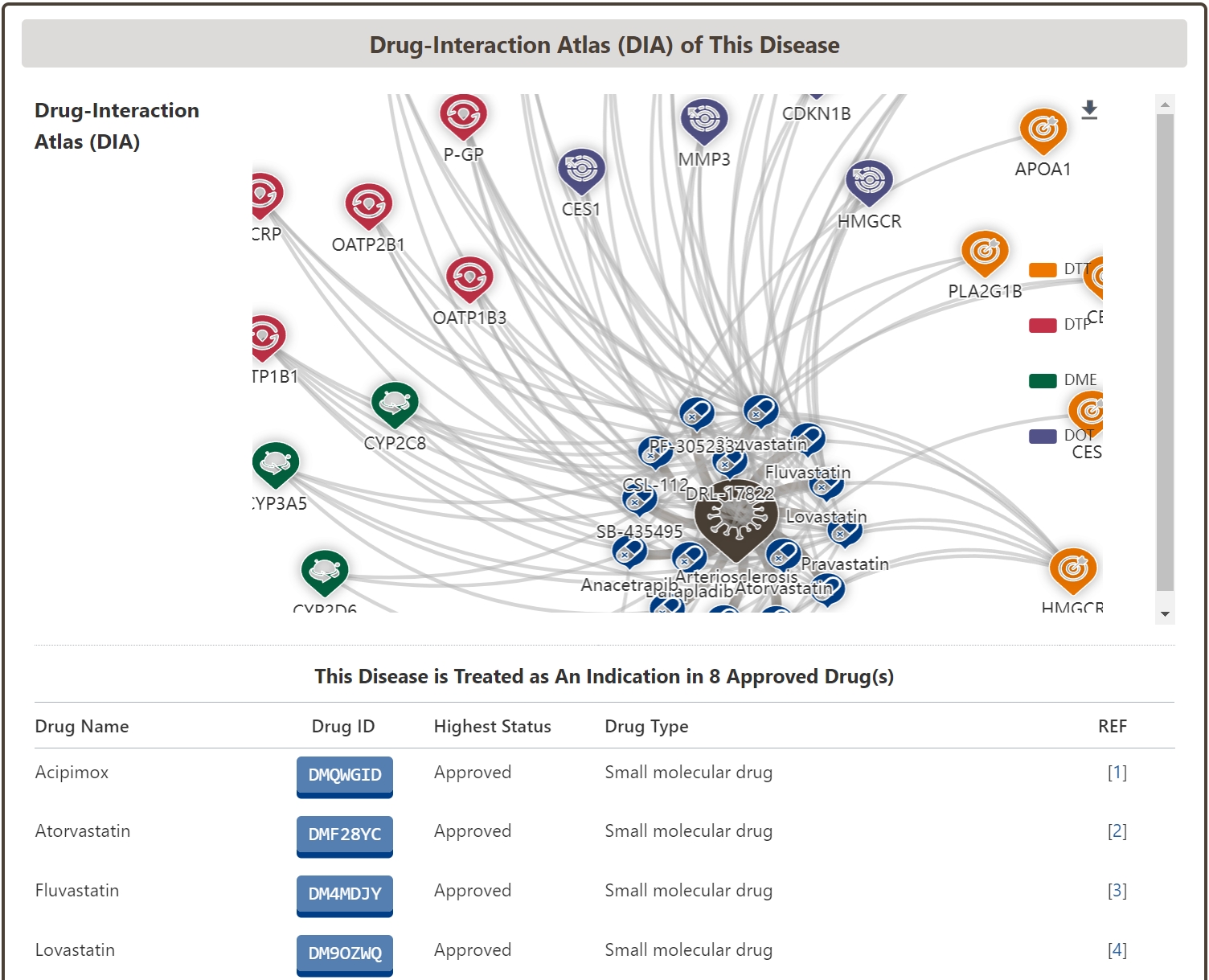
In the “Drug-Interaction Atlas (DIA) of Disease” section of the Disease Information page, we systematically organize all drugs indicated for the disease, including approved, clinically investigational, and investigational drugs, based on the interacting biological and molecular factors. We also mapped the drug-disease interaction network of the disease based on the interacting biomolecules.
Molecular Interaction Atlas (MIA) of Disease
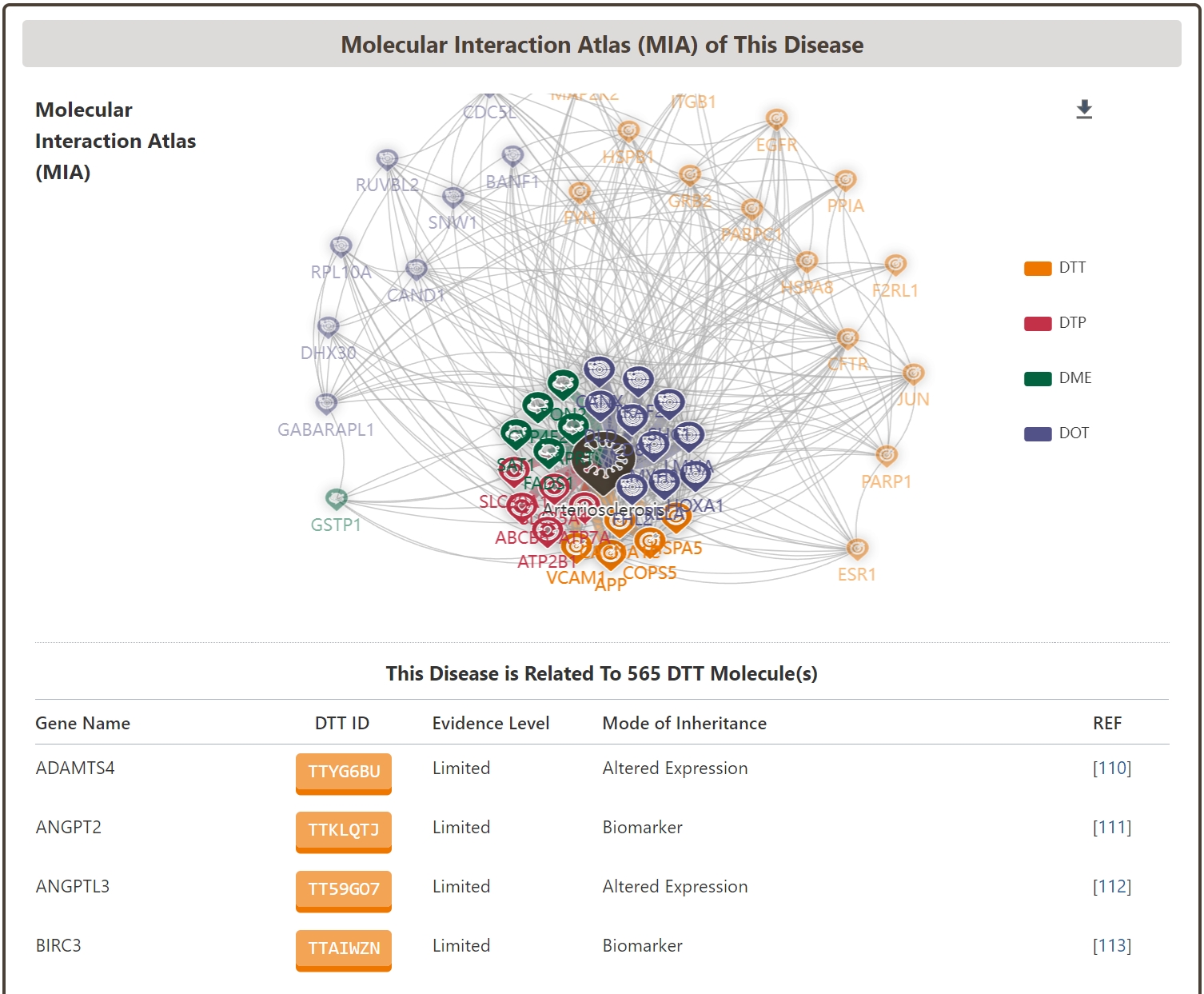
In addition, the “Molecular Interaction Atlas (MIA) of Disease” section of the Disease Information page systematically provides all the biomolecules associated with the disease, including not only DTT, DTP, and DTP, which are directly related to the pharmacodynamics of the drug, but also DTP, DTP, and DTP, which are directly related to the pharmacodynamics of the drug. These include not only DTT, DTP and DME molecules, which are directly related to drug pharmacodynamics, but also DOT molecules, which are closely related to drug safety and side effects. Through this disease-biomolecule interaction network, users can quickly understand the current status of the disease's biological signaling network, and help to carry out related drug combination and drug repositioning studies.
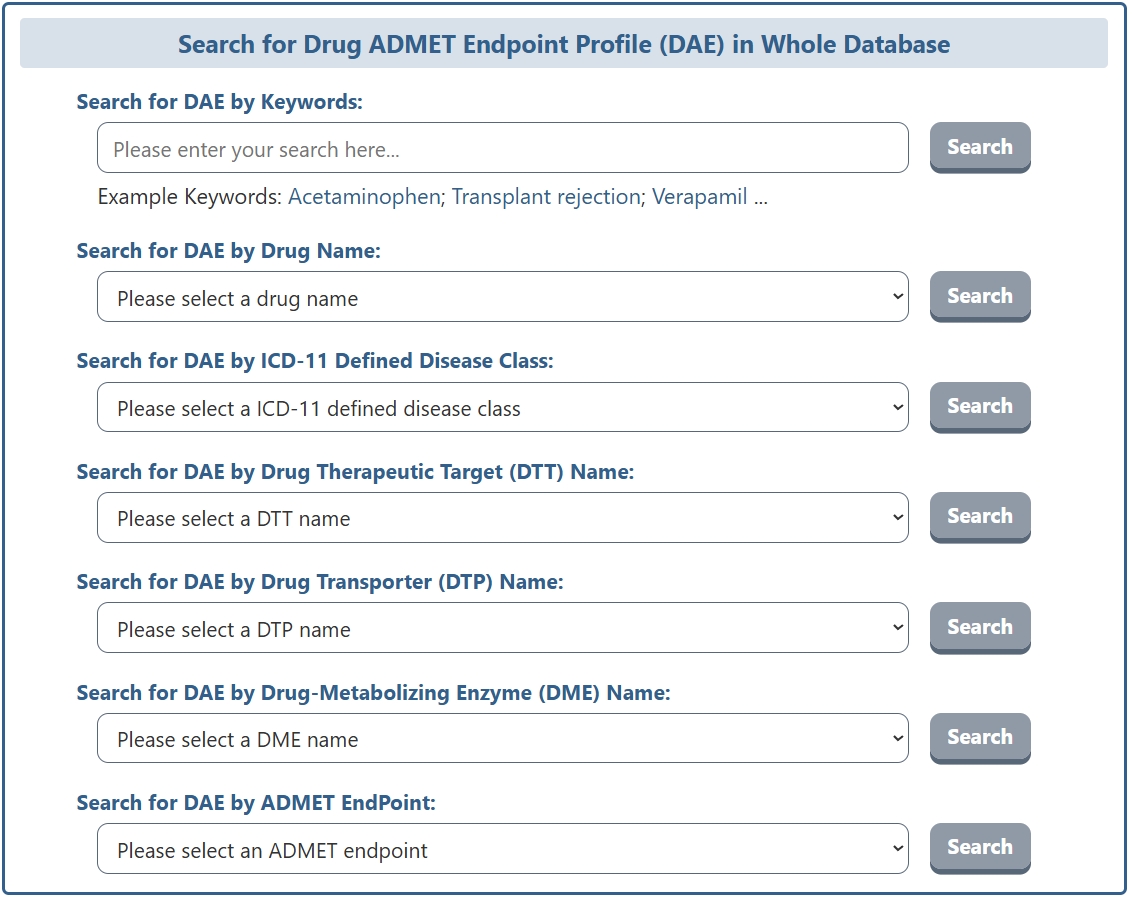
On the search page for Drug ADMET Endpoint Profile (DAE), DrugMAP offers a keyword search field for DAE and 7 drop down menu search fields. The 7 drop-down menus provide information about the "Drug Name", "ICD-11 Defined Disease Class", "Drug Therapeutic Target (DTT) Name", "Drug Transporter (DTP) Name", "Drug-Metabolizing Enzyme (DME) Name", "Drug Off-Target (DOT) Name", and "ADMET EndPoint". Users can select the item they are interested in to search for drug ADMET endpoint profiles related to that item. In addition, the "ADMET EndPoint" drop-down menu provides a comprehensive, hierarchically-organized list of ADMET-related endpoints grouped by category — Absorption (Acid-Base Properties, Lipophilicity & Solubility, Oral Bioavailability, Permeability), Distribution (Protein Binding, Tissue Distribution), Metabolism (CYP450 Enzymes, Hepatic Stability), Excretion (Clearance & Half-life, Transporters), Toxicity (Acute & Repeated Dose, Carcinogenicity, Cardiotoxicity, Cellular Toxicity, Cytotoxicity, Ecotoxicity, Endocrine Disruption, Genotoxicity, Organ Toxicity, Photoinduced Toxicity, Reproductive Toxicity, Skin & Eye Toxicity), and Basic Property (Lipophilicity, Molecular Descriptors) — allowing users to directly query specific pharmacokinetic and toxicological parameters.
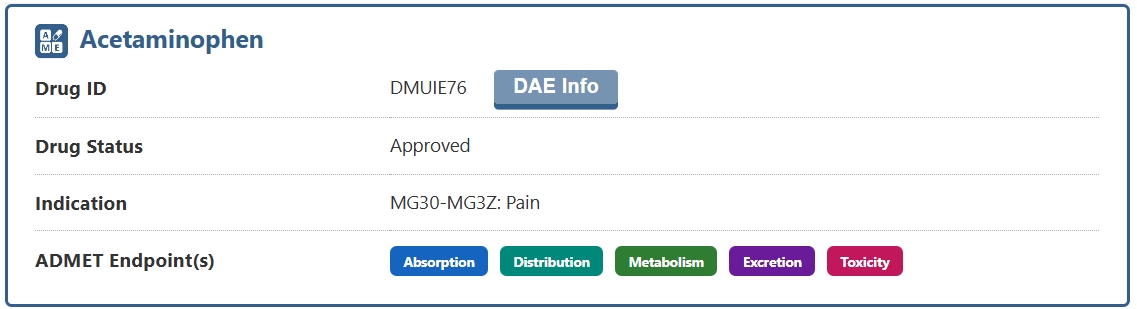
The search results page for a DAE briefly displays information about Drug Name, Drug ID, Drug Status, Indication, and ADMET Endpoint(s). The ADMET Endpoint(s) section uses five color-coded indicator badges — blue for Absorption, teal for Distribution, green for Metabolism, purple for Excretion, and pink for Toxicity — to show at a glance which categories of ADMET data are available for the drug. Solid-colored badges indicate that data is available for that ADMET category, while greyed-out badges indicate that no data is available. Users can click the "DAE Info" button to access the detail page of the drug's ADMET endpoint profile.
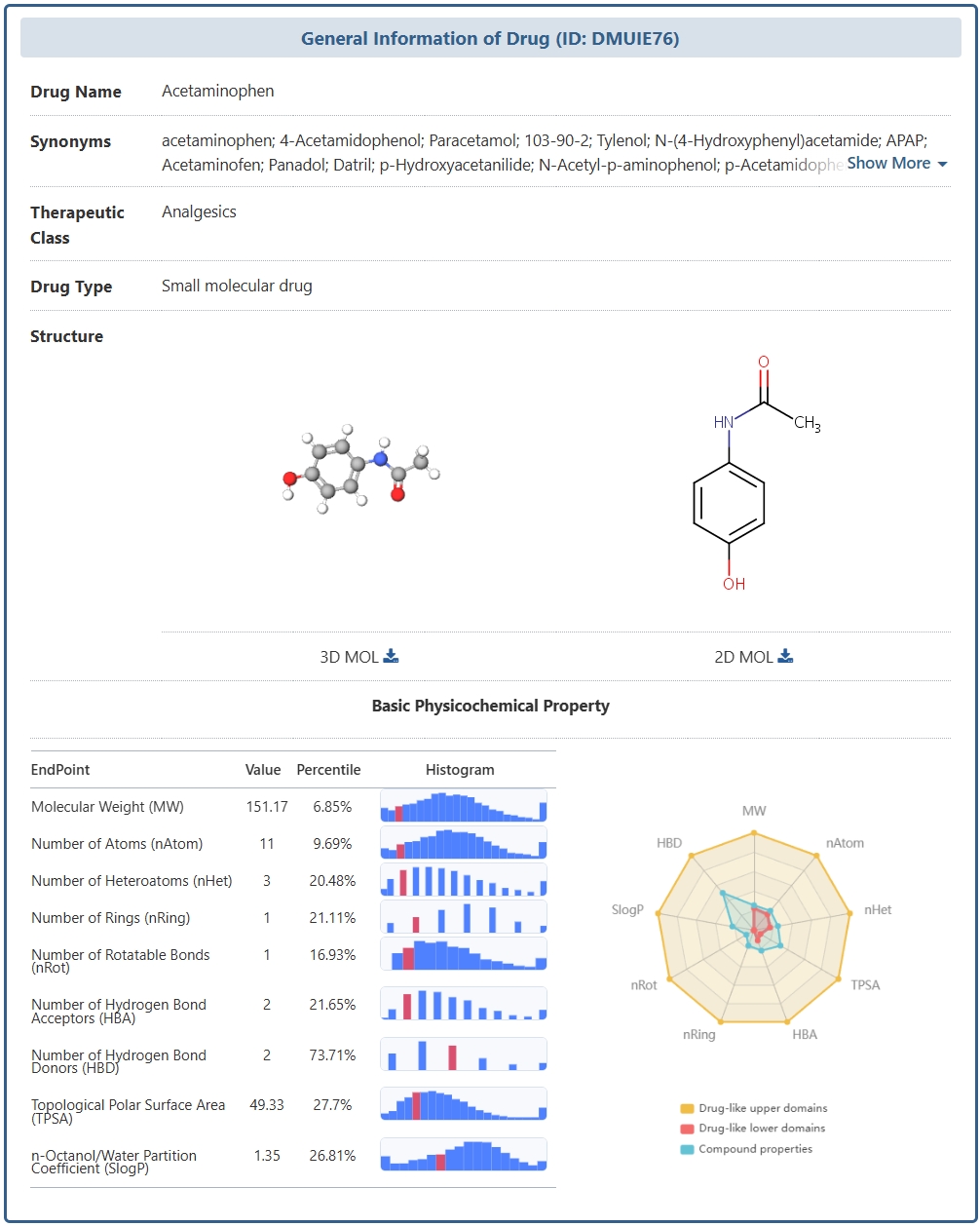
In the "General Information of Drug" section of the DAE detail page, DrugMAP provides comprehensive information on the drug, including its Name, Synonyms, Therapeutic Class, ATC Code (with hierarchical lineage from Level 5 to Level 1), Drug Type, and 2D/3D molecular structure visualization. Additionally, the ADMET Property subsection lists key pharmacokinetic characteristics of the drug with supporting references.
The Basic Physicochemical Property subsection presents key molecular descriptors of the drug in a detailed table format. The descriptors include Molecular Weight (MW), Number of Atoms (nAtom), Number of Heteroatoms (nHet), Number of Rings (nRing), Number of Rotatable Bonds (nRot), Number of Hydrogen Bond Acceptors (HBA), Number of Hydrogen Bond Donors (HBD), Topological Polar Surface Area (TPSA), and n-Octanol/Water Partition Coefficient (SlogP). For each descriptor, the table provides the drug's actual Value, its Percentile ranking relative to all drugs in the DrugMAP database, and an interactive Histogram thumbnail showing the frequency distribution of the descriptor across the entire drug collection. Users can hover over or click on the histogram thumbnail to view the full interactive distribution chart. On the right side of this subsection, a radar chart visualizes the drug's physicochemical property profile, overlaying the drug's percentile values against the database-wide distribution, allowing users to quickly assess how the drug compares to other drugs in key molecular property dimensions.
ADMET Endpoint Atlas of This Drug
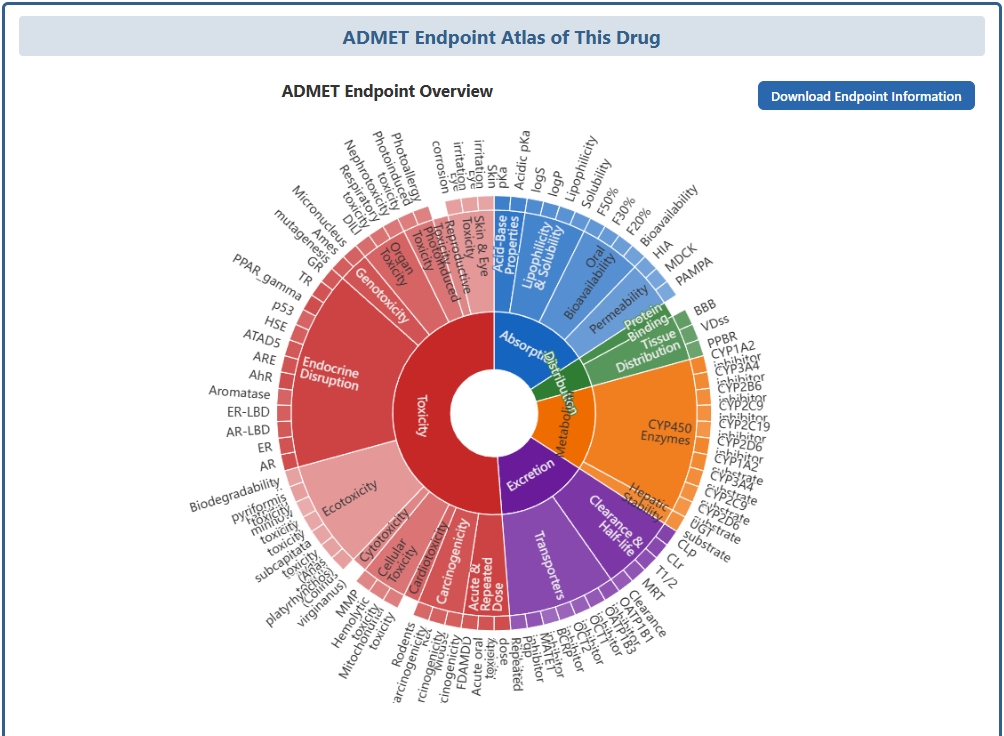
In the "ADMET Endpoint Atlas of This Drug" section, DrugMAP provides a comprehensive overview of all ADMET endpoints associated with the drug, organized into three major components: the ADMET Endpoint Overview, ADMET Regression Property, and ADMET Classification Property. A "Download Endpoint Information" button at the top-right corner of this section allows users to export the complete ADMET endpoint data of the drug as a CSV file for offline analysis.
The ADMET Endpoint Overview features an interactive Sunburst chart that provides a hierarchical visualization of all available ADMET endpoints for the drug. The Sunburst chart is organized in concentric rings: the innermost ring represents the five major ADMET categories (Absorption in blue, Distribution in teal, Metabolism in green, Excretion in purple, and Toxicity in pink), the middle ring shows the sub-classifications within each category (e.g., Oral Bioavailability, Lipophilicity & Solubility, Permeability under Absorption; Protein Binding and Tissue Distribution under Distribution; CYP450 Enzymes and Hepatic Stability under Metabolism; Clearance & Half-life and Transporters under Excretion; and Acute & Repeated Dose, Carcinogenicity, Cardiotoxicity, Cellular Toxicity, Cytotoxicity, Ecotoxicity, Endocrine Disruption, Genotoxicity, Organ Toxicity, Photoinduced Toxicity, Reproductive Toxicity, and Skin & Eye Toxicity under Toxicity), and the outermost ring displays individual endpoints within each sub-classification. Each segment is color-coded by its parent ADMET category, and users can mouse over any segment to view detailed information about that specific endpoint, including its name, predicted value, and classification.
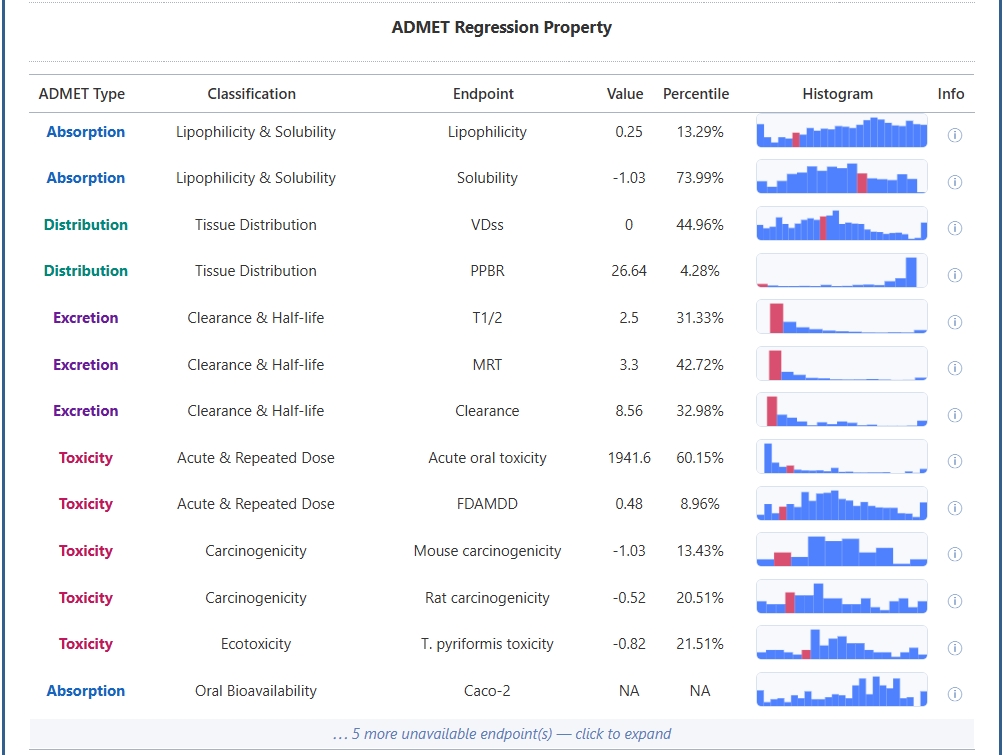
The ADMET Regression Property table presents quantitative, continuous-value ADMET endpoints that are predicted by regression models. The table is organized by ADMET Type (color-coded as blue for Absorption, teal for Distribution, purple for Excretion, and pink for Toxicity), with each row providing the Classification category, Endpoint name, predicted Value, and Percentile ranking among all drugs in the database. Key regression endpoints include: under Absorption — Caco-2 permeability, Hydration Free Energy, Lipophilicity, and Solubility; under Distribution — PPB (Plasma Protein Binding), VDss (Volume of Distribution at Steady State), and PPBR (Plasma Protein Binding Rate); under Excretion — T1/2 (Elimination Half-life), MRT (Mean Residence Time), logCL (Plasma Clearance), and Clearance; and under Toxicity — Acute Oral Toxicity, FDAMDD (FDA Maximum Recommended Daily Dose), Mouse Carcinogenicity, Rat Carcinogenicity, T. pyriformis Toxicity, BCF (Bioconcentration Factor), and Neurotoxicity.
Two interactive features in this table deserve special attention. The Histogram column displays a miniature histogram thumbnail for each endpoint; hovering the mouse cursor over the thumbnail triggers a popup window that shows the full frequency distribution histogram of that endpoint across the entire DrugMAP database. The drug's own value is highlighted on the histogram, allowing users to understand at a glance where the drug falls within the overall distribution. Clicking on the thumbnail opens the complete interactive histogram for detailed exploration. The Info column (marked with an "ⓘ" icon) provides hover tooltips that explain what each endpoint measures, its biological or pharmacological significance, and how the measurement is performed. For example, hovering over the Caco-2 info icon reveals: "Caco-2 cell monolayer permeability, the gold-standard in vitro model for predicting human intestinal drug absorption"; hovering over the PPB info icon shows: "Plasma protein binding ratio representing the percentage of drug bound to plasma proteins in the bloodstream"; and hovering over the T1/2 info icon displays: "Elimination half-life — the time required for plasma drug concentration to decrease by 50%."
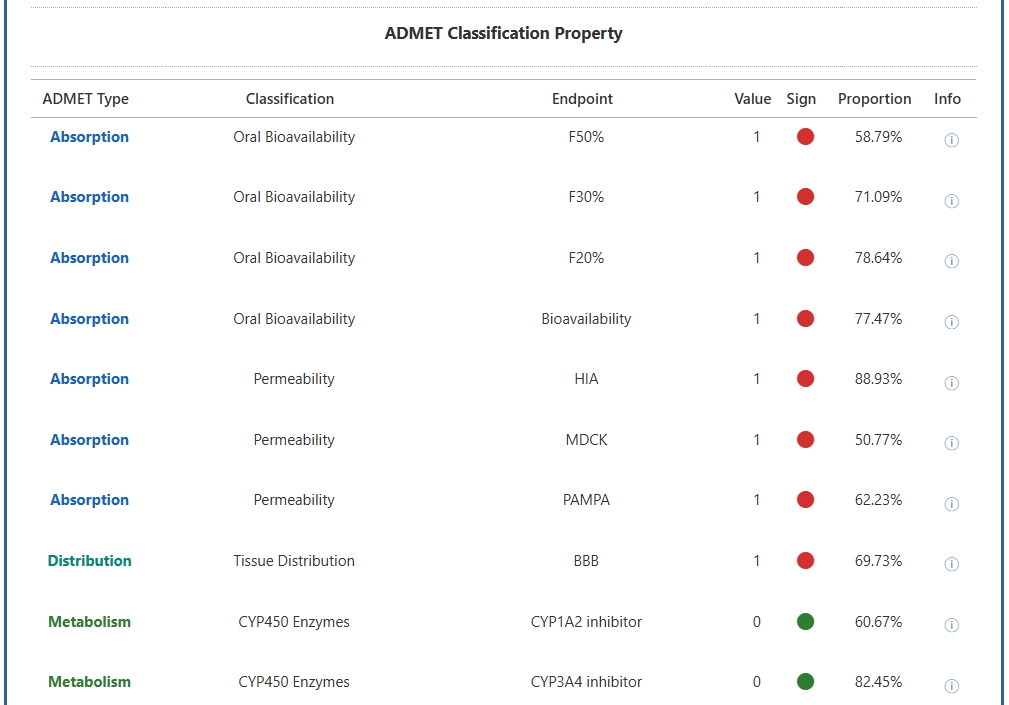
The ADMET Classification Property table presents binary classification endpoints that predict whether a drug possesses a particular ADMET-related property, with values of 1 indicating positive/active and 0 indicating negative/inactive. These classification endpoints comprehensively span the ADMET spectrum and include: under Absorption — Oral Bioavailability classifiers (F50%, F30%, F20%, Bioavailability) and Permeability classifiers (HIA, MDCK, PAMPA); under Distribution — Blood-Brain Barrier (BBB) penetration; under Metabolism — CYP450 Enzyme inhibition profiles (CYP1A2, CYP3A4, CYP2B6, CYP2C9, CYP2C19, CYP2D6), CYP450 substrate profiles (CYP1A2, CYP3A4, CYP2B6, CYP2C9, CYP2C19, CYP2D6), and Hepatic Stability classifiers (HLM, RLM, UGT substrate); under Excretion — Clearance classifiers (CLp, CLr) and Transporter interaction profiles (OATP1B1, OATP1B3, OATP2B1, OCT1, OCT2, BCRP, BSEP, MATE1 inhibitors, and P-gp inhibitor/substrate); and under Toxicity — a comprehensive array of endpoints covering Acute & Repeated Dose Toxicity, Carcinogenicity (Rodents), Cardiotoxicity (hERG at multiple thresholds), Cellular Toxicity (Mitochondrial, Hemolytic, MMP, Lysosomal/Phospholipidosis), Cytotoxicity (RPMI-8226 Immunotoxicity, HEK293, NIH3T3, CRL-7250), Ecotoxicity (Honey bee, Avian, Algal, Crustacean, D. magna, multiple Fish species, Biodegradability), Endocrine Disruption (AR, ER, AR-LBD, ER-LBD, Aromatase, AhR, ARE, ATAD5, HSE, p53, PPAR-γ, TR, GR), Genotoxicity (Ames mutagenesis, Micronucleus), Organ Toxicity (DILI, Respiratory, Nephrotoxicity, Ototoxicity), Photoinduced Toxicity (Photoinduced toxicity, Phototoxicity, Photoallergy), Reproductive Toxicity, and Skin & Eye Toxicity (Eye corrosion/irritation, Skin corrosion/irritation/sensitisation, Acute dermal toxicity, HaCaT dermatotoxicity).
For each classification endpoint, the table displays the ADMET Type, Classification category, Endpoint name, predicted Value (1 or 0), a colored Sign indicator, the Proportion of drugs in the database belonging to the positive class, and an Info button with a detailed description. The Sign column provides an intuitive visual representation using colored dots: a ● (red dot) indicates that the drug is predicted to be positive (e.g., an inhibitor, substrate, or toxicant) for that endpoint, a ● (green dot) indicates a negative prediction (e.g., non-inhibitor, non-substrate, or non-toxicant), and a ● (grey dot) indicates that data for this endpoint is currently unavailable. This color-coded system allows users to rapidly scan the entire classification profile and identify potential ADMET liabilities or favorable properties of the drug at a glance. As with the Regression Property table, the Info button for each endpoint provides a concise explanation of the endpoint's pharmacological meaning and its relevance to drug safety and efficacy evaluation.
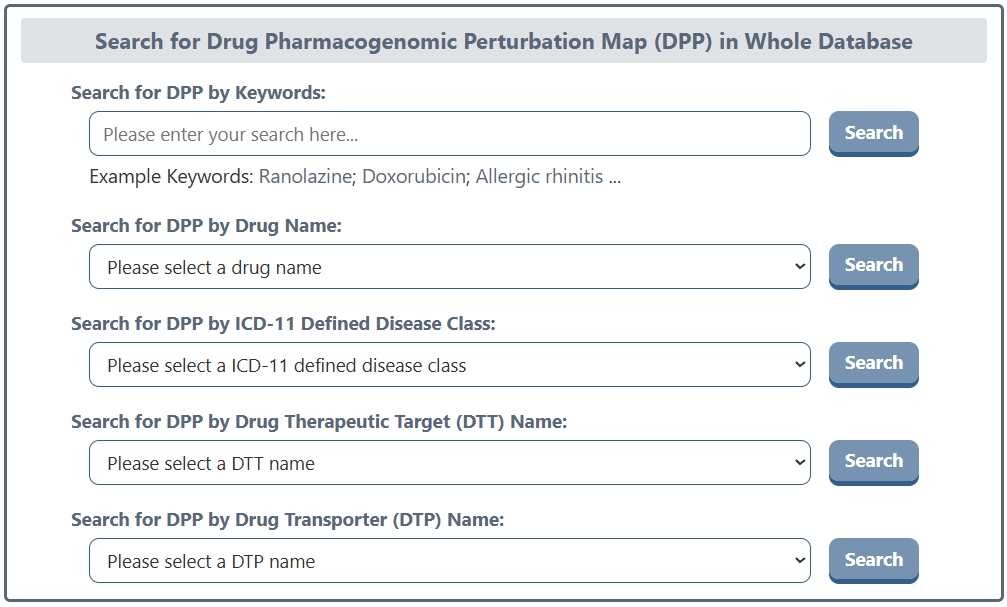
On the search page for Drug Pharmacogenomic Perturbation Map (DPP), DrugMAP offers a keyword search field for DPP and 5 drop down menu search fields. The 5 drop-down menus provide information about the "Drug Name", "ICD-11 Defined Disease Class", "Drug Therapeutic Target (DTT) Name", "Drug Transporter (DTP) Name", and "Drug-Metabolizing Enzyme (DME) Name". Users can select the item they are interested in to search for drugs with L1000 pharmacogenomic perturbation data related to that item. The DPP module is built upon the LINCS L1000 platform, which profiles genome-wide transcriptional responses to chemical perturbations across diverse cell lines and experimental conditions.
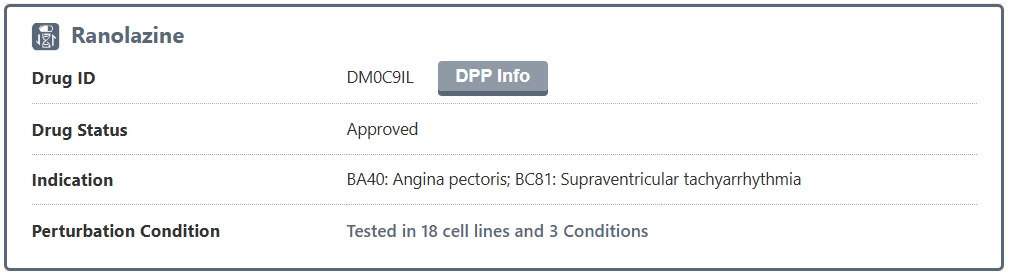
The search results page for a DPP briefly displays information about Drug Name, Drug ID, Drug Status, Indication, and Perturbation Condition. The Perturbation Condition field shows a summary of how many cell lines and experimental conditions were tested for this drug in the L1000 database, giving users a quick overview of the breadth of available pharmacogenomic data. Users can click the "DPP Info" button to access the detail page of the drug's pharmacogenomic perturbation map.
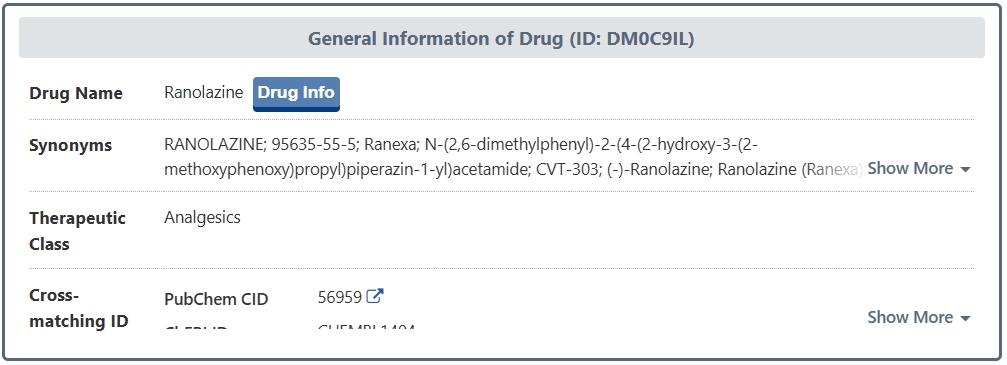
In the "General Information of Drug" section of the DPP detail page, DrugMAP provides comprehensive information on the drug, including its Name, Synonyms, Therapeutic Class, and Cross-matching IDs (PubChem CID, PubChem SID, ChEBI ID, CAS Number, TTD Drug ID, VARIDT Drug ID, INTEDE Drug ID, and ACDINA Drug ID). Each cross-reference ID is hyperlinked to its source database, allowing users to seamlessly navigate to external resources for additional information about the drug. A "Drug Info" button is also provided to navigate to the main drug information page in DrugMAP.
Consensus Signature of Drug Pharmacogenomic Perturbation (DPP)
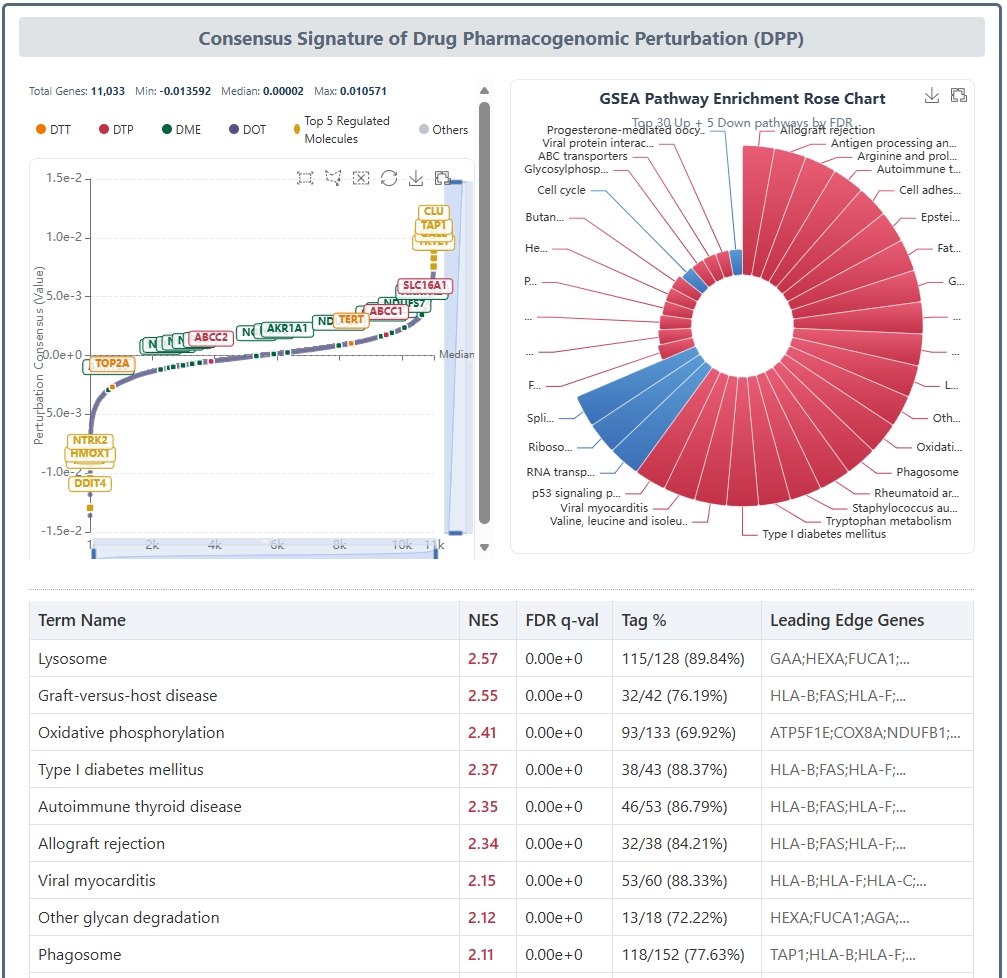
The "Consensus Signature of Drug Pharmacogenomic Perturbation (DPP)" section is the core of the DPP module, presenting the drug's genome-wide transcriptional perturbation profile derived from the LINCS L1000 platform. This section consists of two complementary visualizations displayed side by side: the Signature S-Curve (Rank Plot) on the left and the GSEA Pathway Enrichment Rose Chart on the right, followed by a detailed GSEA enrichment results table below.
A. Signature S-Curve (Rank Plot). The S-Curve chart (also known as a rank plot) visualizes the full transcriptome-wide perturbation signature of the drug. All profiled molecules (genes) are ranked along the X-axis from 1 to N according to their consensus perturbation value, while the Y-axis shows the actual perturbation score (Z-score). Molecules with positive values (up-regulated by the drug) appear at the top of the curve, while those with negative values (down-regulated) appear at the bottom. The curve typically exhibits a characteristic S-shape, with the most strongly perturbed molecules — both up- and down-regulated — appearing at the two extreme tails. Key molecular categories are highlighted with distinct colors: ● DTT (Drug Therapeutic Targets) in orange, ● DTP (Drug Transporters) in red, ● DME (Drug-Metabolizing Enzymes) in green, ● DOT (Drug Off-Targets) in gray-blue, and the Top 5 most regulated molecules in gold. The chart supports interactive zooming and panning via ECharts' built-in DataZoom component, allowing users to focus on the tail regions where the most biologically significant changes reside. Summary statistics including total gene count, minimum, median, and maximum perturbation values are displayed above the chart.
The consensus perturbation values displayed in the S-Curve are computed using the Consensus Z-score algorithm, the official Level 5 consensus signature method of the LINCS L1000 data processing pipeline. The Consensus Z-score is a weighted Z-score approach that accounts for inter-batch variability: instead of simply averaging across replicates, it first calculates pairwise Spearman correlations between all replicate batches, then assigns higher weights to batches that show stronger concordance with others, while down-weighting potential outlier batches. The final consensus score for each gene is a weighted sum of its Z-scores across batches (Zc = Σ wi · Zi), where weights are normalized such that Σ wi² = 1 to preserve the statistical properties of the Z-score distribution. This method was originally described in the seminal LINCS publication: Subramanian, A., et al. (2017). "A Next Generation Connectivity Map: L1000 Platform and the First 1,000,000 Profiles."Cell, 171(6), 1437–1452.
B. GSEA Pathway Enrichment Rose Chart. On the right side, the GSEA Rose Chart (also known as a nightingale rose or polar area diagram) presents the results of Gene Set Enrichment Analysis (GSEA) performed on the drug's ranked perturbation signature. Unlike traditional Over-Representation Analysis (ORA) that requires arbitrary thresholding, GSEA evaluates the entire ranked gene list without cutoff, assessing whether genes in a given biological pathway tend to cluster toward the top (activated) or bottom (suppressed) of the ranked list. Each sector in the rose chart represents a significantly enriched pathway or gene set. The angular extent (arc length) of each sector reflects the Normalized Enrichment Score (NES) magnitude — with clockwise sectors typically representing positively enriched (activated) pathways and counterclockwise sectors representing negatively enriched (suppressed) pathways — while the radial length (radius) indicates the statistical significance (e.g., −log₁₀ FDR q-value). Pathways are color-coded by their enrichment direction: warm colors (red/orange) for up-regulated pathways and cool colors (blue/cyan) for down-regulated pathways. The interactive chart allows users to hover over individual sectors to view detailed pathway information including the pathway name, NES, FDR q-value, and leading-edge genes.
Below the two charts, a comprehensive GSEA Results Table lists all significantly enriched pathways with their Term Name, Normalized Enrichment Score (NES, displayed in red for positive/up-regulated and blue for negative/down-regulated), FDR q-value, Tag Percentage (the fraction of genes in the pathway that contribute to the enrichment signal), and Leading Edge Genes (the subset of genes driving the enrichment). The table is scrollable and sortable, enabling users to systematically explore the biological processes and signaling pathways modulated by the drug treatment.
Pharmacogenomic Perturbation Across Diseases and Tissues
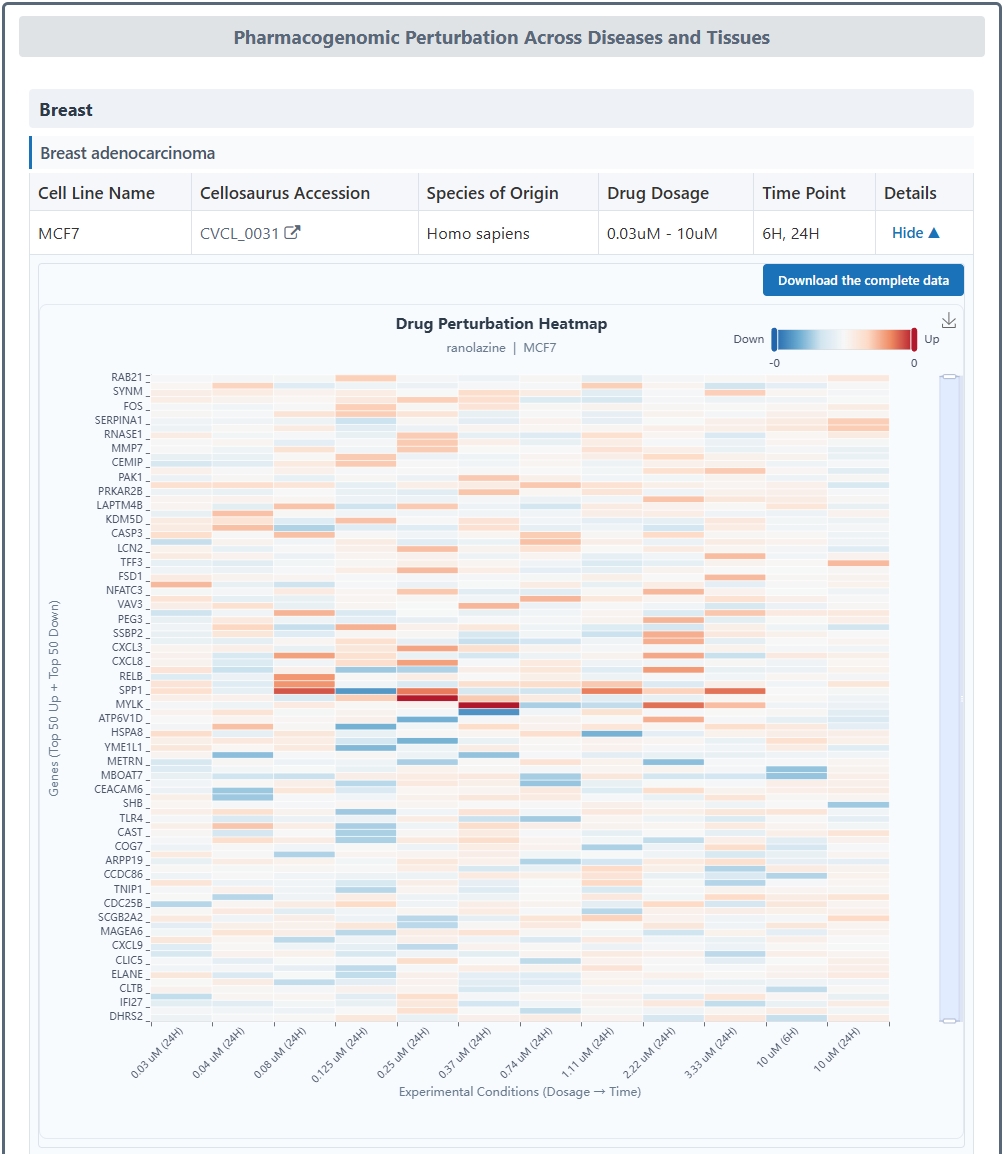
The "Pharmacogenomic Perturbation Across Diseases and Tissues" section organizes the drug's L1000 perturbation data across diverse biological contexts. The data is hierarchically grouped, first by Tissue (e.g., Blood, Breast, Lung, Skin, Central Nervous System) and then by Disease within each tissue, providing a structured view of how the drug's transcriptional effects vary across different pathophysiological settings. For each disease-tissue combination, a table lists the available cell line experiments with information including Cell Line Name, Cellosaurus Accession (linked to the Cellosaurus knowledge base), Species of Origin, Drug Dosage, and Time Point of treatment. A "Details" toggle button in each row expands an embedded interactive visualization panel for that specific experiment.
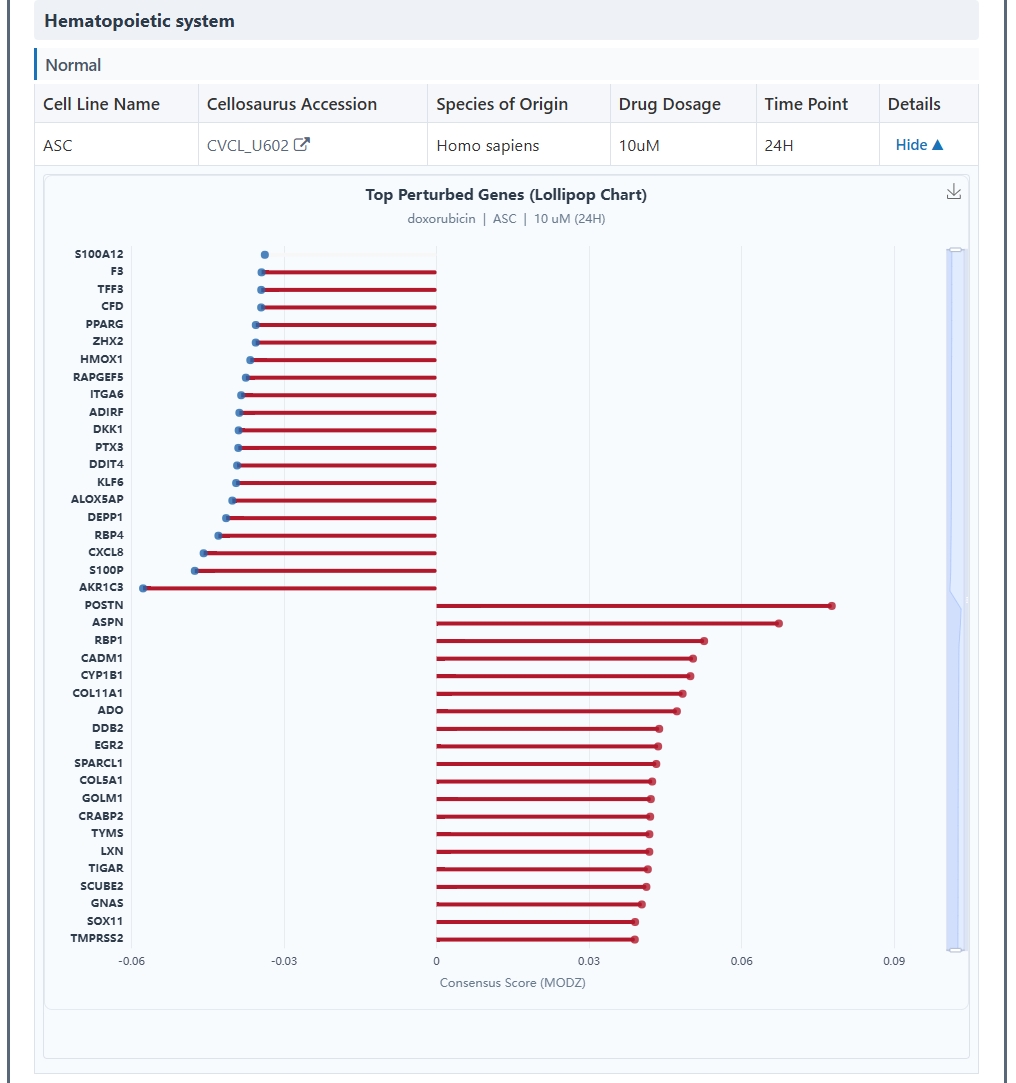
The embedded visualization panel displays one of two types of charts depending on the nature of the perturbation data: a Heatmap or a Lollipop Chart. The Heatmap view (shown when multiple gene-level perturbation measurements are available) presents a color-encoded matrix where rows represent individual genes or probes and columns represent experimental conditions or replicates. The color intensity reflects the magnitude and direction of perturbation — red tones indicate up-regulation and blue tones indicate down-regulation — allowing users to visually identify clusters of co-regulated genes and assess the overall consistency of the transcriptional response. The Lollipop Chart view (shown for summarized or single-condition data) displays individual gene perturbation values as lollipop markers, where the position of the dot along the horizontal axis indicates the perturbation Z-score (positive values pointing right for up-regulation, negative values pointing left for down-regulation) and the stem connects each dot to the baseline. This format is particularly effective for highlighting the most strongly perturbed individual genes and comparing their relative magnitudes at a glance. Both chart types are fully interactive, supporting hover tooltips that display detailed gene-level information including gene symbol, perturbation value, and molecular category classification.
The Lollipop Chart variant provides an alternative visualization for perturbation data, where each gene's consensus Z-score is represented by a lollipop marker — the dot's horizontal position encodes the perturbation magnitude and direction, while the stem anchors the value to the zero baseline. This clean, intuitive format is ideal for quickly scanning the most differentially perturbed genes within a given cell line and experimental condition, and for comparing perturbation profiles across different disease-tissue contexts.
On the search page for Drug-Molecule Activity Atlas (DMA), DrugMAP offers a keyword search field for DMA and 7 drop down menu search fields. The 7 drop-down menus provide information about the "Drug Name", "ICD-11 Defined Disease Class", "Drug Therapeutic Target (DTT) Name", "Drug Transporter (DTP) Name", "Drug-Metabolizing Enzyme (DME) Name", and "Drug Off-Target (DOT) Name". Users can select the item they are interested in to search for drugs with experimentally measured molecular activity data related to that item. The DMA module integrates quantitative bioactivity data from multiple authoritative sources including ChEMBL, BindingDB, and the NCI-60 cancer cell line panel, providing a comprehensive view of drug-target affinity, cancer cell sensitivity, and cytotoxic potency.
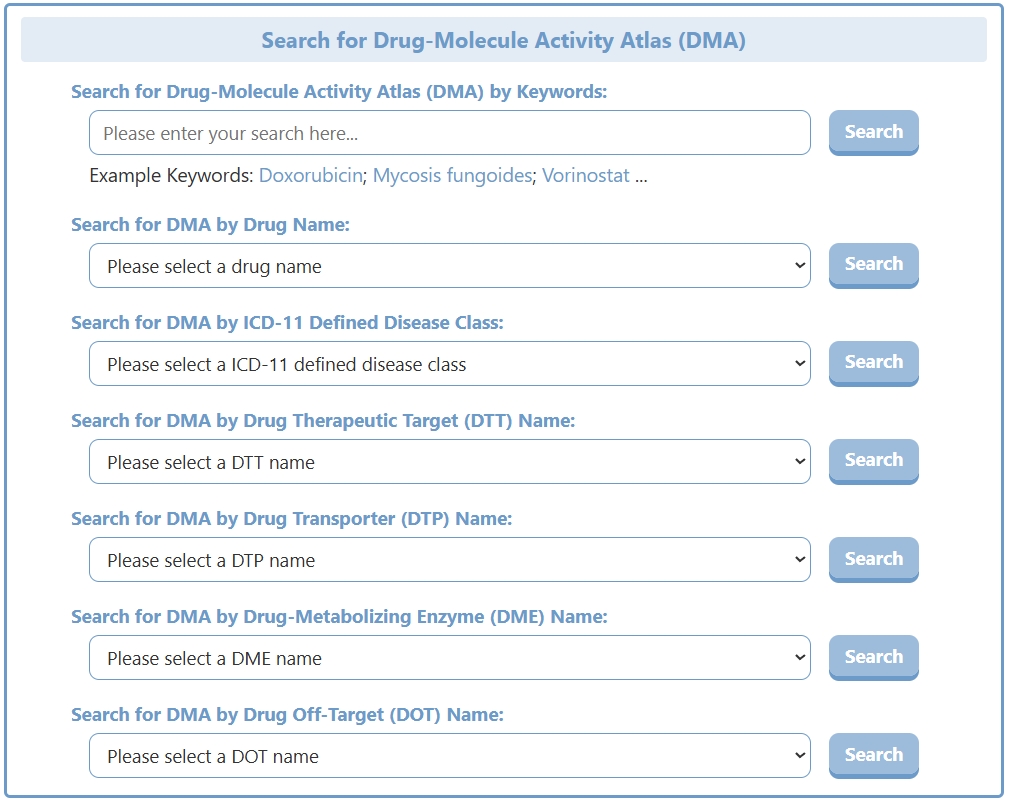
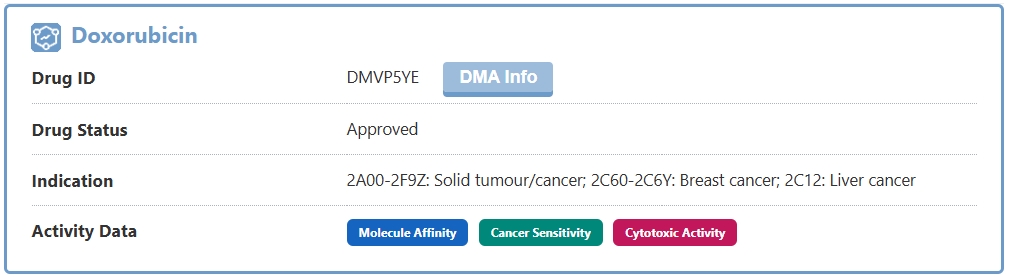
The search results page for a DMA briefly displays information about Drug Name, Drug ID, Drug Status, Indication, and Activity Data. The Activity Data section uses three color-coded indicator badges — blue for Molecule Affinity (binding/activity data against individual biomolecules such as IC₅₀, EC₅₀, Kd, and Ki), teal for Cancer Sensitivity (anti-proliferative activity across cancer cell line panels), and pink for Cytotoxic Activity (cell-killing potency data from ChEMBL) — to show at a glance which categories of activity data are available for the drug. Each badge is clickable and serves as an anchor link that jumps directly to the corresponding section on the detail page. Users can also click the "DMA Info" button to access the full detail page.
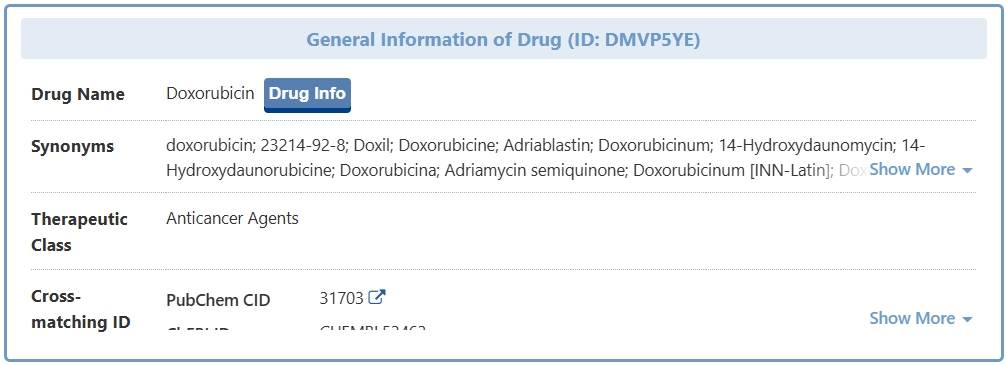
In the "General Information of Drug" section of the DMA detail page, DrugMAP provides comprehensive information on the drug, including its Name, Synonyms, Indication (with disease entry, ICD-11 code, status, and supporting references), Therapeutic Class, and Cross-matching IDs (PubChem CID, PubChem SID, ChEBI ID, CAS Number, TTD Drug ID, VARIDT Drug ID, INTEDE Drug ID, and ACDINA Drug ID). Each cross-reference ID is hyperlinked to its source database. A "Drug Info" button links to the main drug information page in DrugMAP, and a dedicated "References" section at the bottom of the page lists all cited literature with external links.
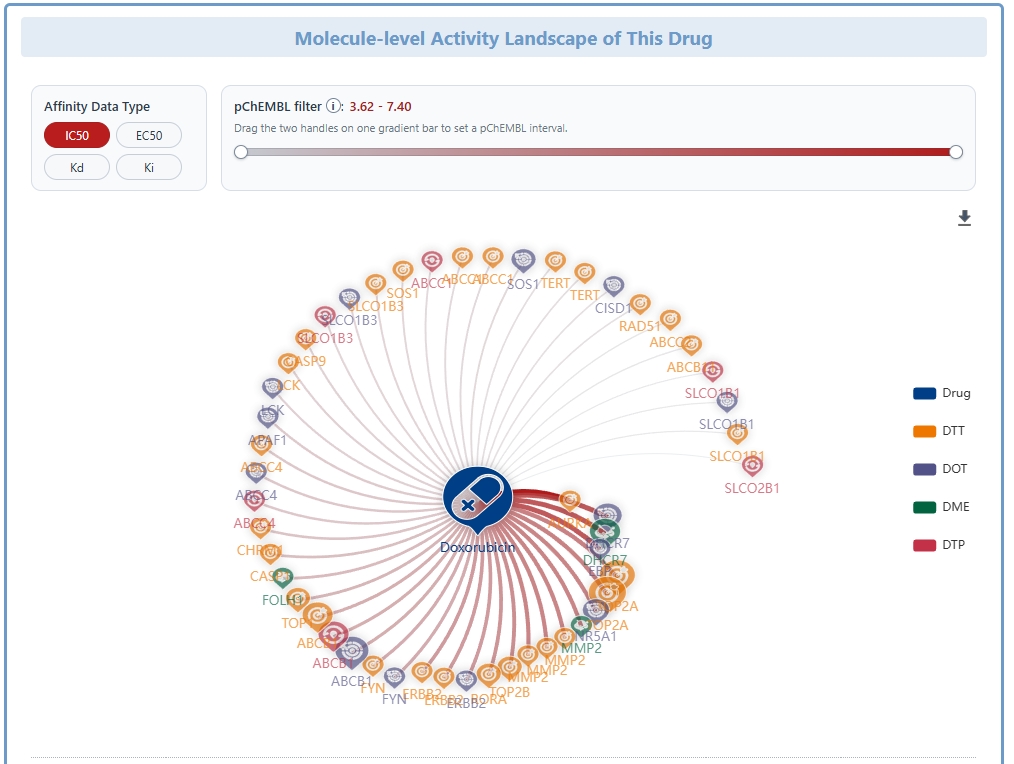
Molecule-level Activity Landscape of This Drug
The "Molecule-level Activity Landscape of This Drug" section presents the drug's bioactivity profile against individual biomolecular targets. At the top, an interactive Activity Association Network Graph (force-directed layout rendered with ECharts and dagre) visualizes the drug-target interaction landscape. In this graph, the central drug node is surrounded by concentric layers of interacting biomolecules (DTT in orange, DTP in red, DME in green, DOT in gray-blue), with edges connecting the drug to each target molecule. The edge thickness and color intensity encode the potency of the interaction — thicker, darker edges represent stronger binding affinity (lower IC₅₀/Kd/Ki values). Users can toggle between different activity measurement types (IC₅₀, EC₅₀, Kd, Ki) using the tab buttons on the left side of the chart, and can hover over individual nodes or edges to view detailed tooltip information including molecule name, UniProt ID, gene name, and the numeric activity value.
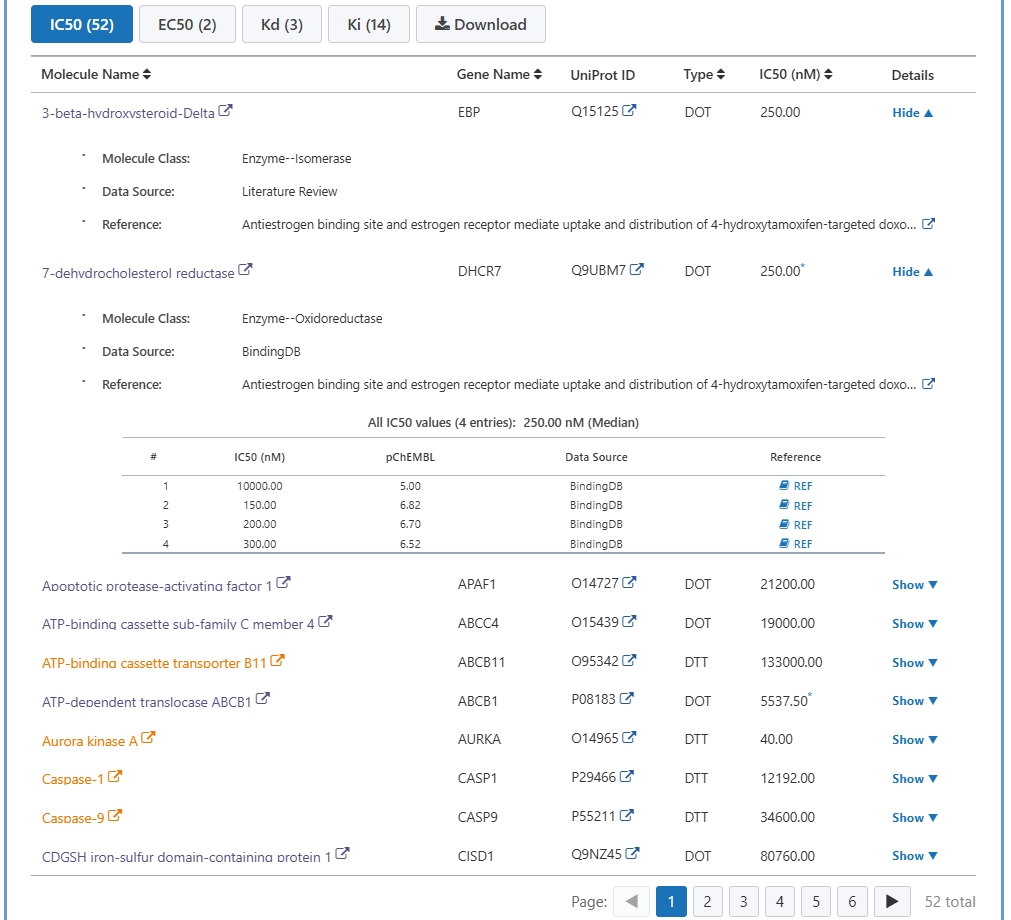
Below the activity network graph, a tabbed Activity Data Table organizes the quantitative bioactivity measurements. Four tabs — IC₅₀, EC₅₀, Kd, and Ki — allow users to switch between different activity measurement types, with each tab showing the count of available data points. The table columns include Molecule Name, Gene Name, UniProt ID, Molecule Type (DTT/DTP/DME/DOT), the activity Value in nanomolar (nM) units, and a "Details" toggle button. Clicking the Details button expands a drill-down panel for each molecule showing comprehensive information: the full Molecule Name and Synonyms, Organism, a complete list of all individual Activity Values (with their source assay descriptions and references), the median activity value across assays, and a link to the original data source. The table supports column sorting (by name, gene, type, or activity value) and pagination for efficient browsing of large datasets. A "Download" button at the top-right of the tab bar allows users to export the complete molecule activity dataset as a CSV file.
Experimental Drug Sensitivity Data Across Cancer Cell Lines
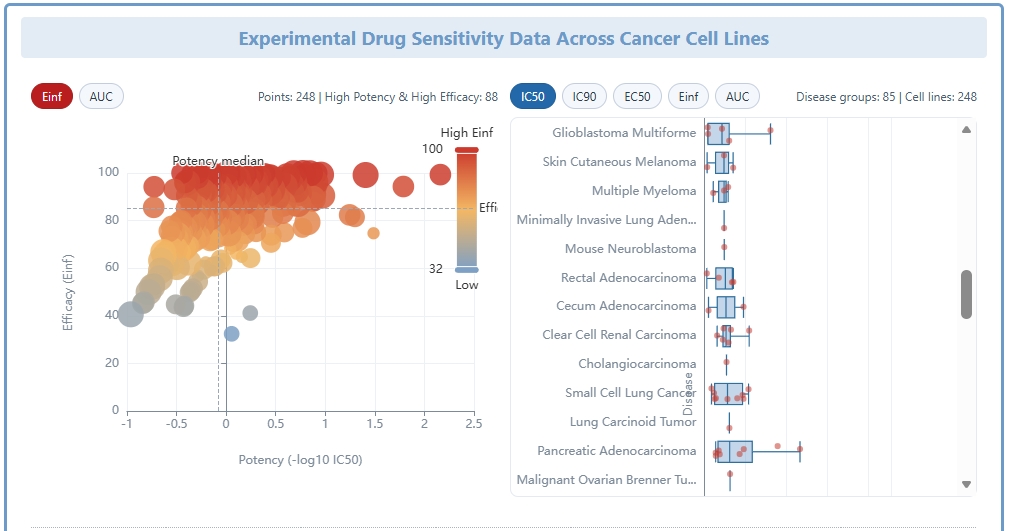
The "Experimental Drug Sensitivity Data Across Cancer Cell Lines" section provides a multi-faceted view of the drug's anti-proliferative activity across diverse cancer models. This section opens with two complementary visualizations displayed side by side:
A. Cell Activity Scatter Plot. On the left, the scatter plot displays each cancer cell line as an individual point, with the X-axis representing the measured drug sensitivity value (e.g., log₂-transformed IC₅₀ in µM) and the Y-axis grouping cell lines by their tissue of origin or cancer type. Each point is color-coded by the primary disease or tissue category. Users can switch between different activity metrics (IC₅₀, IC₉₀, EC₅₀, Einf, AUC) using the metric tabs above the chart, allowing comparison of drug potency across different measurement paradigms. Hovering over individual points reveals the cell line name, tissue type, and exact sensitivity value. Summary statistics (total number of tested cell lines, median sensitivity, and range) are displayed in the toolbar above the chart.
B. Pan-Cancer Sensitivity Waterfall Plot. On the right, the waterfall plot presents a ranked bar chart of drug sensitivity across all tested cancer cell lines, sorted from the most sensitive (lowest IC₅₀, tallest bars extending upward) to the most resistant (highest IC₅₀, bars extending downward). Each bar represents one cell line and is color-coded by its tissue of origin, allowing rapid visual identification of which cancer types are particularly sensitive or resistant to the drug. A horizontal reference line marks the median sensitivity value across all cell lines. This visualization is especially useful for identifying outlier-sensitive cell lines that may warrant further investigation as potential biomarkers or indications. As with the scatter plot, users can toggle between different activity metrics.
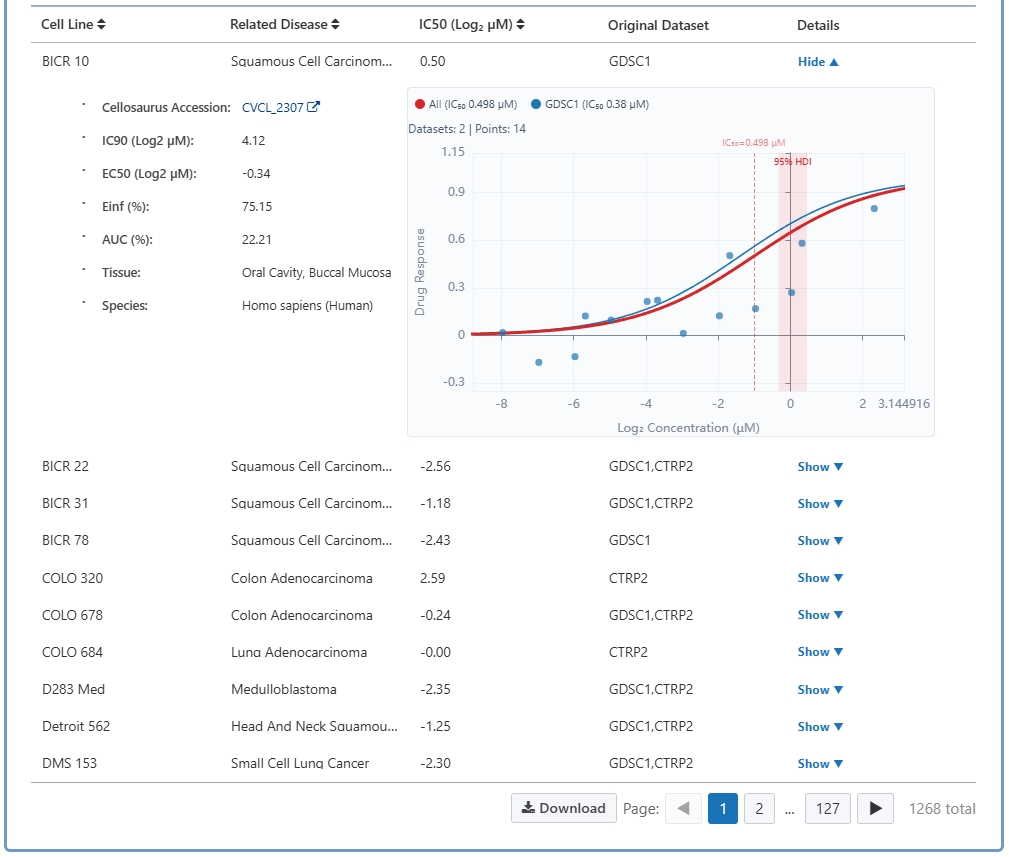
Below the two charts, a detailed Cell Line Sensitivity Table provides the underlying data in tabular format. The table columns include Cell Line Name, Related Disease (the cancer type or tissue of origin), IC₅₀ value (log₂ µM), Original Dataset (the source database or study from which the data was curated), and a "Details" toggle button. Clicking the Details button expands an embedded Dose-Response Relationship Scatter Plot for that specific cell line. This scatter plot visualizes the full dose-response curve: the X-axis shows drug concentration (in logarithmic scale, typically nM or µM) and the Y-axis shows the measured cellular response (e.g., percent viability or growth inhibition). Each experimental data point is plotted with error bars where available, and a fitted sigmoidal dose-response curve is overlaid to illustrate the Hill-slope pharmacodynamic relationship. Key derived parameters such as IC₅₀, Hill coefficient, and maximum effect (Emax) are annotated on the chart. This level of detail enables researchers to assess not only the potency but also the efficacy and cooperativity of the drug's anti-cancer effect. The table also supports column sorting and pagination.
Cytotoxic Activity Landscape of This Drug
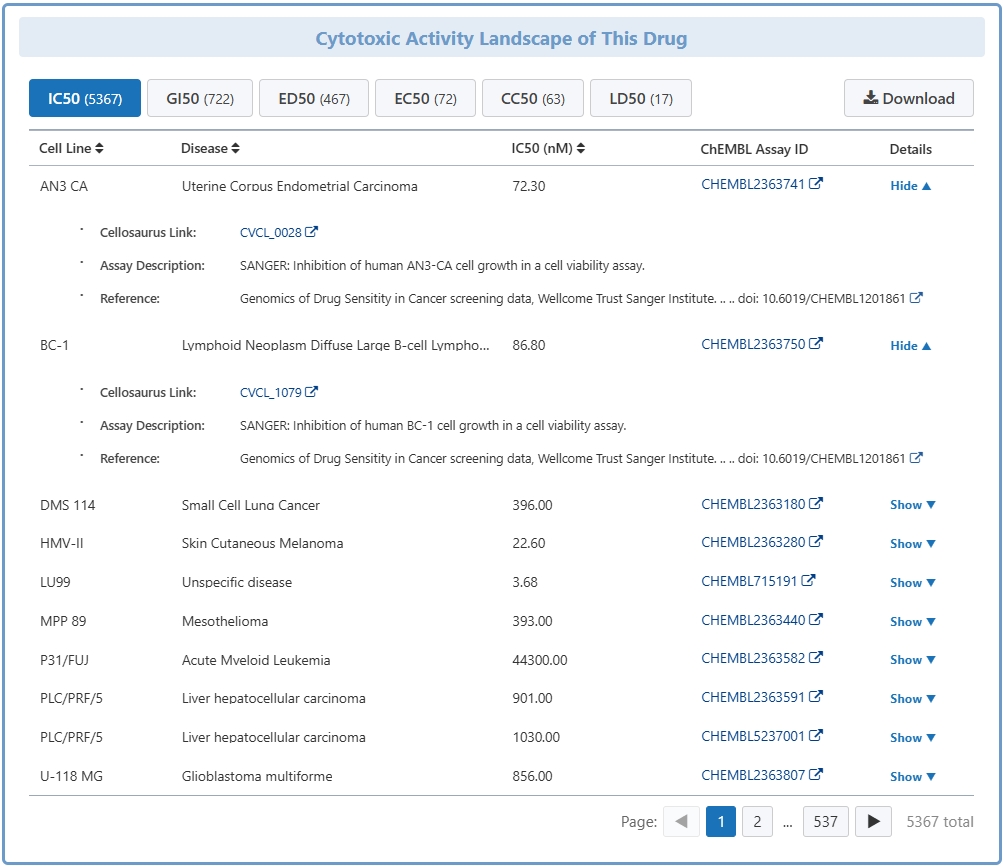
The "Cytotoxic Activity Landscape of This Drug" section presents cytotoxicity data curated from the ChEMBL database, which contains manually extracted bioactivity information from the scientific literature. The ChEMBL activity types are dynamically grouped into tabs (e.g., IC₅₀, EC₅₀, CC₅₀, GI₅₀, etc.) based on the available data for the specific drug, and each tab displays the count of available data points. A loading indicator is shown while the data is being fetched asynchronously from the server.
The ChEMBL activity table includes the following columns: Cell Line (the cell model used in the assay), Disease (the associated pathological condition), the activity Value in nanomolar (nM) units (with the column header dynamically reflecting the selected activity type), ChEMBL Assay ID (hyperlinked to the original ChEMBL assay record), and a "Details" toggle button. Expanding the Details row reveals comprehensive assay metadata including: the full Assay Description, Target Organism, the specific Measured Activity Type and its Standard Units, the Activity Relation (=, <, >, etc.), the published Reference (with PubMed ID and external link), and any additional Comments or curation notes from ChEMBL. The table supports column sorting and pagination, and the activity type can be switched by clicking different tab buttons at the top. This section provides a comprehensive literature-derived view of the drug's cytotoxic effects, complementing the standardized cancer panel data in the previous section.